





Day 24 of testing a different AI tool for creative work:
Today I tried @OpusClip, the "#1 AI video clipping & editing tool."
Pros:
- Provided me with a free trial right away and 90 free credits.
- Took editing time down to minutes.
- Great "recipes" feature for the edits where you can upload a brand kit/your logo, intro, outro and caption style.
- Was able to choose several different formats for output.
- Tons of optional design customization and variety of fonts/styles for the captions.
Cons:
- Credits are charged per minute of source video, not per clip, so clipping up a long podcast or longform piece of content could get expensive.
- Limited editing and tweaking once a clip is delivered.
- Cropping on some of the clips was strange (see examples).
Am I missing something?? Let me know your experience with @OpusClip!
What tool should I review next? 👀


Day 23 of testing a different AI tool for creative work:
Today I tried @getkive, an AI creative studio that lets you "create stunning product shots and brand visuals in seconds."
I tested it using the Graza website since they have a range of consumer products. All I had to do was input the URL and it pulled all the visual assets for me, which was nice.
Pros:
- Didn't force me to create an account, could begin creating right away.
- Allowed me to drop in a single link and auto generate assets.
- The branding was consistent and looked authentic.
- Plenty of presets and suggestions on how to use the tool, easy for beginners.
- Accessible consumer price point for the basic plan at just $30 per month.
- I really liked the case studies they showed on how different types of companies were using the platform.
Cons:
- No major cons with the platform as a casual user. I didn't upgrade to the paid tier, but if I did I'd want a little bit more information available on credit usage. Overall seemed like a cool platform.
Am I missing something?? Let me know your experience with @getkive!
What tool should I review next? 👀


Shane Hegde retweeted

"You do not equal your work." - this is one of my favorite videos we've done and a great reminder going into the holidays.
Shane Hegde retweeted

.@airHQ’s new anti-996 campaign has been so excellent and needed
Shane Hegde retweeted
Machines find patterns. Creativity breaks them.
Our own @katefcollinss went to LA to talk to @fin_ai Creative Director, Daniel Surgeon.
Incredibly inspired by what @eoghan has built, honored to have Fin as a customer.
Shane Hegde retweeted

Is 996 work culture just performative hustle? @arieljrubin and @shanehegde from @airHQ think so.
“This campaign that we embarked on was the idea behind it was we wanted to get inside the 996 culture and the ethos and really unpack the hype”
“It's this idea of working 9 a.m. to 9 p.m. six days a week that's become popularized or mythologized in tech culture.”
Shane describes this startup culture as funny due to “how far it's missed the plot. That being 996 is 72 hours a week.”
“I guess what I don't understand about the whole thing is like mandating that you sit in a chair and do a job does not necessarily equate to output.”
With Air growing very quickly, Shane describes that they want to make an environment that people want to put their time into.
“I think the way to do that is by giving them agency to make that decision, by trying to inspire them every day, by giving them opportunities to grow, by having them have fun at work and be challenged by their colleagues.”
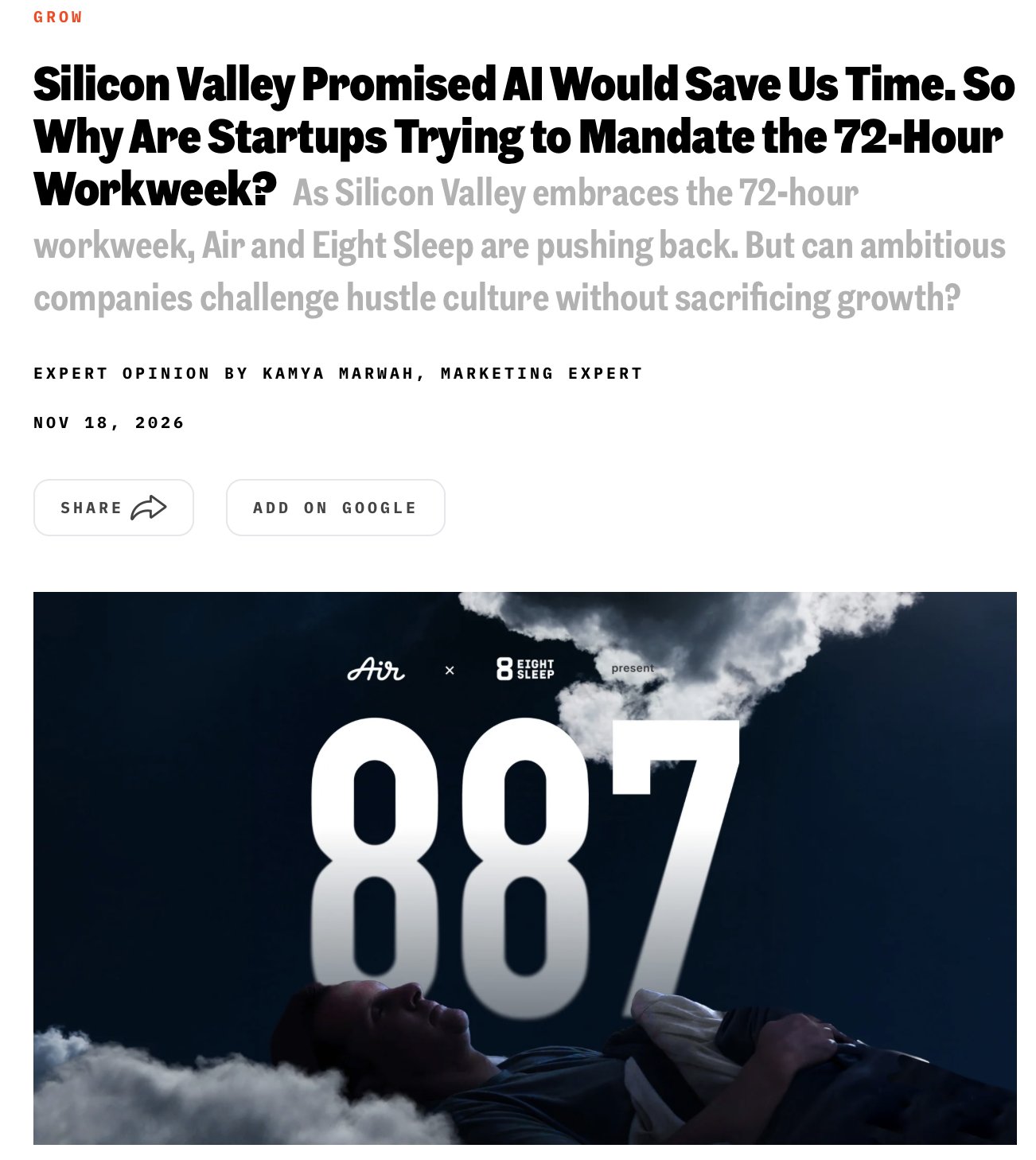
“We can operate in a different way. The way we've chosen is what we call 887.”
Day 23 of testing a different AI tool for creative work:
Today I tried @getkive, an AI creative studio that lets you "create stunning product shots and brand visuals in seconds."
I tested it using the Graza website since they have a range of consumer products. All I had to do was input the URL and it pulled all the visual assets for me, which was nice.
Pros:
- Didn't force me to create an account, could begin creating right away.
- Allowed me to drop in a single link and auto generate assets.
- The branding was consistent and looked authentic.
- Plenty of presets and suggestions on how to use the tool, easy for beginners.
- Accessible consumer price point for the basic plan at just $30 per month.
- I really liked the case studies they showed on how different types of companies were using the platform.
Cons:
- No major cons with the platform as a casual user. I didn't upgrade to the paid tier, but if I did I'd want a little bit more information available on credit usage. Overall seemed like a cool platform.
Am I missing something?? Let me know your experience with @getkive!
What tool should I review next? 👀
Day 11 of testing a different AI tool for creative work:
Today I tried @ideogram_ai an "All-in-One AI Image Generator"
Pros:
- Simple interface that made it easy to get up and running.
- Renders text well and seems like a good platform to create a logo, sticker, or poster.
- Plenty of example prompts and suggestions on what to create, so no writers block on prompts.
Cons:
- Immediately pushed to subscribe to a paid plan before having a chance to play with the tool.
- After just 2 image generations I was blocked from creating more without upgrading.
- Output for photo-realistic images was poor quality. An image of a NYC street had an errant street sign in the middle of the sidewalk and other tell-tale signs of AI.
Am I missing something? Let me know your experience with @ideogram_ai
What tool should I review next? 👀


Shane Hegde retweeted

text rendering is the only test i trust on these. anyone can make a pretty blob, put a readable poster headline on it and then i'm interested
Machines find patterns. Creativity breaks them.
Our own @katefcollinss went to LA to talk to @fin_ai Creative Director, Daniel Surgeon.
Incredibly inspired by what @eoghan has built, honored to have Fin as a customer.
Shane Hegde retweeted

When her Whoop told her that her health metrics looked like those of someone twice her age, @ElenaVerna knew she had to make a change.
Our own @emmelinevu flew to Nashville for an intimate conversation about why she's pushing back against 996.
"We are an AI winner today, not because we instituted 996, but because we have a team of people who bought into what we’re trying to do, and they want to do it together."
Thanks @Inc for the interview and for featuring our latest campaign with @eightsleep.
Day 11 of testing a different AI tool for creative work:
Today I tried @ideogram_ai an "All-in-One AI Image Generator"
Pros:
- Simple interface that made it easy to get up and running.
- Renders text well and seems like a good platform to create a logo, sticker, or poster.
- Plenty of example prompts and suggestions on what to create, so no writers block on prompts.
Cons:
- Immediately pushed to subscribe to a paid plan before having a chance to play with the tool.
- After just 2 image generations I was blocked from creating more without upgrading.
- Output for photo-realistic images was poor quality. An image of a NYC street had an errant street sign in the middle of the sidewalk and other tell-tale signs of AI.
Am I missing something? Let me know your experience with @ideogram_ai
What tool should I review next? 👀
Day 10 of testing a different AI tool for creative work:
Today I tried @MeshyAI "The number 1 3D GenAI platform"
Pros:
- Easy for beginners. An intuitive interface that allowed me to get set up and start creating within minutes.
- Useful prompts on what to make such as "design a gift" (like a pet keychain) and a prompt encouraging me to "create an intro to 3D printing" (helpful as a beginner).
- Easy interface for viewing assets and models.
- Helpful tips on what type of uploads work well and what to avoid.
- Broad range of export options.
Cons:
- Free plan is limited and too many messages promoting upgrades.
- Can't speak to the quality of more complicated 3D modeling projects. I uploaded the Air logo, but more detailed products might require tweaking or cleanup in Blender.
Am I missing something?? Let me know your experience with @MeshyAI.
What tool should I review next? 👀


Shane Hegde retweeted

Was fun having the @airHQ team over in USQ for a chat and a pint! Love working with those guys
Day 10 of testing a different AI tool for creative work:
Today I tried @MeshyAI "The number 1 3D GenAI platform"
Pros:
- Easy for beginners. An intuitive interface that allowed me to get set up and start creating within minutes.
- Useful prompts on what to make such as "design a gift" (like a pet keychain) and a prompt encouraging me to "create an intro to 3D printing" (helpful as a beginner).
- Easy interface for viewing assets and models.
- Helpful tips on what type of uploads work well and what to avoid.
- Broad range of export options.
Cons:
- Free plan is limited and too many messages promoting upgrades.
- Can't speak to the quality of more complicated 3D modeling projects. I uploaded the Air logo, but more detailed products might require tweaking or cleanup in Blender.
Am I missing something?? Let me know your experience with @MeshyAI.
What tool should I review next? 👀
Day 9 of testing a different AI tool for creative work:
Today I tried @LeonardoAi "The creator-first generative AI platform."
Pros:
- Easy onboarding and sign up.
- Recently added GPT Image 2.6.
- You can switch between different models rather than being tied to one visual style.
- Keeps a handy library of your generations.
- Allows you to generate up to 8 generations at a time on paid plans.
- "Flow state" mode of suggested prompts (though the prompts seemed limited).
Cons:
- Free plan is extremely limited and constant messages promoting upgrades.
- Ready Made AI Templates looked overtly AI.
- Reviewers online who did upgrade found it hard to know out how many video clips their tokens would buy and heavy experimentation burns through tokens fast.
Am I missing something?? Let me know your experience with @LeonardoAi!
What tool should I review next? 👀


