

The Most Accurate Solana Wallet Analyzer! 50k wallets at once, autoscan!
Joined April 2024
- Tweets635
- Following4
- Followers1.8K
- Likes447


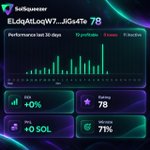




TOP 10 WALLETS OF THE WEEK
This week’s SolSqueezer Top 10 includes wallets with very different profiles. Here are 3 names from the list that are already worth putting on your radar:
1) 89UF...CaZn — score 98, win rate 91%, 11 trades, median ROI 213.1%, median hold 1h, capital to mirror ~0.26 SOL/trade.
2) 4T7D...cfNb — score 92, win rate 82%, 11 trades, median ROI 848.2%, 5 x10+ moonshots, median hold 2h, capital to mirror ~0.01 SOL/trade.
3) As9c...vwFa — score 90, win rate 68%, 25 trades, median ROI 99.6%, longest losing streak only 2, median hold 1h, capital to mirror ~0.12 SOL/trade.
All three are marked Mixed: watch first, which means the ranking is a starting point for research, not a blind copy signal.
💬 Which wallet should we break down in more detail: 1, 2, or 3? Let us know in the comments.

Wallet 1 - app.solsqueezer.io/wallet/89…
Wallet 2 - app.solsqueezer.io/wallet/4T…
Wallet 3 - app.solsqueezer.io/wallet/As…
TRY SOLSQUEEZER WHALE FOR JUST $5!
Want to explore everything SolSqueezer has to offer before committing to a full subscription?
Now you can!
✔ New users can get 2 days of Whale access for just $5.
Whale is our most comprehensive plan, giving you access to:
🟣 All SolSqueezer features
🟣 Nearly unlimited wallet checks
🟣 Super Batch, Autoscan, advanced filters, and more
Explore the tools, test different research workflows, and see how SolSqueezer fits your trading strategy.
⚠️ Important: After the 2-day trial, your subscription automatically continues at $149/month unless you cancel before the trial ends.
You can manage or cancel your subscription in Account → Manage Subscription.
💬 Have any questions about the trial or Whale plan? Let us know in the comments!
solsqueezer.io

CARD PAYMENTS ARE NOW AVAILABLE IN SOLSQUEEZER!
Good news! You can now pay for your SolSqueezer subscription using a bank card.
⚡ Here's what you need to know:
🟣Card payments — most international bank cards are supported. Cards issued in Russia and Belarus are not accepted. Other regional or bank restrictions may apply.
🟣 Automatic renewal — your subscription renews monthly until you cancel it.
🟣 Manage your subscription — you can cancel before your next renewal in Account → Manage Subscription.
🟣 Transparent pricing — any applicable taxes are displayed by Creem before you complete your payment.
You now have another way to access SolSqueezer's tools for wallet research!
💬 Have questions about card payments? Let us know in the comments!
Try solsqueezer.io

TOP 10 WALLETS OF THE WEEK
This week's SolSqueezer Free Tier leaderboard has some interesting numbers!
1)One wallet shows +28,167.84% ROI with a 52% win rate.
2)Another has +111.04% ROI but a 92% win rate.
Same leaderboard. Very different trading results.
Let's take a closer look at the first wallet on the list:
🟣 ROI: +103.5%
🟣 Win Rate: 71%
🟣 PnL: +17.607 SOL
🟣 Total Trades: 21 (15 wins, 6 losses)
🟣 Median Trade Duration: 10 minutes
A massive ROI doesn't always mean a high win rate. And a high win rate doesn't tell you how much profit each winning trade brings.
That's why it's worth looking beyond the leaderboard.
📎Check trade history, position sizes, holding times, and how the wallet actually generated its returns before considering a copy.
Explore the wallets and their full stats on solsqueezer.io

THE WALLET MADE MONEY. YOU GOT THE BAG.
A wallet buys a token before the hype. The price pumps. PnL looks insane. Everyone wants to copy.
❗ But there's a catch.
The original wallet entered early and can exit in seconds. You enter later, at a higher price, with completely different risks.
And suddenly:
🟣 The pump is over.
🟣 Liquidity is disappearing.
🟣 You're holding what everyone else is selling.
A profitable wallet doesn't automatically mean a profitable copy.
Before following, use SolSqueezer to check entry timing, exits, hold duration, and trading history.
Don't let someone else's winning trade become your expensive lesson.
💬 What's your biggest copy-trading red flag? Let us know in the tread!
solsqueezer.io
t.me/SolSqueezer

WHY TOKEN QUALITY MATTERS IN WALLET ANALYSIS
A wallet’s high ROI can look convincing until you check which tokens it came from.
One wallet may make money through cleaner setups:
🟣 multiple trades;
🟣 reasonable liquidity;
🟣 repeatable timing, and different tokens.
Another may show a nice result through questionable launches, sharp pumps, and tokens where the exit window was extremely short. Technically, the PnL is there. But for copy trading, that result may be hard to reproduce.
That is why you should look beyond final metrics and check the quality of the wallet’s token history.
❗ If a wallet often trades low-quality tokens, its profit may depend on perfect entry, fast reaction, and exiting before the collapse. For a copy-trader, that creates a very different risk profile.
💬 Do you check token history before trusting a wallet? Let us know in the comments.
solsqueezer.io
t.me/SolSqueezer

WHEN AVG ROI LOOKS TOO GOOD
High Avg ROI usually gets attention first. But in wallet research, you need to understand what actually pushed it up.
If a wallet made a few strong exits, the average ROI can look attractive even when most trades closed almost flat. On the metrics screen, it may look like a strong trader. In structure, it may just be a wallet with a few lucky hits.
🔗Median ROI helps check whether the typical trade supports the average result. If avg is high while median is almost flat, most trades do not confirm the nice number.
For copy, the key is not the brightest trade. It is what the wallet does most often.
💬 Do you compare Avg ROI and Median ROI before copying? Let us know in the comments.
solsqueezer.io

WHALES ARE NOT ALWAYS COPYABLE
A whale wallet can be useful even if you should not copy it. The mistake is treating every strong wallet the same way.
A whale may enter with size, split positions, affect liquidity, survive drawdowns, and exit in a way that does not work for a smaller account.
So the question is not: “Is this whale profitable?”
The better question is: “What can this whale show me?”
A whale can help you understand:
🟣 which tokens attract large capital;
🟣 where bigger players start building positions;
🟣 whether supply is concentrated;
🟣 when large wallets begin to exit;
🟣 which tokens may be worth deeper research.
That makes whales useful for market context. But context is not the same as a copy signal.
🔆 In SolSqueezer, whale wallets are better used as a research layer: study their behavior, check what they touch, and decide whether the token or related wallets deserve more analysis
solsqueezer.io

TOP BY METRIC: DIFFERENT WAYS TO FIND STRONG WALLETS
Not every strong wallet is strong for the same reason.
That is why SolSqueezer has Top by metric — wallets ranking in top percentiles across different performance metrics.
You can explore wallets by:
🟣All — overall top wallets across metrics.
🟣 ROI — wallets with strong total return.
🟣 Winrate — wallets that close more trades in profit.
🟣 Avg ROI — wallets with strong average result per trade.
🟣 Best ROI — wallets with the strongest single trade result.
🟣 Win streak — wallets with long winning sequences.
🟣 x2 / x5 / x10 — wallets that caught bigger multiplier moves.
This helps you start research from the metric that matters most to your strategy.
Looking for consistency? Start with Winrate or Win streak.
Looking for upside? Check Best ROI, x5, or x10.
Looking for balanced performance? Start with All.
React with if you want more posts like this.
solsqueezer.io
t.me/SolSqueezer

3 WAYS TO START WALLET RESEARCH
A leaderboard is useful only when you know what you are looking for.
In SolSqueezer, top performing traders can be explored from different angles:
🟣 Top Wallets — wallets with strong recent performance over the last 7 days, ranked by score.
🟣 Daily Best — top performing wallets from the last 5 days. You can also analyze them all as a Super Batch.
🟣 Outperformers — wallets ranking in top percentiles across performance metrics.
The goal is to find a starting point for research: open the wallet, check the full stats, compare the metrics, and understand why it made it to the list.
🔗Top lists save time. Analysis decides what is worth your attention.
💬 Which tab should we break down next: Top Wallets, Daily Best, or Outperformers? Write it in the comments.
Try solsqueezer.io

3 WAYS TO START WALLET RESEARCH
A leaderboard is useful only when you know what you are looking for.
In SolSqueezer, top performing traders can be explored from different angles:
🟣 Top Wallets — wallets with strong recent performance over the last 7 days, ranked by score.
🟣 Daily Best — top performing wallets from the last 5 days. You can also analyze them all as a Super Batch.
🟣 Outperformers — wallets ranking in top percentiles across performance metrics.
The goal is to find a starting point for research: open the wallet, check the full stats, compare the metrics, and understand why it made it to the list.
🔗Top lists save time. Analysis decides what is worth your attention.
💬 Which tab should we break down next: Top Wallets, Daily Best, or Outperformers? Write it in the comments.
Try solsqueezer.io
HOW TO SET FILTERS IN SOLSQUEEZER
If you do not want to check every wallet manually, start with filters.
💡 Here is where to find them on the website:
1. Open the main dashboard
2. Click Settings in the top menu
3. Scroll down to Batch Filters
4. Click Edit Filters
5. Set the metrics you need: ROI, win rate, PnL, trade activity, duration, and more
6. Click Apply
These filters help you narrow down wallets before deeper analysis.
✔ Instead of looking through everything, you can focus only on wallets that match your criteria.
Use filters for batch processing and autoscan to make wallet research faster and more structured.
💬 Have questions about setting up filters? Write them in the comments — we’ll break it down in more detail.
solsqueezer.io/
t.me/SolSqueezer

Full Wallet History
By default, SolSqueezer analyzes the latest 1,000 wallet transactions.
For most checks, that’s enough.
But some wallets have been trading for a long time.
And if you want to evaluate long-term consistency, the latest 1,000 transactions may not be enough.
That’s why Whale users can now enable Full Wallet History in settings.
When enabled, SolSqueezer analyzes the full available trading history of a wallet.
This is useful when you want to find wallets that stayed profitable across a longer trading history, not only in their latest activity.
More history.
Better context.
Available now for Whale users in settings.

If you have to manually restart your wallet search every day, you don’t have discovery.
You have a routine.
Manual screening is useful.
But if you are serious about wallet discovery, the next problem appears quickly:
New wallets show up constantly.
You can miss them while sleeping.
You can miss them while checking another token.
You can miss them because your watchlist is already too large.
That’s why we built Personal Autoscan.
Instead of manually opening the product every time, you define what kind of wallets you want to find.
Then Autoscan keeps scanning and sends you reports when wallets match your criteria.
The goal is not more alerts.
The goal is fewer, better alerts.
For users who already have a screening logic, Autoscan turns it into a continuous discovery system.
Manual screening = Trader workflow.
Continuous wallet discovery = Whale workflow.
If you already know what kind of wallets you want, Autoscan is probably the upgrade that matters.

🔍 Token Analytics vs Token Trades: When To Use Which.
We have two ways to dig into a token. They look similar at first glance, but they answer different questions.
Token Analytics - token/<address> in the bot.
The question it answers: who holds it and who historically made money on it?
You get the token's metadata (creator, deploy date, ATH, price changes from 15min to 24h), top-10 holder concentration, dev holdings, rug flag - plus an Excel with three sheets: top traders (with unrealized PnL), earliest buyers (first ones in, with their realized + unrealized profit), and current holders (% of supply).
After the report, you can launch a batch scan on top traders, top holders, earliest snipers, or all found wallets - one click each.
Free: 20 reports/month. Starter: 50. Trader & Whale: unlimited.
Token Trades - t/<address> in the bot.
The question it answers: who's actively trading it right now and walking away with profit?
It pulls the full recent trade history, aggregates by wallet, and gives you an Excel with each trader's realized PnL in SOL and %, sorted top-down. You can set a minimum PnL filter to cut the list further.
Then one button: batch scan all qualifying traders.
Trader: 150/month. Whale: 500/month. Not available on Free/Starter.
When to use which:
🟣New token, you don't know it yet → Token Analytics. Get the structural picture (holders, snipers, dev behavior).
🟣You know the token, you want to find profitable wallets to copy → Token Trades. Skip the metadata, get straight to actively profitable traders.
Most workflows use both. Token Analytics for reconnaissance, Token Trades for extraction.

Telegram is no longer required to use SolSqueezer.
You can now log in with Google, a Solana wallet, or Telegram.
Use the web app directly with Google or your wallet. Telegram still works for bot notifications.

We only have 15 places left in the waitlist. You'll have the best rates and an OG status in the community👀
Hurry up! Beta soon!
