

Sharing the best AI tools, GitHub repos, research papers, free courses & career resources • Helping you leverage AI every day • ✉️ DM for collabs
Alberta
Joined July 2025
- Tweets2.2K
- Following333
- Followers344
- Likes3.8K







🚨Architects are going to hate this.
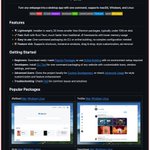
Someone just open sourced a full 3D building editor that runs entirely in your browser.
No AutoCAD. No Revit. No $5,000/year licenses.
It's called Pascal Editor.
Built with React Three Fiber and WebGPU -- meaning it renders directly on your GPU at near-native speed.
Here's what's inside this thing:
→ A full building/level/wall/zone hierarchy you can edit in real time
→ An ECS-style architecture where every object updates through GPU-powered systems
→ Zustand state management with full undo/redo built in
→ Next.js frontend so it deploys as a web app, not a desktop install
→ Dirty node tracking -- only re-renders what changed, not the whole scene
Here's the wildest part:
You can stack, explode, or solo individual building levels. Select a zone, drag a wall, reshape a slab -- all in 3D, all in the browser.
Architecture firms pay $50K+ per seat for BIM software that does this workflow.
This is free.
100% Open Source.
Github Repo: github.com/pascalorg/editor
Ultron AI retweeted
🚨 Don't throw away your old laptop!
It can become your own private 'cloud'.
With the help of CasaOS, you can turn an old laptop, Raspberry Pi, or mini PC into a private server.
And you don't even need any programming knowledge to do it.
Simply install it, open the very straightforward dashboard, and select the applications you need:
→ Jellyfin: For watching your movies and series
→ Immich: For storing your photos
→ Nextcloud: As an alternative to Dropbox
→ Vaultwarden: For keeping your passwords secure
→ Syncthing: For syncing files
→ Home Assistant: For controlling your home appliances
→ AdGuard: For blocking ads on your WiFi
Previously, setting up such a system installing Linux, configuring Docker, and troubleshooting errors would take hours.
But with CasaOS, all you have to do is click on the icons. It is completely free, open-source, and works on almost any old computer.
The link to the repo is provided in the first comment👇🏻
Repo: github.com/icewhaletech/casa…

YOUR RAG DOESN'T HAVE A MODEL PROBLEM. IT HAS AN EYES PROBLEM.
Your model is fine. The problem is what you feed it. Your parser turns every page into text, and the second it hits a table or a chart, it flattens the answer into garbage. Then your model guesses.
Berkeley just open sourced the fix.
It's called PixelRAG. Instead of parsing a page into text, it screenshots the page and searches the image directly. Nothing gets flattened. Nothing gets lost.
It sees the page the way you do.
→ Renders any web page, PDF, or image into screenshot tiles → Embeds those images with a Qwen3-VL model that was LoRA tuned on screenshots → Retrieves the exact tile that holds the answer, with tables and charts intact → Ships a hosted index of 8.28M Wikipedia pages you can query right now with no API key → Runs on FAISS by default, with Qdrant when you need scale
It also gives Claude eyes. The pixelbrowse plugin lets Claude Code screenshot a page and read the image instead of the raw HTML, so it finally sees the charts, tables, and layout a human sees. No MCP server. No backend.
Setup is one line: pip install pixelrag.
It comes out of the Berkeley lab behind Matei Zaharia, the guy who created Apache Spark. Their paper is titled "Web Screenshots Beat Text for Retrieval-Augmented Generation."
9.8K stars. Apache 2.0. 100% open source.
Your model was never the problem.

It was never really about money.
Each CEO is afraid that if the other guy builds it first, that guy effectively becomes a dictator. Emails surfaced in the Musk vs OpenAI lawsuit show the founders worried about exactly this back in 2017.
He says none of them should be trusted with that much power.
His follow-up, AI 2040: Plan A, is the version where we don't lose.
» Governments force full transparency on the frontier labs
» No unchecked intelligence explosion, scale it slowly instead
» A citizen dividend so nobody gets left behind
He still says it's not too late.
Watch: youtube.com/watch?v=_g4l7YkD…
Read: ai-2027.com and ai-2040.com

🚨 Don't throw away your old laptop!
It can become your own private 'cloud'.
With the help of CasaOS, you can turn an old laptop, Raspberry Pi, or mini PC into a private server.
And you don't even need any programming knowledge to do it.
Simply install it, open the very straightforward dashboard, and select the applications you need:
→ Jellyfin: For watching your movies and series
→ Immich: For storing your photos
→ Nextcloud: As an alternative to Dropbox
→ Vaultwarden: For keeping your passwords secure
→ Syncthing: For syncing files
→ Home Assistant: For controlling your home appliances
→ AdGuard: For blocking ads on your WiFi
Previously, setting up such a system installing Linux, configuring Docker, and troubleshooting errors would take hours.
But with CasaOS, all you have to do is click on the icons. It is completely free, open-source, and works on almost any old computer.
The link to the repo is provided in the first comment👇🏻
Repo: github.com/icewhaletech/casa…
Do not install this if you enjoy digging through 40 Chrome tabs to find ChatGPT.
Seriously. Keep scrolling.
Because once you try it, your browser stops being where you work.
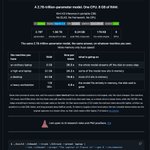
It's called Pake. One command turns any website into a real desktop app on Mac, Windows, and Linux.
pake chatgpt.com --name ChatGPT
That's it. Its own window. Its own icon. Its own app.
Here's why it's different from the "desktop apps" you already have.
Most of them are Electron. Every single one ships a full copy of Chrome inside it. That's why they feel so heavy.
Pake is built on Rust and Tauri instead. It borrows the web engine your computer already has.
→ Installers nearly 20x smaller than Electron packages → Most apps land under 10MB on disk → Lower memory use than JS-based wrappers → Built-in shortcuts, immersive windows, drag and drop, and ad removal → Custom icons, window sizes, and a hidden title bar with a few flags
Don't want to touch the terminal?
→ Download ready-made apps for ChatGPT, Gemini, Grok, DeepSeek, Notion, YouTube Music, and Excalidraw → Or build one in your browser through GitHub Actions with zero setup
If you live in Claude Code or Codex, it ships as an official plugin. Your agent can turn your local build into an app with pake ./dist --name MyTool
The apps you build are yours to use and share.
61.9K stars. GPL-3.0. 100% Opensource.
Okay. Now you can go back to your 40 tabs.
github.com/tw93/Pake

Top 10 trending skills: Oct 1
1. ui-taste · +278K installs this week · 208K total
2. typesafe-ai · +39K installs this week · 72K total
3. flutter/skills (10 skills) · +26K installs this week · 38K total
4. pr · +24K installs this week · 34K total
5. anti-prose-slop · +15K installs this week · 27K total
6. archify-review · +9.0K installs this week · 15K total
7. google-labs-code/stitch-skills (4 skills) · +8.5K installs this week · 9.0K
8. anthropics/claude-plugins-public (12 skills) · +6.1K installs this week
9. google/agents-cli (7 skills) · +134K installs this week · 414K total
10. getsentry/sentry-skills (8 skills) · +4.1K installs this week · 4.8K total

A FREE CLAUDE SKILL TO DE-AI YOUR WRITTEN CONTENT
---
name: de-ai-writing
description: Rewrite text so it has no signs of AI writing, using Wikipedia's "Signs of AI writing" field guide (em-dash overuse, "not just X, it's Y", "serves as", "delve/crucial/pivotal/tapestry", puffed-up significance, promotional tone, vague attributions, "it's important to note", "In conclusion", Title Case headings, bold-label bullet lists, chatbot leftovers). Use this whenever someone wants content de-AI'd, humanised, made to "sound less like ChatGPT/AI", "less robotic", cleaned of AI tells, or checked for signs of AI writing before publishing, including blog posts, web copy, FAQs, emails, essays, LinkedIn posts, product pages, docs and whole websites or repos of content. Also use it when polishing a draft the user says came from an AI.
---
# De-AI writing
Rewrite content so it reads as written by a knowledgeable person, by removing the patterns catalogued
in Wikipedia's *Signs of AI writing* (WikiProject AI Cleanup). The full catalogue, with words to
watch and a before/after fix for each sign, is in `references/signs.md`. Read it before the first
rewrite in a session; it is the source of truth for what counts as a sign.
## Why this works the way it does
The Wikipedia guide makes a point worth holding on to: the signs are symptoms. Language models
regress to the most statistically common phrasing, so specific facts get smoothed into generic,
important-sounding statements. Swapping a flagged word for a synonym, or an em dash for an en dash,
hides the symptom and keeps the problem. The aim is text that says specific things plainly. When you
fix a sentence, fix what it is doing (puffing up, hedging, correcting a misconception nobody raised),
not just the word that tripped the scanner.
## Workflow
1. **Get the text.** Pasted text, a file, a folder of files, or a built website. For a codebase or
site, find where the copy actually lives (data files, CMS exports, templates) and edit there, not
in generated output.
2. **Scan it.** If you can run code, use the bundled scanner for a baseline:
```bash
python3 scripts/check_ai_signs.py <file(s)> # .txt, .md or .html; "-" reads stdin
python3 scripts/check_ai_signs.py <file> --summary
```
It reports each matching sentence under its sign number. It catches pattern-matchable signs only.
Rule of three, elegant variation, puffed-up structure and summary endings need your own read.
Without code execution, do the same pass by hand using `references/signs.md`.
3. **Rewrite.** Go sentence by sentence through everything flagged, then read the whole piece once
more for the judgement signs. Rules for the rewrite:
- **Keep every fact, number, name, date, link and claim.** De-AI'ing changes how things are said,
never what is said. If a sentence was only padding, delete it; if it carried a fact, keep the fact.
- **Keep the author's voice and conventions**: person (I/we/you), spelling (UK/US), tone,
formatting system (Markdown, HTML, JSX, plain text), and any length limits (SEO titles ~60
characters, meta descriptions ~155, button labels).
- **Never alter quotations** of real people or sources, titles of works, or legal text.
- **Em dashes**: rewrite with commas, colons, parentheses or full stops. Don't substitute another
dash. One or two in a long piece is fine.
- **Contrasts** ("not X but Y", "rather than", "not just… it's"): state the positive claim on its
own unless a reader genuinely would assume the opposite.
- **Unknowns**: if the original says something isn't known, keep that honesty, but say it once,
concretely, with what the reader should do ("Hours aren't posted; call ahead"). Don't pad it
with speculation.
- **Plain words**: is/has instead of serves as/boasts; used, tried, moved, to, before.
- **Don't over-correct.** Perfect grammar, formal register, a single transition word or an
unsourced claim are *not* signs (see section 7 of the reference). Leave clean sentences alone.
4. **Re-scan and re-read.** Run the scanner again and aim for zero hits. A hit you keep on purpose
(a quotation, a proper noun like "Key Largo", a word used literally, such as "landscape" for a
painting) is fine; note it in your report.
5. **Report briefly.** Give the rewritten text (or confirm files were edited), then a short note:
sign counts before → after, two or three representative before/after examples, and anything
left in deliberately. Keep the note short; the rewrite is the deliverable.
## Quick reference
The signs, in brief (details and fixes in `references/signs.md`):
| # | Sign | Typical tells |
|---|------|---------------|
| 1.1 | Undue significance / legacy | stands as, testament, pivotal role, reflects broader, enduring legacy |
| 1.2 | Canned notability | featured in, independent coverage, active social media presence |
| 1.3 | Superficial -ing analysis | "…, highlighting/ensuring/reflecting…", valuable insights |
| 1.4 | Promotional tone | vibrant, nestled, in the heart of, boasts, world-class, seamless |
| 1.5 | Vague attribution | experts say, observers note, studies show, widely regarded |
| 1.6 | Challenges formula | "Despite its…, faces challenges… Despite these challenges…" |
| 1.7 | Title-defining lead | "X refers to…" |
| 2.1 | AI vocabulary | additionally, crucial, delve, enhance, foster, key, landscape, robust, tapestry |
| 2.2 | Copula avoidance | serves as, functions as, represents, features/offers (for "has") |
| 2.3 | Vague association | associated with, in connection with |
| 2.4 | Negative parallelism | not only…but, it's not X it's Y, no X no Y just Z, rather than |
| 2.5 | Rule of three | stacked triplets used for rhythm |
| 2.6 | Elegant variation | synonym cycling for one noun |
| 3.1–3.8 | Formatting | Title Case headings, bold everywhere, **Label:** bullets, em dashes, emoji, tiny tables, mixed curly quotes, --- between sections |
| 4.1–4.3 | Chat leftovers | I hope this helps, let me know, "not widely documented", [Your Name] |
| 5.1–5.2 | Older habits | it's important to note, may vary, In conclusion, Overall |
## Example
**Input**
> Nestled in the heart of the city, our café stands as a testament to the town's rich cultural
> heritage — it's not just a coffee shop, it's a gathering place. Additionally, the menu boasts a
> diverse array of pastries, showcasing our commitment to quality. While specific details about
> opening hours are not widely documented, it's important to note that hours may vary.
**Output**
> Our café is on the main square, in a building that has been a bakery since 1911. People come for
> the coffee and stay for hours. We bake about twenty kinds of pastry each morning. Opening hours
> change with the seasons, so check our Instagram before you visit.
(The details "1911", "twenty kinds" and "Instagram" would come from the user. If the facts aren't
available, ask, or write the plain version without them: "Our café is on the main square. We bake
pastries every morning. Hours change with the seasons, so check before you visit." Never invent
facts to replace puffery.)
Signs.MD
Signs of AI writing: full catalogue and fixes
Source: Wikipedia, Signs of AI writing (WikiProject AI Cleanup), September 2026 edition. The guide is a field guide for spotting machine-written text. Here it is turned around: each sign comes with what it looks like, the words to watch, and how a human writer would fix it. Signs that only apply to Wikipedia markup (wikitext, citation templates, categories, edit summaries) are left out.
The numbering matches scripts/check_ai_signs.py.
Contents
Content signs (1.1–1.8)
Language and grammar (2.1–2.6)
Style and formatting (3.1–3.8)
Text meant for the chat user (4.1–4.3)
Older-model habits (5.1–5.2)
What human writing does instead
Not signs: don't "fix" these
1. Content
1.1 Undue emphasis on significance, legacy and broader trends
Ordinary facts get a sentence about why they matter, how they "reflect broader" trends, or their "enduring legacy". Even mundane subjects (a railway station, a fish species) get puffed up.
Words to watch: stands/serves as, is a testament/reminder, a crucial/pivotal/vital/significant/key role or moment, underscores/highlights its importance, reflects broader, symbolising its ongoing/enduring/lasting, contributing to the, setting the stage for, marking/shaping the, represents/marks a shift, key turning point, evolving landscape, focal point, indelible mark, deeply rooted, "has generated debate about…", "prompted broader reflection on…".
Fix: delete the significance sentence, or replace it with a specific fact that shows the point.
Before: "The institute was established in 1989, marking a pivotal moment in the evolution of regional statistics." After: "The institute was set up in 1989. It was Spain's first regional statistics office."
1.2 Canned emphasis on notability and media coverage
Proving importance by listing where something was covered, or describing the sources themselves.
Words to watch: independent coverage, local/national media outlets, trade publications, cited/featured/profiled in, written by a leading expert, maintains an active social media presence.
Fix: say what the thing is or did. Cite coverage only as a source for a specific claim.
1.3 Superficial analysis
A participle clause tacked onto the end of a factual sentence that interprets it without adding information: "…, highlighting its importance", "…, ensuring…", "…, reflecting…".
Words to watch: highlighting, underscoring, emphasising, ensuring, reflecting, symbolising, contributing to, cultivating, fostering, encompassing, enhancing, showcasing, valuable insights, align/resonate with.
Fix: cut the clause. If the interpretation matters, make it its own sentence with evidence.
Before: "The station has 8 tracks and 6 platforms, reflecting its continued relevance in the regional transportation landscape." After: "The station has 8 tracks and 6 platforms."
1.4 Promotional, advert or travel-brochure language
Neutral subjects written up like a hotel listing or a press release.
Words to watch: boasts a, vibrant, rich (culture/heritage/history), profound, enhancing, showcasing, exemplifies, commitment to, natural beauty, nestled, in the heart of, groundbreaking, renowned, featuring, diverse array, breathtaking, stunning, world-class, seamless, state-of-the-art.
Fix: replace the adjective with the fact that would earn it, or drop it.
Before: "Nestled in the heart of the old town, the café boasts a diverse array of pastries." After: "The café is on the main square and sells about twenty kinds of pastry."
1.5 Vague attributions and overgeneralised opinions
Opinions hung on unnamed authorities, or one source presented as many.
Words to watch: industry reports, observers have cited, experts argue, some critics argue, several sources (when there are one or two), studies show, widely regarded, "such as" before what is actually a complete list.
Fix: name the source, or state the claim as your own view, or cut it.
1.6 Formulaic "challenges and future prospects" endings
"Despite its [praise], X faces several challenges… Despite these challenges, X continues to thrive…", often in a closing "Challenges" or "Future outlook" section.
Fix: if a problem is real, state it plainly where it belongs. Drop the optimistic wrap-up.
1.7 Leads that define the title as a thing
"X refers to…" or "The List of Y is a curated compilation of…" for topics or lists.
Fix: start with the subject itself. "A catchment area is the area a hospital draws patients from."
1.8 "X and Y" headings, "Awards and recognition"
Paired headings built to sound complete. Keep a heading only if the section needs it.
2. Language and grammar
2.1 High density of "AI vocabulary"
One or two of these is normal. Several in one piece of text is one of the strongest tells.
2023–mid-2024 set: additionally (especially opening a sentence), boasts, bolstered, crucial, delve, emphasising, enduring, garner, intricate/intricacies, interplay, key (adjective), landscape (abstract), meticulous, pivotal, underscore, tapestry, testament, valuable, vibrant. Mid-2024–2025 set: align with, bolstered, crucial, emphasising, enhance, enduring, fostering, highlighting, pivotal, showcasing, underscore, vibrant. Newer models: emphasising, enhance, highlighting, showcasing.
Fix: use the ordinary word or cut. "Additionally" → start the sentence without it, or "Also". "Crucial" → "important", or explain why. "Landscape" → name the actual thing. Don't just swap in a synonym: the guide warns that the word is a symptom; the padding is the problem.
2.2 Avoiding "is", "are" and "has"
Dressing up a plain verb.
Words to watch: serves as, stands as, marks, functions as, operates as, represents, boasts / features / maintains / offers (meaning "has"), refers to, "ventured into politics as a candidate" (was a candidate), "began his career as" (was).
Fix: use is/are/has. "Gallery 825 serves as LAAA's exhibition space. The gallery features four separate spaces" → "Gallery 825 is LAAA's exhibition space. It has four galleries."
2.3 Vague connection or association
"was associated with leadership of", "in connection with", "connected to" where a plain relationship is known. Fix: state the relationship. "In 2017 she was CEO of ExampleCorp."
2.4 Negative parallelisms
Correcting a misconception nobody raised.
"Not only … but also …", "It's not just X, it's Y", "This isn't A, it's B"
"Not X, but Y", "X is not a mirror but a portal"
"No X, no Y, just Z"
"Y rather than X" (overused; fine occasionally)
Fix: state the positive claim alone. "It's not just a coffee shop, it's a gathering place" → "People stay for hours." Keep a contrast only when a reader really would assume the opposite.
2.5 Rule of three
Triplets of adjectives or short phrases used to sound thorough: "fast, reliable, and secure"; "learn, connect, and grow". Fix: keep lists that are really lists of facts; otherwise pick the one item that matters, or two. Vary rhythm.
2.6 Elegant variation
Cycling through synonyms to avoid repeating a noun ("the artist… the painter… the creative… the visionary"). Fix: repeat the plain noun, or use a pronoun.
3. Style and formatting
3.1 Title Case headings
"Impact Of Technology And Digitalization". Fix: sentence case, unless house style says otherwise.
3.2 Overuse of boldface
Bolding key phrases throughout, "key takeaways" style. Fix: bold nothing in body prose, or at most a term at its definition.
3.3 Inline-header vertical lists
Bullets that start with a bold label and a colon: "Scalability: The system…". Fix: turn into prose, or a plain list without labels, or a real table if the data is tabular.
3.4 Overuse of em dashes
LLMs use em dashes where people use commas, colons, parentheses or full stops, often spaced " — " for punch. Claude in particular uses more than professional writers do. Fix: rewrite the sentence with ordinary punctuation. Don't swap in an en dash or hyphen; that keeps the pattern. One or two in a long piece is fine.
3.5 Emoji as formatting
Emoji in front of headings or bullets. Fix: remove.
3.6 Unusual small tables
Two- or three-row tables that would read better as one sentence.
3.7 Curly quotes and apostrophes
Mixed curly (“ ” ’) and straight quotes. Match the surrounding text's convention. (Word processors also produce curly quotes, so this alone proves nothing.)
3.8 Thematic breaks between every section
--- between every section. Remove unless the format needs them.
4. Text meant for the chat user
4.1 Collaborative communication left in
"I hope this helps", "Certainly!", "Great question", "Let me know if…", "Would you like me to…", "Here is a…", "In this section, we will discuss…". Fix: delete.
4.2 Knowledge-cutoff disclaimers and speculation about gaps
"As of my last update…", "While specific details are limited…", "not widely documented/disclosed", "based on available information", "maintains a low profile", followed by guesses about what the missing information "likely" is. Fix: if something genuinely is unknown, say so once, concretely, and tell the reader what to do: "Opening hours aren't posted; call ahead." Never pad the gap with speculation.
4.3 Placeholders
"[Your Name]", "[Describe the section]", "INSERT_URL", "2025-XX-XX". Fix: fill in or remove.
5. Older-model habits (still worth avoiding)
5.1 Didactic disclaimers
"It's important to note/remember/consider", "It is worth noting", "may vary", "keep in mind". Fix: state the thing. "Hours may vary" → "Hours change in winter."
5.2 Section summaries
Paragraphs that end by restating themselves; openers like "In summary", "In conclusion", "Overall", "Ultimately". Fix: end on the last new fact.
6. What human writing does instead
From the guide's "Signs of human writing":
Plain is/has sentences: "there is a", "it has a".
Plain words: wrote (not authored), moved (not relocated), used (not utilised), tried (not attempted), died (not passed away), before (not prior to), to (not in order to).
Definite statements where true: "is the only", "was the first", "one of the best".
Ordinary hedges and intensifiers: "very", "perhaps", "tends to".
Specific, unusual facts. AI text regresses to the generic ("a revolutionary titan of industry"); human text keeps the odd detail ("inventor of the first train-coupling device").
7. Not signs: don't "fix" these
The guide lists these as ineffective indicators. Changing them wastes effort and can make text worse:
Perfect grammar.
Mixing casual and formal registers.
"Bland" or formal prose in general, or long words in general.
A single transition word on its own.
Unsourced content.
Correct formatting. Quoted material (a real person's words, a title, a source) is never rewritten to remove signs.

Two hours after Opus 5.5 dropped, OpenAI answered with GPT-6 Soul and Luna.
Soul's price got cut in half: $4/$20 down to $2/$10 per million tokens. Luna went even cheaper.
But on Artificial Analysis, Soul scores 48. Ten points behind Opus 5.5. Still behind their own Astra model at 53.