

Event pages & live RSVPs for conferences, kickoffs and workshops. Agenda, speakers, reminders and practical details — no attendee app needed.
Denmark · Available worldwide
Joined June 2026
- Tweets59
- Following22
- Followers0
- Likes0






Pinned Tweet
Conferences, kickoffs and workshops deserve more than a PDF and a spreadsheet. InviApp gives every event a clear home for agenda, speakers, practical information, live RSVPs and reminders — with no app required for attendees. See a live example: techsummit.inviapp.com
For the debrief, choose one lesson about invitations, one about the attendee journey and one action for the next event. What is the most useful lesson your team has carried into a later event?
Desktop and mobile visit shares in the InviApp Device Types chart. Demo data. Check how attendees open your event page.
inviapp.com?utm_source=x&utm…

Mobile signup, programme details and a shared photo gallery in two InviApp event demos.
inviapp.com?utm_source=x&utm…
Plan what your event page needs to do before, during and after. InviApp connects the event page, RSVPs, programme and event reporting.
inviapp.com?utm_source=x&utm…
Font family, heading colour, button colour and icon colour in the InviApp styling panel. Review the page style before your company event.
inviapp.com?utm_source=x&utm…

Agencies: reuse the process and adapt the event to the client. InviApp brings branded business event pages, RSVPs and exports into the workflow.
For the client handover, confirm file format, status definitions, required fields and the time of the export. What makes an event handover easy for your client to use?
Agree the attendee handover format before the client event launches. InviApp exports attendee data as XLSX or CSV with companion details preserved.
inviapp.com?utm_source=x&utm…
Keep the invitation and reminder dates beside the RSVP timeline in the post-event review. When do replies usually arrive for your business events?
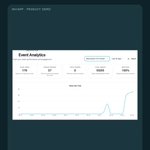
Views, visitors, shares, guests and RSVP rate are separate labels in this InviApp analytics demo. Read the labels before reporting the figures.
inviapp.com?utm_source=x&utm…

In an event review, name each metric and say whether it measures visits, replies or actual attendance. Which event metric does your team find most useful?
Views, visitors, guests and RSVP rate in analytics, followed by guest reply statuses. InviApp demo data.
inviapp.com?utm_source=x&utm…
Guest names, reply statuses and a Show more control on mobile. This InviApp guest-list example uses demo names and figures.
inviapp.com?utm_source=x&utm…

Give the final-week event review a reusable checklist. Use the InviApp attendee list and event page to review replies and practical details.
inviapp.com?utm_source=x&utm…
Keep a reminder focused on the event, response deadline and RSVP action. Read it on a phone before sending. What makes an event reminder feel useful to you?
The reminder setting sits above the InviApp guest list. This demo shows non-responders and a 10-day delay. Check audience and timing.
inviapp.com?utm_source=x&utm…

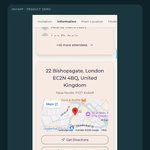
Address, map and directions on the InviApp event page, with a mobile venue view. Company-kickoff demo.
inviapp.com?utm_source=x&utm…
A customer breakfast needs a clear topic and an easy RSVP. InviApp brings the customer event page, programme and attendee replies together.
inviapp.com?utm_source=x&utm…
Arrival time, dress code and directions: the three questions shown in this InviApp company-event FAQ. Demo page.
inviapp.com?utm_source=x&utm…
