

⌥+S → Headphones. ⌥+S → Speakers. Done. A tiny Mac utility for fast audio device switching. Indie-built natively in Swift by @florian_kall
Joined March 2026
- Tweets37
- Following123
- Followers8
- Likes85



Version 1.2 is now in AppStore with all new optional Glass design.
apps.apple.com/us/app/audiof…
AppStore submission was accepted. Now next waiting is for EU digital service shitshow bullshit approval.
8
AppStore review still pending ⏳
Meanwhile you can grab AudioFlip on a discount via Gumroad —> link in bio
6
If you are someone who needs to constantly switch Mac audio devices , AudioFlip is exactly for you.
I am Florian @florian_kall and I built AudioFlip because I was annoyed by the clicking orgy to change mic and output in-game.
Find download link in bio
AudioFlip 1.1 released 🥳
Changes:
- Manage per-device shortcuts alongside favorites in Settings.
- Hotkey changes apply immediately after saving.
Update via in-app or dowload it from Gumroad
audioflip.app/changelog.html
🤖 Made with AI

As an indie hacker getting my first review on my product feels very special. This really helps overcoming some phases when you doubt on everything 😍 Hope for more to come. #builtinpublic #macosapp #indiehacker

This place becomes a wasteland of automated AI slop posts. Hope X will find measures to reduce it.
27

Wow. X just locked my main account with immediate effect. If anyone experienced this and has solutions let me know. And I thought Meta would be evil.
18
A better Mac audio workflow:
⭐️ favorites only
⌨️ hotkey cycling
🎙️ separate input/output control
🖌️ polished visual confirmation
🎨 device types + icons
Simple on purpose.
audioflip.app

AudioFlip is a lightweight native Swift app for macOS.
No giant suite.
No bloated interface.
Just faster audio switching, favorites cycling, and immediate visual confirmation. #mactools #macaudio
audioflip.app
29
Built for a very specific workflow:
• gaming with headphones
• calls on a different mic
• monitor audio when docked
• speakers at the desk
Pick favorites once. Cycle with a hotkey after that.
audioflip.app
11
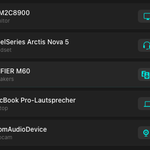
Know your devices at a glance.
AudioFlip supports device types + matching icons, so switching feels much clearer than reading through a generic macOS device list every time.
Headphones. Speakers. Monitor. Mic. Done.

12
Switching Mac audio shouldn't feel like menu archaeology.
AudioFlip keeps only your favorite devices in rotation, so you can cycle faster and avoid dead entries from docks, old monitors, and random USB gear.
10

AudioFlip lets you:
• choose your favorite audio devices
• cycle through them with a hotkey
• see a polished confirmation banner instantly
Built for people who switch between headphones, speakers, AirPods, monitors, and mics on Mac.
audioflip.app
8
Switching audio devices on macOS:
System Settings → Sound → Output → scroll → click → close.
20+ times a day.
I built AudioFlip so it takes one keypress instead.
⌥ + S. Done.
No dock icon. No telemetry. Under 10 MB.
lokiunchained.gumroad.com/l/…
8