

Send video into OBS Studio remotely with https://xitter.cf/t.co/yNYa0XocUy. Discord: https://xitter.cf/t.co/r7TVxWczXu
Joined January 2022
- Tweets41
- Following40
- Followers31
- Likes9





Pinned Tweet
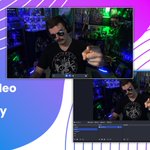
How to Use Your Phone Camera in OBS Studio!
Get started at CameraPro.io
youtu.be/nOJk8U53iBo

CameraProio retweeted

OBS Studio 29.1 is out!
This release adds AV1/HEVC streaming to YouTube (feature in beta), multiple audio tracks in Simple Output Mode, preloading stinger transitions, new audio encoder settings, faster loads/updates, and various other fixes.
Changelog: github.com/obsproject/obs-st…

CameraProio retweeted
How to Use Your Phone Camera in OBS Studio!
Get started at CameraPro.io
youtu.be/nOJk8U53iBo
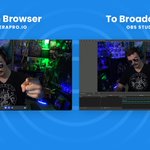
You can send your OBS feed to other streamers with CameraPro.io.
Start your virtual camera in OBS.
Start your camera in CameraPro.
In settings switch your video device to OBS.
Copy the link and send it off to your friend to add in their stream as a browser source.
Hey everyone, sorry for the short notice but we will be changing some things on CameraPro today that might break links. We will post here once everything is sorted. If you run into any issues please let us know in our Discord server. discord.gg/T63rnedjjx
CameraProio retweeted
CameraPro.io is a great way to pull in video feeds from remote devices into OBS Studio.
Check out our new homepage: camerapro.io/
Join the Discord: discord.gg/T63rnedjjx

CameraPro.io is a great way to pull in video feeds from remote devices into OBS Studio.
Check out our new homepage: camerapro.io/
Join the Discord: discord.gg/T63rnedjjx
CameraProio retweeted
If you are new to OBS Studio, we are excited to launch a new monthly video series on how to get the most out of OBS, hosted by @EposVox.
Check out the first video, getting started with OBS Studio in under 3 minutes!
youtube.com/watch?v=DFWDuq8k…

CameraProio retweeted
In CameraPro.io rooms you can drag and drop video feeds right into OBS Studio. The video feed will match your OBS canvas resolution to help with setup times.

Send feedback, get support, or just hang out. Join our Discord server. discord.gg/T63rnedjjx

In CameraPro.io rooms you can drag and drop video feeds right into OBS Studio. The video feed will match your OBS canvas resolution to help with setup times.
CameraProio retweeted
Send remote video feeds right into OBS Studio with CameraPro.io. Perfect for podcasts, online tournaments, and using your mobile device as a webcam.

CameraProio retweeted
Use your phone as a webcam!
Go to CameraPro.io on your mobile device.
Go to send video
Copy the stream link
Send the link to yourself in Discord or email and add it into OBS Studio as a "Browser Source"

Use your phone as a webcam!
Go to CameraPro.io on your mobile device.
Go to send video
Copy the stream link
Send the link to yourself in Discord or email and add it into OBS Studio as a "Browser Source"
Send remote video feeds right into OBS Studio with CameraPro.io. Perfect for podcasts, online tournaments, and using your mobile device as a webcam.
We have been working on improving CameraPro.io behind the scenes. From bug fixes, video improvements, and even some UX updates. Here is a look at a new control bar we are working on.


CameraProio retweeted
You can now drag and drop video feeds from CameraPro.io rooms right into OBS Studio!!!
Learn more about this update in our Discord: discord.gg/T63rnedjjx
CameraProio retweeted
In CameraPro.io rooms you can now drag and drop video feeds into OBS Studio using the new hand icon.
Create a room here: camerapro.io/createroom

In CameraPro.io rooms you can now drag and drop video feeds into OBS Studio using the new hand icon.
Create a room here: camerapro.io/createroom