

The intelligence layer for memecoin markets. Token intelligence • Auto Snipe • Launchpad • Wallets • Bridge CA: 0x4fc4300b9a593f99890d962b355cc4436a796b21
Robinhood
Joined September 2026
- Tweets118
- Following10
- Followers284
- Likes75



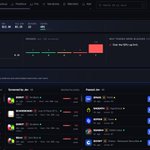


Jev picks gives you a filtered view of the tokens coming through COOKING’s live feed.
Tokens that meet the engine’s screening rules appear here with their market cap, liquidity, volume, holder count, estimated rug risk and quality score.
This snapshot shows Robinhood Chain tokens, with their age and discovery source alongside the numbers. You can compare candidates and open their details to investigate further.
The Pick label means a token met the screening criteria. Risk can still be substantial, so use the results as a starting point for research before making your own decision.
Explore the feed: cookingbot.fun

COOKING helps you find memecoins, check the risks, and manage your trades all in one place.
Research first. Trade on your terms.
CA: 0x4fc4300b9a593f99890d962b355cc4436a796b21
TG: t.me/cookingfunportal
cookingbot.fun

COOKING retweeted

Dev shipping!
$Cooking cooking hard!
0x4fC4300b9a593f99890D962b355cc4436A796b21

Four steps between a new pair and your wallet:
Detect: new launches on Robinhood Chain and Solana, picked up as blocks land
Screen: hard filters, then Jev scores rug risk and quality
Act: one tap in Telegram, or an instant buy only if you allow it
Guard: sells on your stop-loss or take-profit
It’s cooking. cookingbot.fun
CA: 0x4fc4300b9a593f99890d962b355cc4436a796b21
TG: t.me/cookingfunportal


COOKING retweeted
$Cooking
0x4fc4300b9a593f99890d962b355cc4436a796b21
Less noise. Your rules.
COOKING is live on mainnet. Discover, screen and act on memecoins your way.
cookingbot.fun
CA: 0x4fc4300b9a593f99890d962b355cc4436a796b21


COOKING retweeted

$cooking is still under the radar at just an $11K market cap. Jev screens new pairs, and only tokens that pass your rules make it to your Telegram. Cook smarter.


Ape a bag of $cooking
Ca: 0x4fc4300b9a593f99890d962b355cc4436a796b21
$12k Mcap still unbonded
@CookingonRH_

COOKING retweeted
$COOKING is genuinely cooking up something interesting.
It automates research before you ape. Why does this matter, and why will it get real adoption? Because this market is flooded with rugs and larp projects. Let’s be honest: we’ve all bought bad projects.
Even as an experienced trader and gem hunter, I still end up in bad plays from time to time. Catching a winner and actually profiting is tough.
Having a tool to filter out the noise and narrow down your watchlist makes finding gems so much easier. That’s exactly where $COOKING steps in, separating the signal from the garbage.
JEV ADVANCED
The screen is a starting point. What sits behind it?
Jev gives you the first read. Jev Advanced lets you explore the factors behind that verdict, available score history and more context for your research.
@CompleteSkeptic @typesafeai
Here's how it works.

Check the token before making your move
Paste its contract into COOKING
Lookup to see liquidity, volume, holders and Jev’s risk screen in one place.
Get more context for your next decision.
cookingbot.fun
TG: t.me/cookingfunportal
CA: 0x4fc4300b9a593f99890d962b355cc4436a796b21


A look at the last 24 hours on COOKING
38,545 tokens detected.
36,876 screened.
Just 21 passed Jev’s checks.
See what’s making it through and why others get filtered out.
cookingbot.fun

Some new tokens just arrived on the COOKING live feed 👀
Check the stats, read Jev’s risk screen, and see what deserves a closer look.
cookingbot.fun

solana:PRVT6TB7uss3FrUd2D9xs2zqDBsa3GbMJMwCQsgmeta made the Narrative radar. Then it moved.
$20.5K MC in the COOKING TG scan → ~$60K MC on the follow-up.
≈2.93× in market cap.
cookingbot.fun

$ISO made the Narrative radar. Then it moved.
$11.3K MC in the COOKING TG scan → ~$30K MC on the follow-up.
≈2.65× in market cap.
cookingbot.fun

Using COOKING in 75 seconds 🔵
1. Open cookingbot.fun
2. Watch the Live feed
3. Look up any token by contract
4. Read Jev's risk screen
5. Explore Narratives
6. Set your rules (Auto Snipe stays off until you turn it on)
7. Track Positions & PnL
Live on Robinhood Chain + Solana.
Screening reduces noise, not risk. DYOR.
CA: 0x4fc4300b9a593f99890d962b355cc4436a796b21
TG: t.me/cookingfunportal
The next token on your watchlist might be part of a bigger story.
Explore related tokens with COOKING Narratives.
Follow the themes, compare the context, and make your own call.
cookingbot.fun
TG: t.me/cookingfunportal
CA: 0x4fc4300b9a593f99890d962b355cc4436a796b21

A ticker is not a thesis.
Before you trade, look at liquidity, holders, volume and the story behind the token.
COOKING brings the context together. You decide what happens next.
cookingbot.fun
TG: t.me/cookingfunportal
CA: 0x4fc4300b9a593f99890d962b355cc4436a796b21

Four steps between a new pair and your wallet:
Detect: new launches on Robinhood Chain and Solana, picked up as blocks land
Screen: hard filters, then Jev scores rug risk and quality
Act: one tap in Telegram, or an instant buy only if you allow it
Guard: sells on your stop-loss or take-profit
It’s cooking. cookingbot.fun
$COOKING still COOKING
CA: 0x4fc4300b9a593f99890d962b355cc4436a796b21
TG: t.me/cookingfunportal
HOW TO USE COOKING AUTO SNIPE
1. Choose your chains: Open Auto Snipe, select Robinhood Chain, Solana or both, and check your wallet balance.
2. Set your limits: Configure maximum buy per token, daily budget and slippage.
3. Define your filters: Set market-cap, liquidity, volume, holder and age limits, plus Jev risk and quality thresholds. Choose narratives if wanted.
4. Configure your rules: Review exits, entry restrictions and timing. Choose whether Auto-sell should act automatically, then click Save rules.
5. Choose your buying mode: Turn on Enable Auto Snipe. Set Auto-execute ON for automatic buying, or OFF for Telegram alerts with a Buy button. Review everything, then click Save settings.
After setup, monitor Alerts, History and Positions.
HOW TO USE COOKING AUTO SNIPE
1. CHOOSE YOUR CHAINS
Open cookingbot.fun/dashboard/aut…. Choose Robinhood Chain, Solana or both in Chains and limits. Check your intended trading wallet and available native balance before enabling automation.
The graphics show the account's actual captured configuration. Selecting a chain in the form is separate from authorizing the engine.

HOW TO USE COOKING AUTO SNIPE
1. CHOOSE YOUR CHAINS
Open cookingbot.fun/dashboard/aut…. Choose Robinhood Chain, Solana or both in Chains and limits. Check your intended trading wallet and available native balance before enabling automation.
The graphics show the account's actual captured configuration. Selecting a chain in the form is separate from authorizing the engine.

4. PLAN YOUR RULES
Review EXIT, ENTRY and TIMING in Rules:
- EXIT: review stop loss, emergency exit, take-profit stages, trailing stop and maximum hold. The page says these rules apply to every new buy, manual or automatic. Auto-sell is separate from Auto-execute: on permits rule-triggered sells; off is described as Telegram alerts with Sell buttons.
- ENTRY: review name restrictions, blocked deployer wallets and launch-source choices. The page says no selected launch sources accepts all sources shown.
- TIMING: review the optional trading window, shown in UTC, and the losing-streak pause. The page says that pause turns Auto-execute off while alerts keep coming. Entry and timing rules gate automatic buys and alerts.
Use Save rules for changes to this section. Save settings is a separate action for the engine settings above. The page says open positions keep the rules they were bought with, so do not assume that editing these defaults changes existing positions.

5. CHOOSE YOUR MODE
Enable Auto Snipe authorizes the engine to evaluate new tokens within your configured limits. Auto-execute controls the buying mode:
- Off: the page describes Telegram alerts with a Buy button. Link your Telegram account for this workflow.
- On: the page describes automatic purchases when a token passes every filter, without a Telegram tap.
Review the full configuration and chosen mode, then use Save settings only when ready to authorize it. To stop authorization, turn Enable Auto Snipe off and save the change. Review existing positions and Auto-sell separately.
Monitor Alerts, History and Positions afterward. A pending request is still waiting on the engine; it does not confirm a completed trade. Screening and exit rules cannot guarantee safety or a successful exit.
cookingbot.fun
