

Building ‘Impact Soccer’ on Roblox - No Ball. Kick Players to Score Goals. Massive Hits, Bone-Crushing kicks. Curve your shots. Play-tests open. DM 🤝
Joined April 2025
- Tweets2.2K
- Following447
- Followers226
- Likes2.9K





Pinned Tweet
First Early Look of 'Impact Soccer' - A physics-based soccer game w/ no ball, pummel opponents to the ground or kick them free standing to score goals. Control your speed, angle, & kick power to execute major curves on strikes. ALL feedback welcome & looking for play testers 🤝
Game Dev Tip #3:
Our approach to running a mini video game studio of AI agents should mimic that of an actual game studio. Human employees don't need to be told what to do every morning when they show up to work. They know their priorities and keep working off of them.
Here's how I replicate that with my own studio. Now I just type “claude start” and the team gets to work:
1. Turn on Remote Control for every session. In Claude Code, go to /config > "Enable Remote Control for all sessions." This is a key step: it's frustrating to realize you're dead in the water when you're out and about.
2. Add a startup hook that opens your tools. Have your Orchestrator agent (the highest-level agent) set up a SessionStart hook. It's a script that runs automatically every time a new Claude session starts, with no approval needed. Here is how I have mine setup:
A. launches Rojo in its own PowerShell window
B. opens Roblox Studio straight into the Impact Soccer experience
Note: It skips anything that's already running, so nothing gets restarted mid-work.
MCP Server Note: the Roblox Studio MCP turns on with a setting in Studio, then starts by itself whenever Studio opens, so I have no step for it. Other game editors may need a "launch and connect MCP server" step.
3. Put the morning routine in your CLAUDE.md file. This is what the Orchestrator does once everything is open:
A. Checks that Studio and Rojo are healthy, and has the QA agent click "Connect" on the Rojo plugin.
B. Catches up: it reads the last session's handoff notes, git and the plan.md file.
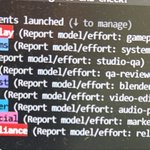
C. Resumes anything that was paused, then gives the top item in each lane (QA, building, art, audio/video, marketing) to the right agent.
D. Reports what's running, plus a list of things only I can test or decide.
The plan.md file is where all my brain-dumped ideas go. The Orchestrator prioritizes them automatically unless I give one a priority when I dump it. At the end of every session it writes a handoff and updates the queue, so the next session picks up exactly where we left off. Every once in a while it's still good to review plan.md yourself, to make sure everything is properly prioritized (and to remember all the ideas you forgot about lol).
Due to the limited RAM on my computer, I don't launch Blender or OBS at startup. Instead, I've authorized the Orchestrator to open and close them when needed. If you have a more powerful setup, you could add them to your startup hook.
Hope this is helpful 🤝

Game Dev Tip #2.1:
To summarize, the last post talked about ensuring the Game Editor is on the forefront of the screen and not using your computer when the QA agent (i.e. computer use Agent) is testing.
We received some great tips from the Game Dev community here that I wanted to highlight. Shout out to @rblx_tyridge77, @gamedevaitools, @jvan253, and @afskiuban!
rblx_tyridge77:
"For roblox that usually means you're locked out of being able to work while your AI is working A good way to do this that I've been doing is to: - Work freely in your main studio file/teamcreate etc, which syncs code and agent asset changes from your main repo - Set up a laptop/second machine for your agents - orchestrator agent takes a snapshot of main.rbxl and the main source/repo - your agents build features in parallel in an isolated rojo/git branch - each agent tests its ready branch one at a time by cloning from snapshot.rbxl , loading up the place, loading its branch, and testing - any asset changes are recorded and sent back as well as performance reports etc - orchestrator takes all finished and tested agents and lets you test them before resolving conflicts and merging to main and resolving asset changes etc."
gamedevaitools:
"for unreal, untick use less cpu when in background in editor preferences. that's the editor's own throttle"
jvan253:
"good tip. if you can't keep unity in front, set Preferences > General > Interaction Mode to No Throttling. the editor slows way down when it loses focus, which makes agent tests flaky. and turn on Run In Background in player settings for builds"
afskiuban:
"i let mine launch unreal in headless mode especially for regression gating (with a custom gate monitor that watches gate progress and system resource utilization) so the window position doesn't matter and as long as you're not stressing the system by trying to run another game it's just waiting"
Me:
I found that you can prompt your Orchestrator Agent (i.e. highest level agent) to add to claude.md instructions to run a command from the root folder whenever the Game Editor or Blender is not on the forefront of the screen to bring to the front. I was worried about giving too much access to allow for this, but no additional permissions were needed (i.e. no admin access needed in Powershell) as this is a general windows command.
Really appreciate everyone's support on this educational series and plan to continue these types of posts.
Hope this is helpful 🤝

There has never been a more important time than now to exercise your curiosity and creativity.

Game Dev Tip #2.1:
To summarize, the last post talked about ensuring the Game Editor is on the forefront of the screen and not using your computer when the QA agent (i.e. computer use Agent) is testing.
We received some great tips from the Game Dev community here that I wanted to highlight. Shout out to @rblx_tyridge77, @gamedevaitools, @jvan253, and @afskiuban!
rblx_tyridge77:
"For roblox that usually means you're locked out of being able to work while your AI is working A good way to do this that I've been doing is to: - Work freely in your main studio file/teamcreate etc, which syncs code and agent asset changes from your main repo - Set up a laptop/second machine for your agents - orchestrator agent takes a snapshot of main.rbxl and the main source/repo - your agents build features in parallel in an isolated rojo/git branch - each agent tests its ready branch one at a time by cloning from snapshot.rbxl , loading up the place, loading its branch, and testing - any asset changes are recorded and sent back as well as performance reports etc - orchestrator takes all finished and tested agents and lets you test them before resolving conflicts and merging to main and resolving asset changes etc."
gamedevaitools:
"for unreal, untick use less cpu when in background in editor preferences. that's the editor's own throttle"
jvan253:
"good tip. if you can't keep unity in front, set Preferences > General > Interaction Mode to No Throttling. the editor slows way down when it loses focus, which makes agent tests flaky. and turn on Run In Background in player settings for builds"
afskiuban:
"i let mine launch unreal in headless mode especially for regression gating (with a custom gate monitor that watches gate progress and system resource utilization) so the window position doesn't matter and as long as you're not stressing the system by trying to run another game it's just waiting"
Me:
I found that you can prompt your Orchestrator Agent (i.e. highest level agent) to add to claude.md instructions to run a command from the root folder whenever the Game Editor or Blender is not on the forefront of the screen to bring to the front. I was worried about giving too much access to allow for this, but no additional permissions were needed (i.e. no admin access needed in Powershell) as this is a general windows command.
Really appreciate everyone's support on this educational series and plan to continue these types of posts.
Hope this is helpful 🤝
Game Dev Tip #2:
When running a team of AI agents to help develop your game it is important that you have the Game Editor (e.g. Roblox Studio, Unreal Editor, Unity Editor, etc.) always at the forefront of the screen.
This is necessary so the QA Agent can properly run its tests on new updates, which always includes a performance check. If the Game Editor is in the foreground, then your computer automatically throttles the frame rate which leads to inaccurate test results. It is also important that you do not use your computer while the QA is running tests, but this creates a bottle neck.
How can you continue brain dumping ideas all day to the Orchestrator Agent (i.e. the highest level agent)?
One solution that has helped me (especially since I’m limited to one screen during the work week), is using the /remote-control command in Claude Code. This feature allows you to access your same Claude Code instance from your phone wherever you might be.
Hope this is helpful. 🤝
Dave - Roblox: Impact Soccer retweeted

It’s almost incomprehensible how wide the distance is between someone who’s working at the frontier with AI and basically everyone else right now.
The crazy thing is these lines are not converging, but only growing farther apart. If the curve of AI progress had leveled off, it would certainly have given most people and companies time to catch up or implement their workflows in a standardized way. The technology would have neutralized competitive advantage because everyone would be using it the same way.
But what’s happened is the opposite. The curve of AI progress is basically going vertical right now, which means if you had codified your processes 3-6 months ago you’re likely already behind again. Now imagine most companies that kicked into gear a year ago and thought that they were done. Even further behind now.
I’ve never seen a technology in my life and career that improves at this rate, which consequently means you need to upgrade your expectations at a similar rate. Our brains weren’t wired for this, and our organizational change management processes certainly weren’t either.
With any form of recursive self improvement, things just get wilder. It’s a time when you will need to be constantly reevaluating the things that didn’t work just a couple months ago to see if they now can be solved. AI native companies certainly have a strong advantage due to this right now, so now it comes down to can the bigger companies keep up. Wild times.

Game Dev Tip #2:
When running a team of AI agents to help develop your game it is important that you have the Game Editor (e.g. Roblox Studio, Unreal Editor, Unity Editor, etc.) always at the forefront of the screen.
This is necessary so the QA Agent can properly run its tests on new updates, which always includes a performance check. If the Game Editor is in the foreground, then your computer automatically throttles the frame rate which leads to inaccurate test results. It is also important that you do not use your computer while the QA is running tests, but this creates a bottle neck.
How can you continue brain dumping ideas all day to the Orchestrator Agent (i.e. the highest level agent)?
One solution that has helped me (especially since I’m limited to one screen during the work week), is using the /remote-control command in Claude Code. This feature allows you to access your same Claude Code instance from your phone wherever you might be.
Hope this is helpful. 🤝
Game Dev Tip:
When using AI to help develop your game, prompt your LLM to analyze your game and create a lineup of multiple different permanent agents (all Opus 5.5 for my setup) that can be assigned to work on different aspects of the game. Then tell the LLM to have each agent to review the project to gain an understanding of what the game is and what the tech stack is like, then do deep research on their domain of expertise.
The ability to now have a team of agents working on many different tasks in parallel has saved me significant time. I can freely brain dump all the different ideas I have through out the day without having to wait for my single LLM to free up their context.
Different projects will have different types of agents spun up, but for Impact Soccer it made me 2 different game play coding agents, a graphics designer, a social media manager, a gameplay testing agent, multi-platform performance reviewer, sound and audio agent, project manager/planner, platform compliance agent, and a few others.
Hope this is helpful 🤝
Game Dev Tip:
When using AI to help develop your game, prompt your LLM to analyze your game and create a lineup of multiple different permanent agents (all Opus 5.5 for my setup) that can be assigned to work on different aspects of the game. Then tell the LLM to have each agent to review the project to gain an understanding of what the game is and what the tech stack is like, then do deep research on their domain of expertise.
The ability to now have a team of agents working on many different tasks in parallel has saved me significant time. I can freely brain dump all the different ideas I have through out the day without having to wait for my single LLM to free up their context.
Different projects will have different types of agents spun up, but for Impact Soccer it made me 2 different game play coding agents, a graphics designer, a social media manager, a gameplay testing agent, multi-platform performance reviewer, sound and audio agent, project manager/planner, platform compliance agent, and a few others.
Hope this is helpful 🤝
Dave - Roblox: Impact Soccer retweeted

Nintendo’s Shigeru Miyamoto, the acclaimed designer behind Super Mario and Zelda, has explained why he believes generative AI won’t make human creativity obsolete.
"There will always be a role left for us to play."
videogameschronicle.com/news…


Dave - Roblox: Impact Soccer retweeted

AI in video games are a confusing topic to me.
@TimSweeneyEpic recently got a lot of flak for pushing AI in game development.
There are opinion pieces left and right condemning AI use in game development.
Here I am, having worked for ~6 months on a game I released on Steam last week. And my sin, apparently, was using AI and disclosing it.
The comment section was pretty clear on that.
It's confusing to me. AI is a tool. IDE is a tool. A programming language is a tool. A graphics API is a tool. We're just using tools.
I've been writing software for about 3 decades now, I'd like to think that I know what I'm doing and am pretty good at it. I see AI as an incredible productivity booster.
It does some things that I pride myself on being good at, such as teasing out a math formula or optimizing an algorithm better than me most of the time (with a lot of handholding, granted), but for the most part it makes things I find tedious - fast.
As I software engineer, and a game maker, I take relatively little pride in knowing a programming language, or remembering 100 shortcuts in an IDE, or knowing a programming language spec by heart.
I remember the first time I needed to make an animated 3d model, almost 15 years ago now, and it took me about a week of full-time effort to get anywhere. I didn't feel particularly proud, I felt frustrated, I had a clear idea, but the tool and its complexity were getting in the way. Well, the tools are better now. Blender is better, animation tools are better, and there are AI models that keep improving at an incredible pace.
Ultimately, when I write a piece of software, or work on a game - I rarely think about the tools, they are a means to an end, not the point in itself.


From the Anti-AI crowd, who y’all think is more brutal on X? (and prove it with some screenshots of the obnoxiously mean tweets you’ve gotten).
67%Anti-AI Game Dev
33%Anti-AI Art
0%Anti-AI Music
3 votes • Final results
Dave - Roblox: Impact Soccer retweeted

My stance in the AI discourse:
- I'm heavily pro-AI but anti-slop.
- I love human creativity & talent, and I don't think they can be replaced by AI. AI has no taste or emotions, which are the main drivers of true art.
- I use AI in almost everything I do/build, but never in a way that compromises quality or harms people. AI should be used to make things possible that weren't possible before, IMO.
- I have empathy for people who feel threatened by AI, especially those who love their craft, be it programming or art, worry that their work might lose value or be automated by AI. The threat is real, and it forces people to rethink and adapt.
- I don't have empathy for people who hate AI simply because they're miserable and want something to hate.
- AI is not what produces slop. It's people with the wrong mindset and a lack of passion for their work who do.
- I don't give a damn about tribalism and don't want any part of it.
Building games is so satisfying. The ability to see your oddball, obnoxious, good/bad ideas come to life is a real treat.
Maybe I have a higher standard than most, but even if you are using AI, it takes some real dedication to make something truly fun and great that people will enjoy (not to claim that I am there yet, but I believe I am on the right path). I’m about 5 months in on building my game. Building games has been the most fun of any project I’ve worked on and hits closest to home as something I am passionate about.
I have had maybe 15-20 failed business attempts/ventures over the years, 1 success, and 1 major success. What I’m trying to say is don’t be afraid to fail, don’t let the loud ones deter you from creating and building. Keep building friends 🤝
Dave - Roblox: Impact Soccer retweeted

To all whiny game devs who are crying about AI slop in Steam Next Fest, go read the data on the previous Fest for this year, before collecting tears, group hugs and demanding that "something must be done!"
howtomarketagame.com/2026/07…