

A lightweight, easy-to-use desktop AI agent for macOS and Windows
Joined January 2025
- Tweets69
- Following8
- Followers1.8K
- Likes71







One chat. A whole desk of bots.
Finch 1.8:
• Create assistants in conversation — name, instructions, prompt hints, and a live avatar
• @ a bot to hand off work. It runs in its own background session and brings the result back
• Built-in Finch, your custom bots, and Minitool assistants share one contacts hub with unread and recent summaries
• Collaboration keeps attachments, task status, timeouts, and cancel. When it needs your OK, you get a card — it never auto-approves
• Each bot keeps its own lasting session, plus bot-bound scheduled tasks
Also in 1.8: compact chat, in-app PDF / Word / Excel preview, configurable shortcuts, and steadier long sessions.
If you already run more than one agent, this is the update.
🤖 Made with AI


Stop babysitting every tool confirm.
Finch 1.7.4:
• Veteran mode (Pro): skip tool permission prompts after you accept the risk. Path blocks and other hard limits still apply
• Custom built-in models in Pro — tune the models Finch ships with
• Install Minitools from a .fapp package: double-click or drag in. Install and enable stay separate steps
• Branch sessions can nest under the main session (experimental, off by default)
Also fixed: long-session history that wouldn’t load, compaction that stuck after a timeout, Windows upgrades wiping user files, and model picks that broke after a rename.
If you live in long agent runs on Windows or Pro, grab 1.7.4.
🤖 Made with AI

Jev is live in Finch.
TypeSafe’s decision model — not another chat model. Fast typed answers for routing, classification, and scoring. Add it from Minitools → Productivity. Works with the TypeSafe AI API and OpenRouter.
Also shipping in Finch 1.7:
• MCP toolbox tab: add, edit, authorize, and manage your own MCP servers in-app
• Side chat in the right panel — same workspace, doesn’t interrupt the main session
• AGENTS.md loads along the git repo chain for project rules
• Pick your Shell on macOS, Linux, and Windows (Git Bash / CMD / PowerShell)
• Mini-apps can read the model catalog, switch models, and hand off shared work across agents
If you build agent workflows, start with Jev. Then update to 1.7.


Your agent shouldn’t need a plugin just to show a flowchart.
Finch 1.6.2:
• Mermaid charts render in-app — fullscreen zoom and pan, and the main package dropped from 1199 kB to 572 kB
• Highlight any text in a reply to quote it, then jump back to the source
• Session header now holds overview, mini-apps, and the menu in one bar
• MCP gets Resources and Prompts, with config that survives switching install sources
• Linux: Wayland, Finch logo title bar, and rpm builds
• GPT-6 Astra is in the model list
If you live in sessions all day, this is the 1.6.2 worth updating for.
🤖 Made with AI


Most agents think the same on every prompt. Finch 1.6.1 thinks harder when the work is actually hard.
• Professional thinking mode: a deeper reasoning chain for messy, multi-step work, not “max thinking” on every prompt
• GLM 5.3 and GLM 5.3 Flash, and it won’t auto-select a model you can’t actually use
• Skills from ~/.agents/skills, the shared path people are already putting agent skills in
• Diffs and file preview now use Shiki. About 10x faster on big files
• Session.suggest: when a turn ends, it proposes the next move instead of going quiet
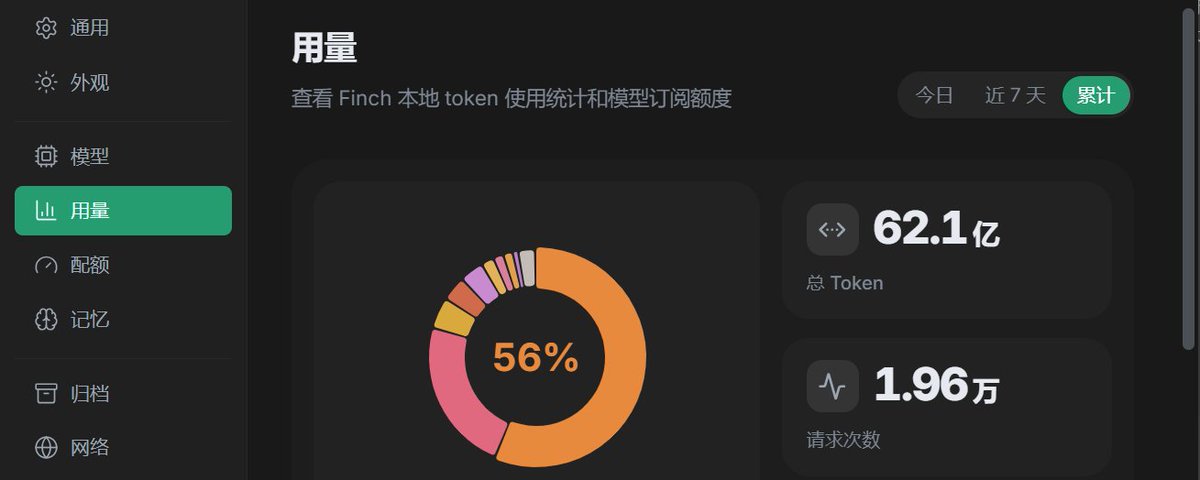
• Mini-apps get a Finder-style file picker, HTML preview, and a usage dashboard you can actually read
If you run agents all day, this is the 1.6.1 that matters.
🤖 Made with AI


