

PhD student at UCL CS
London, England
Joined October 2024
- Tweets7
- Following20
- Followers0
- Likes2


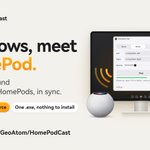

I own HomePods and use a Windows PC, and the two had never been introduced. So I wrote HomePod Cast.
It sends whatever the PC plays to 1, 2 or 4 HomePods, in sync. One .exe, nothing to install. Free and open source.
github.com/GeoAtom/HomePodCa…

Free and open source (MIT licence). An independent project, not affiliated with Apple.
First time: in the Home app, Home Settings → Speakers & TV → allow ‘Anyone on the Same Network’. Say yes when Windows Firewall asks.
github.com/GeoAtom/HomePodCa…

1 HomePod for mono, 2 for stereo, 4 for quad. They all follow one shared clock, so they stay in sync.
Anything the PC plays comes out of them: music, video, the browser.
Windows 10 and 11. Tested with HomePod mini.

This is the whole app.
Open HomePodCast.exe: no account, no drivers. Pick a layout and choose a HomePod for each channel. The ♪ button next to each one plays a test sound, so you can tell which is which. Press ‘Start streaming’. Green dots mean you’re in sync.

Windows has no built-in way to send its sound to a HomePod, so I wrote an app that does.
HomePod Cast sends whatever your PC is playing to 1, 2 or 4 HomePods, in sync. One .exe, nothing to install. Free and open source.
github.com/GeoAtom/HomePodCa…

Happy to share that our paper, “Text-guided Fine-Grained Video Anomaly Understanding,” is now included in the CVPR Workshop & Challenge on Subtle Visual Computing (SVC).
Paper: openaccess.thecvf.com/conten…
Project: complightlab.com/publication…


