

A collaborative tool for due diligences, audits, and assessments
Joined September 2020
- Tweets51
- Following72
- Followers13
- Likes8

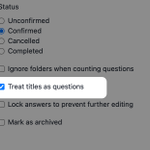




Backporting questions from one project to another did not always work as intended. This has been fixed.
headwayapp.co/operand-change…
Upon dropping a question it was not always clear where it went in case the folder on which a question was dropped was not opened. Now when you drop a question, the receiving folder is opened and the dropped question is selected.
headwayapp.co/operand-change…
Some users reported that the progress reporting in the form of the mini pie charts in front of question folders stopped working. This bug has been fixed.
headwayapp.co/operand-change…
Two more shortcuts have been added:
⌨️ Open the settings window by typing `ctrl-s`.
⌨️ Toggle the color of answered questions by typing `ctrl-t`.
notion.so/operand/Keyboard-n…

The foundation has been laid to support keyboard shortcuts across Operand to make navigating between sections and screens even faster. The first active keyboard shortcut is `ctrl-f` which jumps to the search field from the interview screen.
headwayapp.co/operand-change…
The foundation has been laid to support keyboard shortcuts across Operand to make navigating between sections and screens even faster. The first active keyboard shortcut is `ctrl-f` which jumps to the search field from the interview screen.
headwayapp.co/operand-change…
While it was already possible to archive 🗄️ a project, you could not actually delete ☢ it entirely. This is now possible. Don't go crazy though because deleting a project will irretrievable delete all its questions, answers, and exports.
headwayapp.co/operand-change…
Operand retweeted

@getoperand FYI, Operand was posted on @ProductHunt producthunt.com/posts/operan… — Invite your teammates to join as Makers 🙌
The exporting feature received a bunch of updates to make it faster and more reliable.
headwayapp.co/operand-change…

It is now possible to view changes made to the advisory, answer, body, remarks, source, and title fields. The changelog displays who made which changes and when. Just click the new "View changes" link at the bottom of the question form to reveal the changes.
You can now quickly attribute an answer to an interviewee. Just prepend @ to their initials or name in order to create a clickable source for subsequent questions.
headwayapp.co/operand-change…

2/2 Each question links straight into the relevant interview question.
headwayapp.co/operand-change…

1/2 What used to be called "Report" is now named "Overview" to better reflect its purpose. Additionally, the overview is generated much faster and has a simpler layout enabling you to quickly review answers and spot omissions.
Additional search options have been added. See the screenshot for a full overview of Operand's "power search" options.
headwayapp.co/operand-change…

You no longer have to wait for a long-running process such as importing, exporting, or project cloning to finish. When a process is finished, just click the notification to be taken to a screen that will display the changes.
headwayapp.co/operand-change…

Interview screen settings are now accessible by clicking the cog wheel icon. Any changes you make are reflected in real time. Note that these settings are personal, other project members can make their own adjustments.
headwayapp.co/operand-change…

The interview screen now sports a new menu bar providing quick access to the dashboard, project settings, question overview, report export, and help pages.
headwayapp.co/operand-change…

It is now possible to create multiple video rooms in order to enable parallel interviewing sessions. Using Operand's collaborative "multi-user" feature you can use the same question tree even when conducting interviews with multiple interviewers.
headwayapp.co/operand-change…

Operand's built-in zero-install video conferencing feature now supports chat and screen sharing.
headwayapp.co/operand-change…
