

Pro Grok Tips @ Tutorials from @kayrmn Unaffiliated with Grok, X, or XAI #GrokProTips #Tutorials #TechNews #AINews #News
Joined July 2026
- Tweets1.2K
- Following91
- Followers41
- Likes1.8K


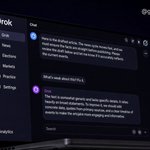
Grok tip: Pick the right "mode" for the job ⚙️
Lots of people ask how to switch models in Grok. Look inside the message box: you'll see a label that usually says "Fast". Tap it to choose a mode.
What each one is for:
• Fast: quick answers, everyday questions, short writing
• Auto: not sure? Grok picks Fast or Expert for you
• Expert: thinks longer. Good for planning, comparisons, numbers and step-by-step problems
• Heavy: a "team of experts" for the hardest questions
Simple rule: start with Fast. If the answer feels shallow, switch to Expert and ask again.
Example for Expert:
"I sell handmade mugs online. Compare selling on my own website vs. a marketplace. Give me pros, cons and which one you'd pick for a beginner, and why."
Note: some modes need a paid plan, so check what yours includes.
#Grok #AItips #ProductivityTips #RadeyaGlobal

That's frustrating to see twice. Those check-ins come from your primary Bot. My post covers the controls: disconnect apps or set them to Needs approval, review Routines, and contact support to turn check-ins off 👇
teapawt.net/GrokProTips/status/212…

Grok tip: Know your Grok Bot privacy switches 🔒
Grok Bot gives you separate controls for different things:
• Connected apps: open Connect apps in the sidebar (on the phone, tap your avatar, then Connect apps). A connected app, such as Google Calendar, is available to every Bot on your account. Open the app and disconnect it if you don't want Bots using it, and also revoke its authorization in that service. On the app's page, you can set each tool to Always allow, Auto-review, Needs approval, or Blocked.
• Approvals: Auto Review is on by default and checks actions before a Bot uses a connected app. When it needs your OK, you get an approval card. In Settings → General, under Bot, add a Custom rule and choose Ask first for actions you care about.
• Routines: click the Bot's name at the top of the chat and review Routines. Use the switch to pause one, or Delete routine for any automatic job you don't want.
Your primary Bot can also check in on its own. Turning off Notifications only stops the alerts; to turn the check-ins themselves off, contact support.
Keep logins and cards in Settings → Vault. A Bot never sees a saved password.
Never paste passwords, one-time codes, or card numbers into ordinary chat.
#GrokProTips #GrokBot #Privacy #RadeyaGlobal

3
GrokProTips SI News & Tutorials retweeted

Free on Kindle this weekend: the Skills Development Series ebooks, including Arabic Made Easy. Mindset of Success is free today only.
Series: amazon.com/dp/B08YH5T616
Arabic Made Easy: amazon.com/Arabic-Made-Easy-…
Mindset: amazon.com/dp/B0HMTHWWMS
#SmallBusinessSaturday #FreeEbook

Grok tip: Know your Grok Bot privacy switches 🔒
Grok Bot gives you separate controls for different things:
• Connected apps: open Connect apps in the sidebar (on the phone, tap your avatar, then Connect apps). A connected app, such as Google Calendar, is available to every Bot on your account. Open the app and disconnect it if you don't want Bots using it, and also revoke its authorization in that service. On the app's page, you can set each tool to Always allow, Auto-review, Needs approval, or Blocked.
• Approvals: Auto Review is on by default and checks actions before a Bot uses a connected app. When it needs your OK, you get an approval card. In Settings → General, under Bot, add a Custom rule and choose Ask first for actions you care about.
• Routines: click the Bot's name at the top of the chat and review Routines. Use the switch to pause one, or Delete routine for any automatic job you don't want.
Your primary Bot can also check in on its own. Turning off Notifications only stops the alerts; to turn the check-ins themselves off, contact support.
Keep logins and cards in Settings → Vault. A Bot never sees a saved password.
Never paste passwords, one-time codes, or card numbers into ordinary chat.
#GrokProTips #GrokBot #Privacy #RadeyaGlobal
GrokProTips SI News & Tutorials retweeted

Quick reminder: Mindset of Success is free on Kindle today only. If you picked up the series ebooks this weekend, this is the companion on the mindset that supports steady action.
amazon.com/dp/B0HMTHWWMS
#FreeEbook #Kindle #Mindset

3
85
GrokProTips SI News & Tutorials retweeted

Starlink saves lives

Starlink helped rescue five people, including a child, stranded in freezing conditions in Argentina. ♥️🇦🇷
Two pickup trucks became trapped in snow on a remote mountain road in Neuquén. There was no mobile signal. Their Starlink connection allowed them to call for help and stay in contact with rescuers.
Gendarmería, firefighters and Civil Defense joined the response. After a six-hour overnight operation, all five were brought to safety around 2 a.m.
A call for help can change everything. Starlink saving lives.
GrokProTips SI News & Tutorials retweeted
AI is useful for brainstorming outlines or researching book details. Practical AI tips for creators: @grokprotips #AIForAuthors #SelfPublishing
Grok tip: Pick the right "mode" for the job ⚙️
Lots of people ask how to switch models in Grok. Look inside the message box: you'll see a label that usually says "Fast". Tap it to choose a mode.
What each one is for:
• Fast: quick answers, everyday questions, short writing
• Auto: not sure? Grok picks Fast or Expert for you
• Expert: thinks longer. Good for planning, comparisons, numbers and step-by-step problems
• Heavy: a "team of experts" for the hardest questions
Simple rule: start with Fast. If the answer feels shallow, switch to Expert and ask again.
Example for Expert:
"I sell handmade mugs online. Compare selling on my own website vs. a marketplace. Give me pros, cons and which one you'd pick for a beginner, and why."
Note: some modes need a paid plan, so check what yours includes.
#Grok #AItips #ProductivityTips #RadeyaGlobal
2
25
GrokProTips SI News & Tutorials retweeted
Free this weekend: The Secret to a Successful Job Search, plus other Skills Development Series ebooks. Mindset of Success is free Saturday only. Download today and start upgrading your skills👇
amazon.com/dp/B092DSCRVD
#FreeEbook #Kindle #JobSearch

GrokProTips SI News & Tutorials retweeted

Great news! Both of my books are free this weekend on Amazon.
1. The Beautiful Names of Allah with Explanation
Grow closer to your Creator through His Beautiful Names.
amazon.com/dp/B0CJ3YKLYH
2. How Dursamin Became A Medical Doctor In Spite of So Many Obstacles
True stories of determination and achievement.
amazon.com/dp/B0DT7TTFQ2
#BlackFriday #FreeEbook #Kindle #AsmaUlHusna

Google CEO Sundar Pichai highlighted Türkiye this week as one of the fastest-adopting and highest-using countries for Gemini, with millions of people using the app actively. Google-commissioned research estimates AI could contribute roughly $100 billion a year to the Turkish economy by 2035, and a survey of fourteen countries placed Türkiye first for daily AI use.
Turkcell said the share of code written with AI assistance has moved from about 15% to nearly 90% over the past year, and it is advancing Türkiye's first hyperscale Google Cloud region with Google. In the U.S., the low-hire, low-fire labor pattern held through Thanksgiving, with new unemployment filings near multi-decade lows.
The useful signal for professionals and businesses: strong daily AI use is already showing up in production work, especially in Türkiye, even as hiring stays selective. Skills that combine domain knowledge with AI-assisted output remain the clearer path.
Full piece: radeya.biz/weekly-news-updat…
#RadeyaGlobal #AI #Türkiye #Gemini #FutureOfWork #TechNews

Grok tip: Is Grok Bot eating your usage too fast? 🔋
Find out what's using it before you cut anything:
1. Open Settings → Usage & billing.
2. Under Grok Bot usage, switch the chart to "By Bot" or "By source." The biggest bar is where your usage goes.
3. Usage limits shows how much of your weekly usage is gone and when it resets.
Then trim:
• Pause routines you don't need anymore.
• Run checks less often, e.g. once a day, not every hour.
• Don't set a routine to watch "every new message." Give it one channel and a specific phrase.
Not sure where to start? Ask your Bot in your private chat: "Review my usage and tell me which routine to slow down."
#GrokProTips #GrokBot #AI #RadeyaGlobal
2
48
Free this weekend: The Secret to a Successful Job Search, plus other Skills Development Series ebooks. Mindset of Success is free Saturday only. Download today and start upgrading your skills👇
amazon.com/dp/B092DSCRVD
#FreeEbook #Kindle #JobSearch
A trainer bot that is available by default with Grok @bot would be nice. One that is trained in various skills and can be used by the user to train bots they create.
6
GrokProTips SI News & Tutorials retweeted
I'm an author who somehow started designing totes and mugs. It began with pretty notebooks, a first try that didn't sell, and a second chance I'm glad I took. I love seeing the products styled beautifully.
If you have a small project on the side, tell me about it.

GrokProTips SI News & Tutorials retweeted
Skills Development Series ebooks are free this weekend. Mindset of Success is free Saturday only (28 Nov).
amazon.com/dp/B08YH5T616
#BlackFriday #FreeEbook #Kindle

GrokProTips SI News & Tutorials retweeted

Map the week before Monday arrives. Solopreneurs and writers protect deep work with the 2027 Annual Planner. amazon.com/dp/B0HN437B86 #Planning #WFH #TimeManagement


