LeetDown (@LeetDownApp) header
LeetDown (@LeetDownApp) profile picture

a macOS app that downgrades A6 and A7 iDevices to OTA signed firmwares. Developed and maintained by @rA9_main.

Joined July 2021
Photo by LeetDown (@LeetDownApp)Photo by LeetDown (@LeetDownApp)Photo by LeetDown (@LeetDownApp)Photo by LeetDown (@LeetDownApp)Photo by LeetDown (@LeetDownApp)Photo by LeetDown (@LeetDownApp)
It appears that Apple has stopped signing baseband firmwares for some devices. For now, this does not affect LeetDown, since it does not downgrade the baseband firmware during the restore process on A6 devices.
1
4
19
2,601
That said, LeetDown has been discontinued since 2022. With the release of macOS 28 next year, it will no longer be officially supported on macOS. If you wish to continue downgrading your devices to OTA-signed versions, we recommend using Legacy iOS Kit for the best experience.
3
5
501
We just passed 100K downloads, thank you so much everyone!
2
8
3,820
Was asked this question multiple times, so I decided to answer it here. If you have a custom ipsw (e.g. a pre-jailbroken ipsw), and if you're sure it's patched properly, you can disable iPSW MD5 check in LeetDown's settings to restore it. CFW restores only work with A6 devices.
6
3
19
Build instructions are now available at GitHub. Contributions are welcome github.com/rA9stuff/LeetDown…
1
2
10
LeetDown version 2.2 is now available. It now: • Fully supports M1 macs on any version of macOS. • Has A6 support. • Works much more reliably. Get it from the newly designed website ⬇️ leetdown.app
10
30
1
129
This update also brings huge technical changes. If you’re interested you can read on the version changelogs section leetdown.app
1
1
5
Coming soon at your favorite package manager!
11
27
169
A clarification about this app: LeetDown Mobile will allow you to OTA downgrade an iOS device using a jailbroken iOS device. You’ll need to connect the two devices together.
4
1
25
According to GitHub stats, LeetDown now has over 20K downloads! Thanks to everyone who supported this project, I hope it helped speeding up your A7 devices while adding 32 bit app support via iOS 10!
2
1
1
29
You absolutely do not need any terminal commands to launch LeetDown, since it’s notarized by Apple. Please refer to README page of LeetDown in github for instructions and help, not YouTube videos.
4
2
18
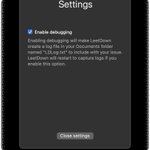
Changelog: LeetDown now has a settings view with an option to enable debugging of the app and futurerestore for troubleshooting issues easier. LeetDown can now download an iPSW for the connected device automatically, if you’re unsure about which iPSW to use. (1/3)
1
6
In works, all thanks to @dora2ios :)
5
8
68
A5 & A6 support will be added to LeetDown soon.
7
11
1
55
Any issues about LeetDown prior to version 2.0 are now closed due to major changes in code and reliability. If you're still having issues with version 2.0+, don't hesitate to open a new issue.
1
2
13
Changelog: - LeetDown now uses standard macOS tmp directory (NSTemporaryDirectory) to extract the iPSW (requested by @_m1sta). - Added a new view called "DFU Helper" which aims to make entering DFU mode easier for inexperienced users. (1/2)
2
1
15
LeetDown now has a website! (Credits page will be added soon) leetdown.app
1
1
10
Changelog: Complete rewrite of the app in ObjC with proper libirecovery integration to handle the process much better. Adds M1 Mac support. LeetDown no longer needs any dependencies installed on the host system to run. (1/2)
2
2
5