

Founder @ https://teapawt.net/t.co/KuX4spAyAn: The Document Processing API for Developers that goes beyond OCR. Previously Founder @ Datalized, Data Scientist @ Cornershop & Compara.
Frutillar, Chile
Joined January 2009
- Tweets2.8K
- Following396
- Followers990
- Likes3K








Grok 4.5 via API decided to send us no response. But charged us for the thinking and input. 🙃.
@xai
2
503

Usando Opus 4.8 para renombrar un #PDF en mi computador 🔥
🙋♂️Levante la mano al que también lo hace.
79

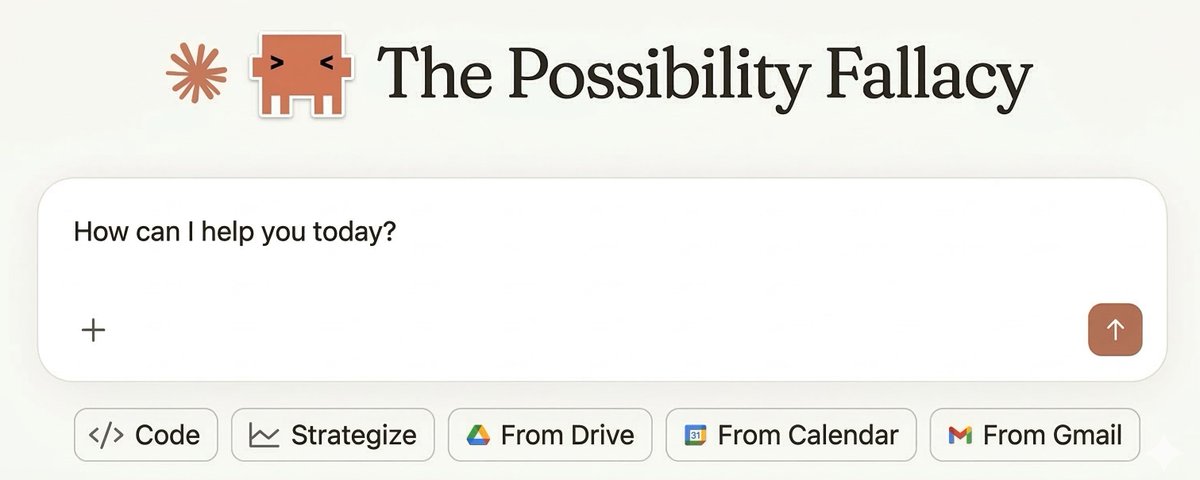
⚠️ 𝐃𝐨𝐧'𝐭 𝐛𝐮𝐢𝐥𝐝 𝐣𝐮𝐬𝐭 𝐛𝐞𝐜𝐚𝐮𝐬𝐞 𝐲𝐨𝐮 𝐜𝐚𝐧.
Discover the 𝐏𝐨𝐬𝐬𝐢𝐛𝐢𝐥𝐢𝐭𝐲 𝐅𝐚𝐥𝐥𝐚𝐜𝐲: why buying beats building in 80% of cases.
👇 Prove me wrong in the comments
teapawt.net/MatiasSanchez/status/2…

54
Most document processing solutions are really just OCR with better marketing.
Here's the complete document processing cycle (and where everyone stops):
LLMs didn't just improve document processing. They fundamentally changed what's possible.
Here's what changed:
🧠 **Before LLMs: Template Hell**
• Different template per document format
• Manual field mapping for each vendor
• Breaks when layouts change
• Limited to structured documents
🚀 **After LLMs: Understanding**
• One model handles infinite layouts
• Understands context, not just position
• Adapts to changes automatically
• Works with handwritten, scanned, born-digital
**Real example:**
Traditional OCR: "Found text 'Net 30' at position X"
LLM-powered: "This indicates 30-day payment terms, field should be mapped to payment_terms with value 30"
🎯 **The breakthrough:**
LLMs can read documents like humans do:
• "This looks like an invoice"
• "The total should match the line items"
• "This date format means MM/DD/YYYY"
• "This handwriting says 'APPROVED'"
**Developer impact:**
❌ Before: Write parsing logic for each document type
✅ Now: One API call understands any document
There surely are downsides. They can Hallucinate and my not be as cheap as traditional OCR. But I'm sure both things will improve over time.
What document types are you still processing manually?
1
31

As an industry we should move beyond OCR. My take on what missing: teapawt.net/MatiasSanchez/status/2…
OCR is not Document Processing.
OCR extracts text, but smart document processing requires much more:
🔍 Context identification - Understanding what type of document you're processing to know which data points matter
✅ Result validation - Verifying extracted data makes logical sense (dates are valid, numbers add up, required fields are present)
🔄 Data normalization - Converting extracted values into standardized formats that integrate cleanly with your internal systems
🎯 Smart routing - Automatically sending processed data to the right operational systems based on document type and content
OCR gives you text. Document Processing gives you actionable business data.
That's the difference between scanning and understanding.
Stop doing OCR and start doing Smart Document Processing: docutray.com
25
Slack notification: "Invoice processing down." ⚠️ Last Tuesday, 11:47pm.
Our client's vendor changed their invoice format. Traditional OCR system broke instantly.
Here's why OCR fails when formats change (and how DocuTray handles it):
🎯 1. Vendors don't warn you
No deprecation notice. No API versioning.
They just... change the format.
❌ Traditional OCR: Template-based data extraction that worked for 6 months? Dead.
❌ Regex patterns? Useless.
❌ Your confidence in document processing? Shattered.
✅ DocuTray: /convert adapts to any layout automatically. Doesn't need format detection—understands documents, not templates.
🔧 2. Format detection intelligence
Traditional OCR: Relies on fixed templates and field positions
DocuTray AI: Understands document semantics, not just layouts
Vendor moved the "Total" field?
❌ OCR data extraction fails.
✅ DocuTray's /convert finds it wherever it moved.
💻 3. Backward compatibility nightmare
Traditional OCR: New format breaks old documents
DocuTray: Processes all versions simultaneously
✅ Old documents? Still work.
✅ New documents? Work immediately.
✅ Mixed batch? No problem.
🛠️ 4. The structural advantage
Traditional OCR: Different formats = different output structures
DocuTray: Always returns standardized JSON schema
```json
{
"vendor": "ACME Corp",
"total": 1500.00,
"date": "2024-01-15"
}
```
Same structure, regardless of document format changes.
🚀 We rebuilt DocuTray because format changes shouldn't break production systems.
Because 11pm alerts shouldn't be part of document processing.
How often do format changes break your data extraction pipelines?
1
46
Forget about layouts and formats: docutray.com
23
⚠️ "Great! Your API extracted all the fields."
But wait—the invoice total doesn't match the line items.
Extraction without validation + correction is like having a security guard who can't do math.
Here's why post-extraction validation with human correction matters:
🎯 1. The math doesn't lie
Most document APIs stop at extraction. You get raw data, but who checks if it makes sense?
❌ Traditional: Extract → Write validation → Handle failures manually → Repeat
✅ DocuTray: Configure validation → Auto-detect errors → Enable operator correction
🔧 2. Validation rules per document type
```json
{
"document_type": "invoice",
"validations": {
"total_match": "sum(line_items.amount) == total",
"date_logic": "invoice_date <= due_date"
}
}
```
📊 3. When validation fails
❌ Extract → validate in your app → handle failures → debug forever
✅ DocuTray: Returns confidence scores + clear error messages
🛠️ 4. Production benefits
• Clear errors: "Line items sum to $1,200 but total shows $1,500"
• Your app knows to flag for human review
• No silent data corruption
🔄 5. Human-in-the-loop correction
When validation fails, DocuTray enables smart correction:
```json
{
"status": "validation_failed",
"operator_action": "re_extract",
"validation_errors": ["total_mismatch"],
"retry_with_context": true
}
```
Operator corrects the data → System learns from correction → Improves future accuracy on similar docs.
🚀 We built validation + correction into DocuTray because "extracted successfully" ≠ "extracted correctly"
Most APIs give you data. We give you validated, correctable, learning data.
How much time do you spend validating + fixing extracted document data?
1
25
It's official. I'm switching completely to @claudeai as my default foundational model, not just for coding. While I had a ChatGPT Pro account, I really don't like that they're adding ads.

In the coming weeks, we plan to start testing ads in ChatGPT free and Go tiers.
We’re sharing our principles early on how we’ll approach ads–guided by putting user trust and transparency first as we work to make AI accessible to everyone.
What matters most:
- Responses in ChatGPT will not be influenced by ads.
- Ads are always separate and clearly labeled.
- Your conversations are private from advertisers.
- Plus, Pro, Business, and Enterprise tiers will not have ads.

55
Document processing is not just about reading text.
#OCR has been around for years.
It works by knowing the layout and locating fields.
But it lacks document 𝐮𝐧𝐝𝐞𝐫𝐬𝐭𝐚𝐧𝐝𝐢𝐧𝐠 — and that’s critical.
At docutray.com, 𝐮𝐧𝐝𝐞𝐫𝐬𝐭𝐚𝐧𝐝𝐢𝐧𝐠 comes first:
1️⃣ Identify what document we’re reading
2️⃣ Understand where the relevant data is and structure it correctly
3️⃣ Normalize data using enums and internal databases
All of this so developers get a smooth, reliable experience and documents turn into data with a single API call. 🚀
39
Document processing is much more than OCR.
1️⃣ Identify the document
2️⃣ Extract the right data (the OCR part).
3️⃣ Enrich it with internal sources
4️⃣ Validate consistency
5️⃣ Push it to ERP / CRM
This should be as easy as a single API call.
That’s what we’re building at docutray.com.
109


