
Projekt management with a bit of magic.
Melle
Joined December 2016
- Tweets48
- Following1
- Followers29
- Likes4
Merlin Support retweeted

Hey, we are listed as #1 on the list of the „15 Best Mac Project Management Software for 2018“ Thanks! business.tutsplus.com/articl…

Hi - we do not support trello native, find everything about import / export formats here: projectwizards.net/en/suppor…
Hey @LudovicCELERIER, you also use in your MerlinServer the port 21, but in your MerlinProject account you ask for port 7190. You should correct that.
Hey @LudovicCELERIER, we have guides for MerlinServer installation and usage, you'll find them here projectwizards.net/en/suppor… … In your screenshot in MerlinProject you use localhost. Is your MerlinServer currently running on the same mac as your MerlinProject?
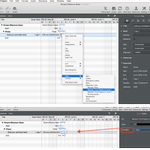
Oh we think we misunderstood your request… You need to enable the separator lines between the Gantt units? Perform a secondary click onto a Gantt bar and select 'Style > Separator Lines > Between Time Phases On Level 1 to enable the 'Line Style'

Hello JL, please try again, or download a fresh copy from our website: projectwizards.net/en/produc… Does it extract without any issues? If so, you can replace with it your current installation. Please keep us informed on how you are proceeding.
Hi - you can not set separator lines for columns in Gantt. As you set a time unit for top tier time scale, the separators are adjusted.
which app have you subscribed? Go or Express? Maybe you need to sign out and in, in the AppStore as explained here? projectwizards.net/en/blog/2…
Merlin works well with following applications: projectwizards.net/en/produc… With which accounting program would you like to combine it?
@PrenzlBurg wir bitten um Entschuldigung, Ihre Rückmeldung scheint im Trubel der Beta-Vorbereitung untergegangen zu sein. Sie können im Netzplan > Mindmap wechseln und da die Abhängigkeiten anzeigen lassen. Das zeigt dann alle Abhängigkeiten grafisch und rekursiv.
,Alt'-Drag a dependency from end of milestone to start of activity - this way you can insert a ,lag' of -10 month.
we assume the column is currently too narrow. If you need a longer format, try widening the date column, or click the column's header to select a desired date format in the inspector.
1
please contact us by email and send us your file so we can advise, Thanks [email protected]