

🔥 Molten Rock - A Suite of Apps built for your local Ai Agents 🔥 Get the Mac Apps on https://teapawt.net/t.co/SgU7ocU4fp
Switzerland
Joined February 2026
- Tweets1.1K
- Following228
- Followers78
- Likes761




Pinned Tweet
He said he'd take care of everything
Then he asked for passwords, bank login, and every key
She didn't break up with him, she just kept the keys
MoltenRock. Let the agents run. Keep the keys.
Available on Mac App Store or Apple Notarized version direct from our website
Check what your AI remembers about you.
Assistants with memory keep details from your chats and use them again later. Open the memory settings, read what it kept and delete anything private. Better still, never type a password into a chat.

2
Turn on FileVault.
If your Mac is lost or stolen, FileVault keeps everything on the disk unreadable without your password. System Settings, Privacy & Security, FileVault. Keep the recovery key somewhere safe, not on the same Mac.

1
22
Shared AI chats can end up public.
Anyone with the link can open a shared chat, and some shared chats have turned up in search results. Never share a chat with keys, client names or private files in it, and delete old shared links in your settings.

2
31
Lock your Mac every time you walk away.
An unlocked Mac hands over your email, your keys and any agent that's running. Control-Command-Q locks it in one move, and Touch ID or your Apple Watch unlocks it again.

2
28
AI writes perfect phishing emails now.
Bad spelling used to give scams away. Not any more. Check the sender's real address, and never log in through a link in an email: type the site in yourself or use a bookmark.

1
29
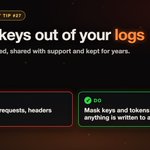
Keep keys out of your logs.
Logging full requests means logging the Authorization header too, and logs get copied, shared with support and kept for years. Mask keys and tokens before anything is written.

2
14
Keep AI agents out of your logged-in browser.
An agent driving your browser can act as you on every site you're signed in to, and platforms can flag the automation and suspend the account. Give agents a separate profile, and use official APIs for your accounts.

2
38

A link can carry your data out.
Hidden instructions in an email or web page can tell an agent to put your private data into a web address. Opening that link or loading that image sends it away. Agents that read untrusted text should never open links on their own.

1
16
Save a copy before an AI agent edits your files.
Agents can delete or overwrite in seconds. Commit to git or take a backup first, so every change can be rolled back.
If you can't undo it, don't let an agent do it.

2
3
44
Don't put secrets in a prompt.
A chatbot's instructions can be pulled out with the right question, so anything in them should be safe to read in public. Keys belong on the server side.
With MoltenRock Connect, your agents use your keys without ever seeing them.

1
17
AI can invent package names.
Coding assistants sometimes suggest packages that don't exist, and attackers register those names with malware inside. It's called slopsquatting. Before you install, check the package is real, widely used and the one you meant.


One click on "don't ask again" and your password is saved in a file. In plain text.
Push your code and it is public.
A report published 5 Nov counted 104,185 of these files in public projects. 1,122 had secrets inside.
Have you ever clicked it?
The fix: an AI that never sees your passwords. moltenrock.com

1
10
Remove the connected apps you no longer use.
Every app you once let into your Google, GitHub or Microsoft account keeps its access until you take it away. Open the connected apps page and remove anything you don't use or don't recognise.

1
22
Meet your agents. MoltenRockAI 1.1 Beta: each helper gets a name, a face and its own brief, with its own memory across all its chats. Drop in a PDF, get a Word document back, read and made on your Mac.
Run a model on your Mac and your chats stay on this Mac. moltenrock.com
1
11
