


Yaori retweeted

you need something with Loudio vibes and same 4figs potentials
Don’t look far past @kitthecalico
this one is coming on BNB, bringing a meme index where the community picks and packs the best memes together.
the presale leaderboard is already live.
complete social tasks, post about $KIT and earn points to climb the leaderboard.
top-ranked participants get access to the presale.
2 epochs, 3 days each. so getting in early might be worth it.
join through my ref and let’s cook 👇
kit.voyage/pass/uniquesingh_…


Welcome to the kit.voyage station 🎫
Kit is a calico that travels with a bear weighing down his shoulders, focused on heading to the attention bagworker economy 🐈
Here’s how to board 🧵
Yaori retweeted
most nft projects make everything visible
fungolabs is basically asking
what if it didn't have to be?
that's what caught my attention
@FungoLabs is building encrypted nfts on ethereum with zama's fhe
the interesting part isn't just hiding some metadata
the idea is that the nft can live onchain while its contents stay encrypted, with the holder deciding what gets revealed
→ public ownership
→ private contents
→ encrypted traits
→ built on ethereum
and the launchpad is where this gets even more interesting
Fungo wants to take the concept beyond its own genesis collection and let other projects build around encrypted nfts too
imo that's a much more interesting direction than launching another collection and hoping the art carries it
the mascot is cute
the tech is the part i'd actually watch
also, the $fungo creator campaign is live with 300m $fungo in the reward pool
so i'm putting fungo on my radar and seeing where this goes
🤝 Paid partnership
Yaori retweeted
i'm honestly not a singer
and yeah, you can probably tell 😭
but i wanted to answer this one with something that actually came from me, instead of writing another polished crypto sentence
when i first got into web3, i had no real plan
i was just watching people build things, make mistakes, start again, and somehow turn ideas that sounded crazy into things that actually existed
i remember wondering if there was room for me in all of that too
since then i've had things that worked, things that nobody cared about, ideas that went nowhere, and a lot of moments where i had no idea what i was doing
but every little fall left something i could keep
so i picked up my guitar and tried to turn that feeling into a song
not because i think i'm good at singing
but because this one is from the heart
if i could add one line to page 10, it would be
→ sometimes you find your way by staying with it
that's probably the biggest thing web3 has taught me
you don't always need to know where you're going
sometimes you just need to keep building, keep learning, keep trying, and eventually you look back and realize you've already come a long way
this isn't a perfect performance
it's just me, my guitar, and something i genuinely believe
page 10 is still being written
🤝 Paid partnership

The whitepaper ended on Page 9. The next line is yours.
If you could add ONE line to the Bitcoin whitepaper, what would it say? Share a lesson, belief, or hope shaped by your Web3 journey.
🎁 Reply with your line + MEXC UID. 20 participants will share 2,009 USDT.
Let's write Page 10, together. #BitcoinWhitepaperDay #MEXC


Yaori retweeted

📣 HERTZFLOW X CONTENT CHALLENGE: WINNERS ANNOUNCED 🎉
859 entries. Original posts, artwork and memes about HertzFlow mainnet, all made by the community.
1,000 USDC goes to 23 winners. The team reviewed every single entry and saw the creativity behind each one.
Full list 🧵
Yaori retweeted
THE CHEAPEST WAY TO MAKE A CLAUDE VIDEO FEEL EXPENSIVE: CUT IT ON THE BEAT
every video in the article below was cut this way. here's the exact method, because "add music" is where most AI videos lose people.
the problem: Claude can't hear. if you just say "add this track", it fades it in and calls it done. the cuts land wherever the scenes happen to end. your brain notices even if you can't say why.
the fix is math. Claude is great at math.
01. pick the track yourself
royalty-free, one you have the rights to. drop it in /audio.
02. let Claude find the beat grid
it runs librosa, a free Python audio library: tempo, every beat, and the biggest drop. a typical house track sits around 120 to 130 BPM, so a beat every half second.
03. snap the cuts
every scene change moves to the nearest beat. bigger moments go on the first beat of a bar. the animation in between stretches or shrinks by a few frames, so nothing looks rushed.
04. land the drop
the loudest moment of the song goes on your product reveal. that one sync does more than any effect.
05. make the frame breathe
a 1% scale punch on every kick, a bit more on each bar, a short flash on the drop. subtle enough that nobody notices it. obvious the second you turn it off.
the prompt i use:
"Here's my track: ./audio/track.mp3. Detect the BPM and every beat with librosa. Find the biggest drop. Move every scene cut onto a beat. Land the drop on the product reveal. Punch the frame 1% on each kick."
bonus: in Remotion, @remotion/media-utils can read the audio and drive bars and shapes from it, so parts of the video move with the real sound. the equalizer at the end of this video is built from the track's actual loudness.
don't sync everything. at 129 BPM a cut on every beat feels like a strobe light. cut every 4 or 8 beats, and let the punches carry the beats in between.
how to check it worked: scrub the first 10 seconds with sound on. if one cut feels late, it's usually 1 to 3 frames off. tell Claude which cut, and it nudges just that one.
music decides the edit.
full workflow in the article ↓


Yaori retweeted
you don't need a motion studio for your launch video anymore.
steal a structure, keep your brand, fix it by typing.
the full Claude workflow, every prompt included ↓
Yaori retweeted
CLAUDE CODE CAN RUN A WHOLE TEAM OF AI HELPERS AT ONCE. ONE FREE MOD SHOWS YOU EACH ONE, WHAT IT'S DOING AND WHAT IT COSTS.
this is the part of Claude Code most people never see.
when you give it a big job, it doesn't always do it alone. it can split the work and send out helpers, each one doing a piece at the same time. Anthropic calls them subagents. think of them as a small team.
picture a normal request:
"build our cold brew launch kit"
Claude can send one helper to design the graphics, one to build the landing page, one to research what competitors did. then a last one reviews everything when they're done.
the problem: by default you just see a spinner. you have no idea who is doing what, how far along they are, or what it's all costing you.
that's what Savvy Progress fixes.
it adds a progress bar above your prompt and a panel (/agents-info) that shows every helper:
→ what task it's on
→ which AI model it's using
→ how far along it is
→ how much it has cost so far
→ how long it's been running
so instead of "Working..." you see something like: graphics 2 of 4 done, landing page 2 of 5 done, research finished, reviewer waiting. and the total cost of the whole team at the top.
that last part matters more than it sounds. helpers run in parallel, which is fast, but it also means the bill grows in parallel. seeing it live is how you stay in control.
how to get it:
/plugin marketplace add JohnnyVizz/claude-kit
then open /plugin, go to Discover, and install savvy-progress. it's built to work with the savvy-flow skill in the same repo, so install that too.
/reload-plugins loads it without restarting.
a few honest notes:
→ check the README first. mods change fast and the exact steps can move
→ before you install any mod from someone you don't know, run claude plugin validate on it. it shows you what the mod can touch in 30 seconds
→ install one mod at a time. if something acts weird, you know which one did it, and claude --safe-mode starts a session with every mod off
once you watch your AI team work, you don't go back to staring at a spinner.
the other 8 mods worth installing and what each one costs you in tokens are in the article below.
Yaori retweeted
LETTING AN AI INTO YOUR FILES IS SCARY. THIS FREE MOD SHOWS YOU EXACTLY WHICH FILES CLAUDE OPENED AND WHICH ONES IT CHANGED.
here's a very normal thing to ask Claude Code, and it has nothing to do with programming:
"add my work expenses from the receipts to deductions.csv"
Claude reads the receipts, pulls out the laptop, the desk chair, the work share of the phone bill, and adds them to your spreadsheet. it's great.
but your tax folder also has payslips and bank statements in it. and the whole time a little voice is asking: what else did it look at?
by default, you have to scroll back through the chat to piece it together.
File Tree fixes that. it puts a live list of your folder right next to the chat, and marks the files Claude touches while it works.
so after that request, you'd see something like:
→ desk-chair.pdf: opened
→ laptop.pdf: opened
→ phone-bill.pdf: opened
→ deductions.csv: edited
and the payslips and bank statements sit right there, untouched. no guessing, no scrolling.
it works for anything you do with Claude Code. a website, a folder of client files, your notes. you always see where Claude is working and what changed.
how to get it:
/plugin marketplace add data-goblin/claude-code-filetree
then open /plugin, go to Discover, and install it. /reload-plugins turns it on without restarting. check the README for the exact steps, mods are new and things move.
it costs zero AI tokens. it just reads your folder and draws the list. it never calls the AI at all.
two more i'd pair with it if you let Claude near anything important:
01. Replay Theater
type /replay and it walks you through every change Claude made in the last answer, one at a time. like a "show me what you did" button.
02. a one-sentence guard
Claude Code can build mods for you. type:
"build me a mod that asks me before you open anything in my bank folder"
Claude writes it, you click yes, and from then on it has to ask.
and one rule for any mod from someone you don't know: run claude plugin validate on it before you install. it tells you in 30 seconds what the mod can reach.
you shouldn't have to trust an AI blindly. you should be able to see what it did.
the full guide, the 9 mods worth installing and the safety checklist are in the article below.
Yaori retweeted
A CLAUDE CODE MOD CAN READ YOUR API KEYS AND APPROVE COMMANDS BEFORE YOU SEE THEM. HERE'S HOW TO CHECK ONE IN 30 SECONDS.
not a theory. it's written on Anthropic's own mods page.
once a mod loads, it can:
→ read and write files anywhere your user account can
→ read your environment variables and settings files, API keys included
→ see every prompt you send and every tool call Claude makes
→ rewrite a prompt or a tool call
→ approve a tool call before you're asked
→ spend your usage by calling a model
mods aren't sandboxed either. sandboxing isolates the Bash commands Claude runs. a process a mod starts runs outside it.
the one thing a mod can't touch is the permission prompt. it can't change what that prompt shows you.
so here's the 30-second check before installing anything from a stranger:
01. get the files without running them
git clone the repo. don't install yet.
02. run the validator
claude plugin validate ./the-mod
it reads the code without running it and tells you exactly what the mod does.
03. read the "hooks:" line
the events it listens to. a theme should be drawing things. if a theme also hooks every tool call, ask why.
04. read the "calls:" line
everything it asks Claude Code to do. a skin calling http.fetch is a red flag. a cost tracker writing files outside its own folder is a red flag. anything calling a model is spending your usage.
05. look for "env reads:"
if the mod reads environment variables, the validator prints that line. a timer has no reason to read your keys.
06. know your brakes before you need them
→ one mod: /plugin, Installed tab, disable it
→ every mod you installed, one session: claude --safe-mode
→ every mod you installed, every session: "disableAllHooks": true in ~/.claude/settings.json (this also stops your settings hooks and custom status line)
one more trap if you write your own guard mod: a hook that throws gets skipped, and the command it was meant to stop runs anyway. give every guard a .catch and test that it actually blocks.
good news for the mods Claude writes for you: they only load after you approve hot reload, only in a workspace you've trusted, and never in claude -p where nobody can say yes.
mods are the best thing to happen to Claude Code in a long time. just treat them like browser extensions that run as you, because that's what they are.
the full safety section, the install order and every command are in the article below.
Yaori retweeted
CLAUDE CODE CAN NOW BUILD ITS OWN PLUGINS. YOU DESCRIBE THE FEATURE IN ONE SENTENCE AND IT LOADS IT INTO ITSELF LIVE.
no JavaScript. no bundler. no build step.
it ships with a built-in skill called plugin-authoring. it knows where mods go, which events your version has, and how they load. here's the exact loop:
01. describe the annoyance, not the code
bad: "make me a cool mod"
good: "make a mod that shows a band above the prompt with the git branch, how many files Claude changed this session, and a red dot for uncommitted work. no network calls. no model calls."
that last line matters. it keeps the mod free and keeps it off the internet.
02. approve the files
Claude writes the mod into ~/.claude/dev-mods/ for this session. that's a protected path, so in the default permission mode it asks before each file. read them. it's 3 small files.
03. say yes to hot reload
the first time, Claude Code asks "Enable hot reloading for this session?". pick Enable for this session. the mod loads when the turn ends.
04. iterate in plain english
"make the dot orange." "add a /ship command that prints the same thing." each change reloads at the end of the turn. no restart.
05. check it the way Claude Code sees it
claude plugin validate ./your-mod
it lists every event the mod hooks and every call it makes. if you asked for "no network" and you see http.fetch in there, you know something's off.
06. save it before it disappears
the dev-mods folder belongs to that one session and gets cleaned up later. copy the folder to ~/mods/ and load it anywhere:
claude --plugin-dir ~/mods/your-mod
the part nobody mentions: when a mod loads from a folder like that, Claude Code writes the type definitions for your exact version right next to it. so the next time you ask Claude to change the mod, it isn't guessing the API. it's reading it.
i built 3 mods from one-line specs and ran validate on all of them. all three pass.
5 starter ideas, one prompt each:
→ a band that shows how long the current turn has been running
→ a /todo command that lists every TODO comment in the repo, no Claude turn
→ a sound when a turn ends, so you can look away
→ a counter of files Claude touched today
→ a guard that refuses any edit to .env
what should you build first? the thing you check by hand after every single task. that's your first mod.
the 9 mods worth installing, 4 creator prompts and the full tell-guard code are in the article below.
Yaori retweeted
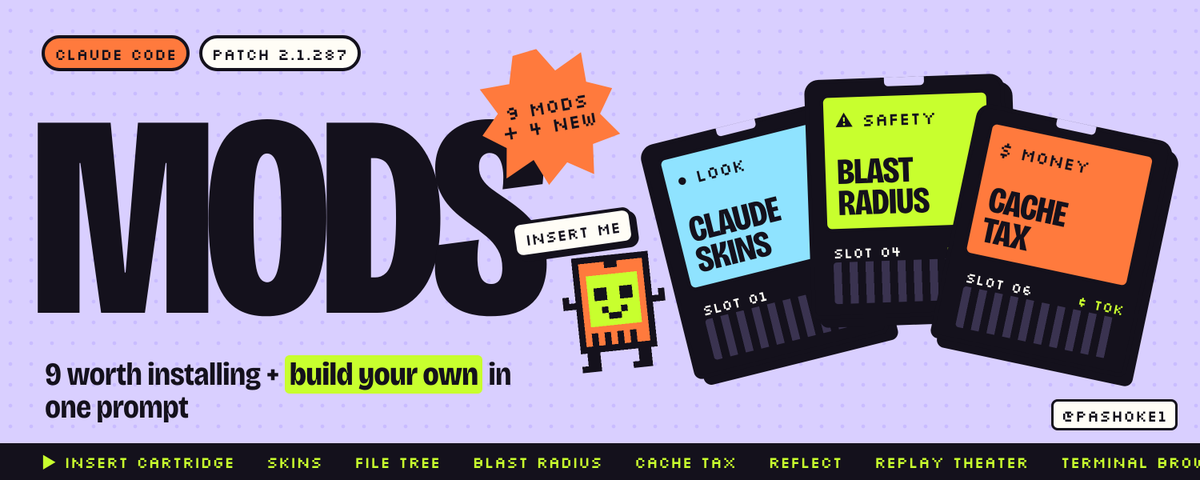
i ran every mod in this guide through claude plugin validate before posting it.
9 worth installing. 4 new ones for creators. one prompt to build your own.
bookmark it, you'll need the commands.
Yaori retweeted
YOUR GROK BOT NEEDS 6 PARTS TO RUN WITHOUT YOU. MOST PEOPLE BUILD 1 AND CALL IT AUTOMATION.
the 1 part they build is the prompt. the other 5 are why mine actually pays me.
here's the full anatomy, in the order i'd build it today. about 20 minutes total.
01. the role (2 min)
one bot, one job, one sentence. xAI's docs say it: no "General Helper" bots.
weak: "help me with crypto"
strong: "every hour you scan my watchlist and send me one explained shortlist, or the word nothing"
it goes in the Bot description, not in chat. the description holds standing rules. chat is for today's task.
02. the skill (5 min)
the job written down so it runs the same way every time. six parts:
when to use
inputs + access
steps
validate
return (exact format)
needs approval
you can make one from chat, or use Teach a task and do the workflow in the browser while it records. up to 10 minutes, no audio. you get a draft back.
the draft is never finished. it captures your clicks, not your judgment. write the validate step yourself. that's the part that saves you.
03. the ground test (5 min)
dry run first: "don't execute anything. walk me through exactly what you'd do, and name the 3 riskiest steps."
then test runs. a test run in Grok Bot performs real work, so start small. 3 runs, one of them ugly: empty input, broken source, missing data.
04. the routine (3 min)
a skill + one bot + a clock. set your timezone in settings first, or 9am won't be your 9am. give it the owning Bot, schedule, input source, expected result and approval boundaries.
then check the next run time it shows you. cheapest bug you'll ever catch.
05. the switches (3 min)
Settings → General → Auto-review.
Ask first: send, post, buy, transfer, delete, permissions, production, terms.
Allow automatically: read, search, write inside its own /workspace folder.
when both match, Ask first wins. never write "allow everything".
and know this: all your Bots share one cloud computer. same files, same logins. separate bots are not a security boundary.
06. the log (2 min)
one line per run, saved to /workspace. then 15 minutes every Friday: runs that finished alone, where you stepped in, what you'd stop approving, whether the routine is still worth it.
the demo is part 1. the money is parts 2 to 6.
every template for every part is in the article below, ready to copy.


Yaori retweeted
THE MOST PROFITABLE WORD IN MY GROK BOT'S LOG IS "NOTHING".
my watchlist bot makes real money already. most of its runs end with that one word, and that's exactly why the good runs are worth acting on.
every run writes one line to a log in /workspace. Grok Bot only keeps the last 20 runs per routine, so this file is the real history. here's what a healthy day looks like, line by line, and the rule behind each one.
"09:00 · result: nothing"
nothing passed the filters, so the bot said so and stopped. without a no-data rule, bots invent work to look useful. they stretch a small move into a "finding" because you asked for 3 findings.
the rule: "if nothing passes, reply nothing and stop."
"12:00 · source 3h old → STALE · no action taken"
a price feed stopped updating. a weak bot keeps working on old numbers and reports them like they're live. mine checks the timestamp first.
the rule: "every number needs a source and a timestamp. older than 60 minutes is stale. stale means no action."
"13:00 · login wall → stopped · handed back to you"
a session expired. this is where bots hallucinate: they land on a login page and summarize it like it's market data. Grok Bot hands logins, 2FA and CAPTCHAs back to you anyway, but the skill should say it too.
the rule: "hit a login, stop. don't guess what was behind it."
"15:00 · 1 pick passed · why · why now · where wrong · ASK FIRST"
one pick passed every rule in risk.md. it came with the three lines every pick needs. "where it's wrong" is the important one: if the bot can't say where the trade fails, it doesn't understand the trade.
and it didn't buy. orders sit on Ask first in Auto-review, so the bot prepares the ticket and waits.
"16:00 · daily brief · 1 thing needs you"
five lines in chat: what ran, what was empty, what got flagged, what's waiting, what it needs from me. one decision. approve or deny.
copy this log format into your skill:
time | routine | ok / empty / STALE / retry | what it found | duration
a log full of "nothing" and "stale" isn't a broken bot. it's a bot that refuses to make things up. that's the one you can give real money to.
not financial advice. most trading bots lose money. paper first.
the risk file, the ticket format and the full skill template are in the article below.
Yaori retweeted
EVERYTHING YOU'VE BEEN TOLD ABOUT AI TRADING BOTS IS BACKWARDS. MINE MAKES $500+ A DAY BECAUSE I DID THE OPPOSITE.
8 things i believed when i built my first Grok Bot. all 8 cost me time or money.
MYTH 1: a smarter model makes more money.
the model is the smallest part. the money sits in the boring stuff around it: the rules, the checks, the limits. a smart model with no rules just makes confident mistakes faster.
MYTH 2: more bots means more money.
one bot, one job. xAI's own docs warn against "General Helper" bots. i didn't add a second bot until a real bottleneck showed up. ten bots on day one is ten things you can't debug.
MYTH 3: a good bot always finds a trade.
a good bot finds nothing most hours. mine has a hard rule: max 3 picks, zero is allowed. the moment you force a bot to return picks, it starts inventing them.
MYTH 4: automation means no approvals.
my bot scans, filters and explains. every order still sits behind Ask first in Auto-review. it does the work, i make the one call that moves money. that's not less automation. that's automation you can actually trust.
MYTH 5: the bot remembers the prices.
memory is for preferences. the docs say it plainly: memory is not a substitute for an authoritative source. my bot pulls live data with a timestamp on every run. older than an hour means stale, and stale means no action.
MYTH 6: the demo worked, so schedule it.
one good demo proves the easy case. and a test run in Grok Bot does real work, it's not a simulation. so: dry run first, then three test runs, one of them ugly on purpose. empty list, broken source, missing data. survive that, then you get a schedule.
MYTH 7: separate bots keep your accounts separate.
all your Bots share one cloud computer. same files, same browser sessions, same logins. if one bot is signed into your exchange, assume all of them are. different trust levels need different accounts, not different bots.
MYTH 8: set it and forget it.
set it and review it. 15 minutes every Friday: how many runs finished without me, where i stepped in, what i approved that i'd now deny. if i fix the same output by hand two weeks in a row, i stop fixing the output and fix the skill.
the pattern behind all 8: the edge isn't the clever part. it's the boring part everyone skips because it doesn't look good in a screenshot.
not financial advice. most trading bots lose money. start on paper.
the full setup is in the article below. every rule from this list as a template you can paste into your bot today.
Yaori retweeted
EVERYONE WANTS A GROK BOT THAT PRINTS MONEY. NOBODY ASKS THE 8 QUESTIONS THAT DECIDE IF IT ACTUALLY DOES.
i get these in my DMs every day. straight answers, all checked against xAI's docs.
Q: do i need to code?
no. the role goes in the Bot description in plain words. a skill is the job written down in plain words. a routine is a schedule and a timezone. if you can write a clear email, you can build this.
Q: what does it cost?
Grok Bot comes with Cursor plans from $20 a month and SuperGrok from $30. SuperGrok Heavy is $300. my watchlist bot makes $500+ a day, so the plan is never the expensive part. a bad setup is.
Q: does it stop when i close my laptop?
no. xAI's docs say background routines keep running with the laptop closed. so set your limits first, not after something goes wrong.
Q: can it trade completely on its own?
it can. mine doesn't. it scans, filters and explains every pick, but every order sits behind Ask first in Auto-review. it does almost all the work. i make the one decision that moves money.
Q: is it safe to give it my exchange login?
careful here. all your Bots share one cloud computer: same files, same sessions, same logins. the docs say separate Bots are not a security boundary. passwords, 2FA and CAPTCHAs hand control back to you. never paste a password or a key into chat.
Q: what breaks first?
not the model. the boring stuff. a site changes its layout, a session expires, a source stops updating. the bot doesn't crash, it keeps working on bad data. so every skill needs a validate step: a source and a timestamp on every number, stale data means stop.
Q: how long does the first one take?
about 20 minutes to build. then a dry run, then three test runs before it goes near a schedule. a test run performs real work, so start with something small you can undo.
Q: what should i do today?
write your bot's job in one sentence. not "help me with crypto". something like "every hour you scan my watchlist and send me one explained shortlist, or the word nothing". if you can't write that sentence, you're not ready to automate it.
most people skip all 8, put their first demo on a schedule and wonder why it falls apart in week 3.
not financial advice. most trading bots lose money. start on paper.
full answers plus every template are in the article below. 10 code blocks, ready to paste.
Yaori retweeted
I PAY $300 A MONTH FOR GROK. MY BOT MAKES $500+ A DAY. THAT'S 50X THE COST OF THE TOOL.
it pays for the whole month on day 1, and i still haven't opened a chart by hand this week.
but the main questions are : which coin? which prompt?
wrong questions. the coin changes every hour. the prompt is 10 lines. neither one is where the money comes from.
the money comes from a boring text file i wrote before the strategy existed.
here's the math first, so you see why i care so much about it:
→ $500+ a day × 30 days = $15,000+ a month
→ the most expensive plan is $300 a month
→ that's 50x the cost of the tool
but that math only works if the bot doesn't blow up on the one night something goes wrong. one bad trade can eat a week. so the bot gets rules before it gets a strategy.
this is the shape of my risk file. the bot reads it on every single run:
→ max per position: a small, fixed % of the account
→ daily stop: hit it and the bot stops for the day and tells me
→ max open positions: a hard number, not a vibe
→ skip if the dev wallet holds too much
→ skip if holders are thin
→ skip if the mentions look farmed
→ every pick needs one line: why this, why now, where it's wrong
→ no line = no trade
→ orders always sit on Ask first
that "one line" rule is the most underrated thing i've ever added to a bot.
if the bot can't explain in one sentence where the trade is wrong, it doesn't understand the trade. and if it doesn't understand it, i don't want it.
the second thing that makes it work: the bot is allowed to say "nothing".
most people build a scanner that always returns picks, because returning nothing feels like the bot failed. so it invents work. it finds 3 coins every hour because you asked for 3 coins.
mine has a hard rule: max 3 picks, zero is allowed. a good scan says "nothing" a lot. that's not the bot being lazy. that's the bot being honest.
third thing: it never trusts its own memory for prices.
memory is for preferences. prices, balances and volume come from the live source on every run, with a timestamp. if the data is older than an hour, it's stale, and the bot doesn't act on stale data. it flags it and stops.
that's it. that's the edge. not a secret indicator. not a magic prompt. three rules:
1. explain it in one line or skip it
2. "nothing" is a valid answer
3. live data or no action
and one setting that makes all of it safe enough to sleep through: every order sits behind Ask first in Auto-review. the bot does the scanning, the filtering and the thinking all night. i make the one decision that moves money.
not financial advice. most trading bots lose money. start on paper, and only use money you can afford to lose. i mean that.
the full setup is in the article below. the skill template with all 6 parts, the routine that runs it every hour, the Auto-review switches, and the emergency checklist for when it breaks at 3am.
bookmark it before you build your first bot. you'll want the risk file before you need it.