

Civil Engineering Consultant| Autodesk Authorized Training Center II Civil 3D Training Experts II Structural Design I BIMII Online Trainings Call: +254745634313
Nairobi, Kenya
Joined March 2024
- Tweets234
- Following95
- Followers766
- Likes201

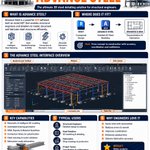


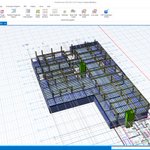
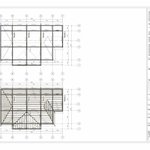


Revit makes it possible to turn a structural concept into a coordinated 3D model ready for analysis, documentation, and construction.
This infographic breaks down a simple workflow for modeling a steel portal frame structure in Revit, from setting up grids and levels to beams, bracing, annotations, and sheets.

RoadsHub retweeted

Designing a 3.5m cantilevers shouldn’t be a chore. We are just scared folks in this who think anything beyond a 2m cantilever will fail😄😁
With the right materials, knowledge resources and software tools that we provide, it’s cake.
studio.ksdigital.tech/produc…


Project management allows construction teams to turn ideas into successful outcomes through planning, coordination, leadership, and execution.
Which part of project management do you think is the most challenging?

Revit is a software developed by Autodesk used for Building Information Modeling (BIM) in the architecture, engineering, and construction (AEC) industry.
For structural engineers, Revit helps in creating intelligent 3D structural models, producing accurate drawings, coordinating with other disciplines, generating schedules, and improving project collaboration throughout the design and construction process.
Which Revit feature has improved your workflow the most?

Foundations are one of the most important parts of any structure.
They transfer loads safely to the ground and help ensure stability and durability.
Common types of foundations include:
• Shallow Foundations
– Strip Footings
– Pad Footings
– Raft Foundations
• Deep Foundations
– Pile Foundations
– Caisson Foundations
The choice of foundation depends on factors such as soil conditions, structural loads, groundwater level, and project requirements.


RoadsHub retweeted
Architects, Engineers and Construction professionals 🔔🔔🔔
Still spending hours on repetitive Revit Structure tasks? Let us show you how to automate them in minutes.
We are doing this with @RoadsHub
Seats are limited — register now. 👇👇

Amazing work @GodieMurithi

We just launched something we've been building for a long time.
🧵
1/ Orion Terrametrics has spent 5+ years mapping Africa. 5,00+ projects. Kenya, Somalia, Zimbabwe, and beyond. Today we open-source that infrastructure to the continent.
orionterrametrics.com is live.

Roof detailing in Revit requires precision. Especially when working with slopes, repetitive members, and tight connections.
The right tools can save you time and help you produce drawings that are accurate and easy to build from.
Here are three tools I rely on when detailing roofs in Revit:
🟠 Beam Systems
🟠 Pick a Plane
🟠 Cope Tool
Would you like to learn about this?


