

technology + cars + architecture = 1 busy Steve!
The OC
Joined November 2010
- Tweets1.4K
- Following429
- Followers358
- Likes466
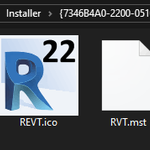





@Twiceroadsfool have you tried deploying Enscape 4.x and then get the Revit icon to change to the custom icon successfully? We are finding that even after forcing the icon cache to clear via cmd line, the Revit icon will revert to factory original after launching software.
1
1
75
When will ACC Admin service be restored??? @autodesk @ADSK_Construct So many disruptions lately...
3
2

Steve Bennett retweeted

We're giving one lucky winner a chest that has a chance to drop 500 5* shards! 🎉
How to enter? Retweet this tweet and participate in this weekends event for the 5-star bot! 😍
Get the game: ow.ly/KR2J50EYiyE
Need help? Join Discord: ow.ly/AAUb50EYiyF
#Transformers


Steve Bennett retweeted

Our work-from-home productivity just keeps getting better thanks to our own @SteveBennett723 and @AVAILecm.
#BIM #bimmanagement #bimmanager #content #contentmanagement #aecindustry #Revit #productivity #wearetaylor #lovewhereyouwork
linkedin.com/posts/avail-get…
Steve Bennett retweeted
We are honored to be named by @ZweigGroup the #1 architecture firm in 2020 Best Firms to Work For.
Special thanks to our outstanding staff for helping to make this recognition possible! |
#bestplacestowork2020 #lovewhereyouwork #wearetaylor wearetaylor.com/taylor-desig…

Thanks @autodesku - even when we WFH, we are still learning at Taylor Design! @TaylorTalk

Change is constant. That's why @TaylorTalk uses these strategies to help their workforce adapt to changes in workflows, tools, and software. @SteveBennett723 breaks it down. autode.sk/3cDBLSf

6
Introducing the Latest Revit Plugin - AutoCAD Express Tools
I'm excited to announce to Taylor Design the latest efficiency tools for Revit and coming soon to your workstation - AutoCAD Express Tools!!!!

This FREE tool pack includes some of the greatest commands ever used in AutoCAD, straight to Revit. Now you relive all the glory days of working in 2D all over again!!! For the first release, here are the initial commands being included (more on the way):
Dark Mode! Who can forget the countless night spent slaving in front of an all black screen? Now flip this switch and everything below the ribbon will darken, easing eye strain and fatigue.
1
Flatten! Forget about messy wall joins and making sure stuff can be built, just flatten your 3D Revit model to 2D and trim, extend, move and copy your way to a document set that looks close enough.
1
Cross Hairs! Now, instead of a mouse cursor, you can have those lovely cross hairs moving back and forth in your view port as you work.
1
Steve Bennett retweeted
Working from home looks different for each of our staff, but one thing remains the same - our commitment to our clients. We are here for you! #WorkingFromHomeLife #WeAreTaylor #Architecture #InteriorDesign #DesignStrategy

This is what happens when you have an open poll and a bunch of nerds in the same #AU2019 room:


If you are looking for that one last session to attend at AU2019, there are only 3 seats left in Fostering a Culture of Continuous Learning autodeskuniversity.smarteven…
3
Not only were we voted the #1 best firm to work for, our Principals serve us pancake breakfasts WITH BACON!!! Come work for Taylor Design! #best #firm #bacon lnkd.in/gkF8DSM
