

3d printing and video game shenanigans
Joined January 2013
- Tweets13.9K
- Following854
- Followers4.6K
- Likes11.4K


StonedModder retweeted
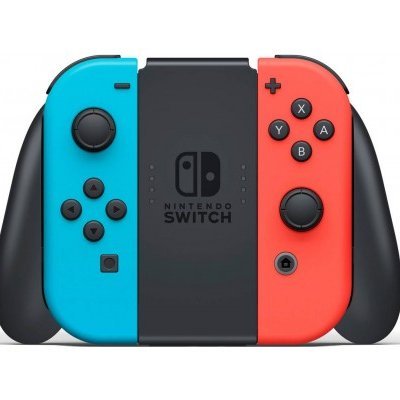
A new article about a new homebrew for the Switch 1 designed to make it easier to write code in SmileBasic has been published, featuring the exploit developed by @StonedModder
The article can be read in any language thanks to the built-in translation module
hacktuality.com/article/933-…

StonedModder retweeted

For anyone with Demo 4.4.6 Basicsmile 4 here a tutorial how to get it to save so you don't have to rerun everytime. github.com/JMUtechnologies/S…

StonedModder retweeted

Many of you have been asking for updates on Mosaic, the project I’m developing to run native macOS desktop applications on iPhone and iPad, without JIT or streaming.
Today, I’d like to share some of the latest progress!
Here are the main improvements:
Multitasking: Mosaic can now run up to 4 applications simultaneously.
Tauri/WebView support: I’ve managed to introduce support for applications built with Tauri and WebView by leveraging the operating system’s native WebView engine.
First successful tests: My launcher, which you can see in the screenshot, uses this exact stack and was the first application I successfully tested with the new system.
There are still some challenges to overcome.
I’m currently facing some difficulties with applications like Steam, which rely on Chromium and require spawning child processes to work properly. This is one of the main limitations I’m working on, and I hope to find a solution soon.
If you have any technical ideas or suggestions, feel free to share them in the comments!
As for the first public beta, unfortunately, I haven’t been able to release it yet. I’m working on several projects simultaneously, and I’m doing my best to give each one the time and attention it deserves.
I hope you can understand the development timeline and appreciate the effort and dedication I’m putting into this project.
Mosaic continues to make progress, and I can’t wait to show you what else it will be capable of!
❤️ Support the development:
seregonwar.com/donations
If you’d like to support the project, you can contribute through a donation. Even the smallest contribution can make a difference and help me keep development moving forward.
Thank you all so much for your continued support! ❤️


I wonder if my LG tv can still be rooted 👀 would be fun to see it get improved

Good news from OpenAI: reverse engineering your own TV with Codex isn't against their rules. The blocks people hit were accidental and are getting fixed.
So go ahead. Customize your launcher, kill the ads, and make it faster with any ChatGPT model.
Claude is still a gray area though. Try it there and it'll assume you're a Chinese state hacker breaching a power grid.
If anyone can find this, PLEASE point me in the direction. If this is where I think it came from, there should be some joycon models too


If this is helpful, please consider donating. These projects and guides take a lot of time
patreon.com/cw/u4772250


Cool someone made a switch 1 homebrew
But boy is it janky slop..it doesn’t even have all the files required 🤣
StonedModder retweeted

007 FIRST LIGHT — 60 FPS PATCH INSTALLATION GUIDE (PS5)
A lot of people have been asking me how to install and activate my 60 FPS patch, so here's a quick guide for everyone!
First, download my patch and transfer the ".json" file to your PS5 using FTP (FileZilla or another FTP client).
The installation path depends on which homebrew environment you're using.
1. etaHEN USERS
Copy the JSON file to:
"/data/etaHEN/cheats/json/"
- Open etaHEN Toolbox.
- Reload the cheat list/cache if necessary.
- Launch 007 First Light.
- Open Toolbox → Cheats.
- Find my 60 FPS patch and enable it with X.
2. OnionHEN USERS
Copy the JSON file directly to:
"/data/OnionHEN/cheats/"
- Do not create a "json" subfolder!
- Launch 007 First Light.
- Open the OnionHEN cheat interface.
- Find the 60 FPS patch and enable it.
3. CheatRunner USERS
Copy the JSON file to:
"/data/cheatrunner/cheats/json/"
- Start CheatRunner.
- Refresh the cheat list if necessary.
- Open 007 First Light in the trainer.
- Go to the Cheats section.
- Select and activate my 60 FPS patch.
IMPORTANT!
Make sure the patch matches your game's Title ID and exact version.
For example, the file for "PPSA11386" version "01.018.001" should be named:
"PPSA11386_01.018.001.json"
Remove any extra filename suffix such as "(4)" added during downloading.
Do not run etaHEN, OnionHEN and CheatRunner together. Use the cheat loader corresponding to your setup.
My patch removes the original 30 FPS framerate cap in Quality Mode, allowing the game to reach 60 FPS on the base PS5.
Download / Game page:
zerodaysofficial.github.io/z…
More improvements are being worked on, including 4K resolution!
— Zer0Day
FOR THE PLAYERS.

Electric to heat up the printer costs money
Filament costs money
Gas to the post office costs money
Shipping costs money
Am I supposed to just send these for free? Lmao
unavailable
Same controllers. AGAIN 🤣

AnyController
Utilice controladores que no sean de PlayStation en una PS5 con jailbreak. AnyController es una carga útil de ELF que lee un controlador USB y lo registra con la PS5 como un DualSense virtual
github.com/BallerIsLeet/AnyC…


When this comes out. My 9 year old Python project should still work :) github.com/StonedModder/DNSw…


😎 who needs a pico
Would anyone be interested in preflashed and 3d printed proMicros for NS2JB? $20 shipped DM me or reply
Let’s make some cool homebrew !
