

Turn your stream clips into vertical content for FREE! 🚀Just upload your clip, crop it, and post it to your socials, all from one website! Try it out now 👇🏽
The Netherlands
Joined May 2021
- Tweets1.7K
- Following212
- Followers3.9K
- Likes2.3K






Hey Streamer👋
Need help with your social media content?
StreamLadder easily let’s you convert your Twitch, YouTube, Kick or Local File clip into a fire 9:16 post!🔥
Sign up & Basic Features are FREE 👉 streamladder.com/


Sorry this happened, small glitch. Glad we could sort this out tho, thanks for letting us know.🥲
1
12
Try out StreamLadder now, and assemble your content creation team with Editor Invites!
streamladder.com
1
73
👥 INVITE AN EDITOR FEATURE IS LIVE!
With the Pro tier subscription, you can invite others to join your team and help out with your content workflow!
✂️ Editing your clips for you!
📎 Creating clips with ClipGPT!
📩 Using your saved templates and caption styles!
🗓️(Optionally) sharing to your social media accounts!
Whether you have an official editor, a community clipper, or a friend who wants to lend a hand - now they can with StreamLadder Editor Invites!
1
9
406
That's our Creator tier, which includes our main AI tool, so it is a more expensive tier because of that!
If you're looking for the Content Publisher and Scheduler, that's available on Starter for $15 a month!
If you've already made an account, lmk (in dms) the email you used, and I'll get you a 14-day trial (no card needed) to test if it's worth it!
46
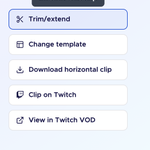
We've actually just improved this feature! Have you tried using the new trim/extend button (on the right of your video) this allows you to trim / extend the clip to the exact seconds you want instead of the +30 seconds before/after

81
Hey Liban, we did just add 4k exporting yesterday as a feature behind our Pro tier! Would love to get you a test of it if you'd be interested!
1
2
33
Hey there! We haven't gotten too many reports of this - could you make a ticket about it on our site so our support and dev team can look into it?
1
34
Hey kyuxromi! I totally get if the update was frustrating - what about the new dashboard/navigation was most confusing? Feel free to message us here, or contact our Community Manager Shane through the Discord if you'd like to suggest any changes to things :)
79

🐙 NEW HIGHLY-REQUESTED FEATURES ARE HERE!
3 of the most-requested features from our community are finally here!
📤 4K Exporting
✖️ X Publishing Integration
👥 Editor Invites (Coming soon)
For the streamers dedicated to the highest quality content, these updates are a must have!
Want the full details? Check your StreamLadder Dashboard and our Update Announcement Article below!

3
5
505
I understand. The positions of the crops should be saved in your browser, regardless of the template. If that doesn't happen, that's a bug.
Btw, the saving templates feature is part of the $15/month plan.
15