


@romain_vialard YAMM isn't letting me change the column of my recipients. Is this a known issue? Need help fixing that. Thanks!


Depending on the lab, I may chunk the procedure and have checkpoints they have to get me to sign-off on before they can move on and/or get materials.
I'll admit, I get waaaay excited over fonts. Super geeky proud when I used "Metal Mania" for my "Properties of Metals" discussion (and I made sure to tell my students!) 🤓🤗


Mrs. M 🔆 retweeted
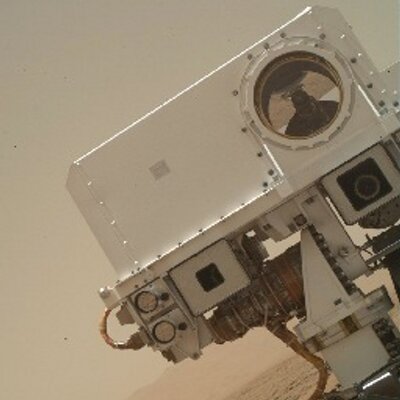
Throw your panels in the air! Wave 'em cuz you care! And if you're ready for science, somebody say, "Oh yeah!"
@NASAInSight's solar arrays are open and power is flowing to her batteries. go.nasa.gov/2KywPRq #MarsLanding
Stress and anxiety are HUGE issues in middle school as well. I'm going to build in time for my students to do the reflection activities described in the article.

High school students are more stressed than ever before. Here are tips for helping them cope. edut.to/2Dw2mTl

I use a Google Sheets add-on called "Flippity" that makes forming groups soooo easy! 👀 👉 flippity.net 🤗
Mrs. M 🔆 retweeted

Spectacular 'Dragon's Eye' on Jupiter Spotted by NASA's Juno ift.tt/2OAXQUW

Mrs. M 🔆 retweeted

In interactive classrooms:
1. Teachers are GUIDES on the RIDE.
2. The noise level is LOUDER.
3. Students work COLLABORATIVELY.
4. Learners are EMPOWERED.
5. Technology is used to CREATE.
#ditchbook
thegoldenageofeducation.com

Want to turn your Google Docs Revision History into a video? Curious if all group members did equal work on the Doc? Use Draftback! 🤓😝
Check out my video demo: share.vidyard.com/watch/fKzE…
Install Draftback here: bit.ly/2JSJZIZ

One of my goals is to learn how to edit simple Scripts. This looks like a great starter!

When you see the phrase "Code a popup message for your #GoogleDocs" it sounds really complex 🤔, but it's not. Watch, I can do it in a ~40 second ⏳ #EduGIF: #elearning #21stedchat #21stcenturyskills #hyperdoc jakemiller.net/docspopup/

