
Group of students that are passionate about helping other students and teachers to use their technology.
York Springs, PA
Joined October 2018
- Tweets24
- Following13
- Followers26
- Likes56




Did you know that you can change the appearance of your iPad from light to dark in iOS 13? #TechTipTuesday #bermpride

3

Eagle Tech retweeted

Getting excited for our Pop Up Classroom on Thursday. We can't wait to share more about Canvas with our high school teachers. You won't want to miss it! @BSHSEagles #bermpride

Eagle Tech retweeted
Love my colleagues and the fact that everyone is willing to pitch in when needed! #bermpride #firstdayfun

Remember, before you hand in your iPad please remove your password, sign out of iCloud, and erase all content on your iPad. #bermpride
Did you know that if you hold down on the dollar sign, you can find different currency symbols? #TechTipTuesday #bermpride

When you want to put apps in split view, put the app in your doc and then pull it into the app that you are currently using. #techtiptuesday #bermpride
Did you know that you can open a link in Split View by pressing and holding a link in Safari? #TechTipTuesday #whoknew #bermpride

You can turn the clicking noise that the keyboard makes off in settings if it annoys you. #TechTipTuesday #bermpride

5
Did you know that when you’re in Safari, touch and hold the back or forward button to quickly see a list of your recently-visited webpages. #TechTipTuesday

I missed yesterday so here’s a tech tip. Don't waste time flipping through the screens; instead, use the iPad's Spotlight search. You just swipe down on the home screen and the search bar pops up. #WowWednesday #bermpride
4
Are you having issues with your iPad? Hold down the Power button at the same time as pressing the Home button. Hold these for a few seconds. The iPad will then go blank as it shuts down. #bermpride
#TechTipTuesday
3
Did you know that you can print directly from your iPad using the AirPrint feature? Just select bssd-printers and input your login information. #bermpride #TechTipTuesday
If you have Verizon, please make sure to download the app so that you still get notifications for those important messages.

Unfortunately, carrier fees aren’t just affecting our users in Canada. Because of a new @verizon fee, we'll be forced to end text notifications on January 28 for Verizon Wireless customers who use our free service. What to do: remind.com/verizon-fee #ReverseTheFee #NotSpam

Do not hesitate to fill out one of our service request forms or stop down in room 221 across from the High School library if you're having issues with your tech! #bermpride bit.ly/2SQoI63
When using the mail app, attaching a file is easy. Just press and hold in the empty portion of the message and then the toolbar appears. You can choose between photos, videos, files from your iCloud, and even files from Dropbox! #bermpride #TechTipTuesday

It’s mid-term season! Don’t forget to back up all of your files to google drive so you can study. Good luck! #TechTipTuesday
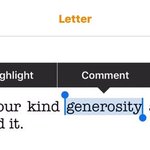
In Pages, to hear a word spelled to you, select the word, then tap Spell. #bermpride #TechTipTuesday

Eagle Tech retweeted

Thrilled to see this help desk being staffed by students during the day. If anyone needs help Bobby is waiting to assist! #bermpride


Did you know that you can access the degree (°) sign by tapping and holding the 0 key? #TechTipTuesday #WhoKnew #bermpride