

Product designer who codes with Claude & Figma. I turn designs into working UI, plugins & workflows. 💙 design/tech/touching grass https://teapawt.net/t.co/K7S1vdV1KF
Joined August 2021
- Tweets921
- Following1.4K
- Followers136
- Likes3K




Pinned Tweet
After visiting Japan I found myself daydreaming about what my neighborhood would look like if Tokyo was its Dad
Designed & built by me:
Loso-tokyo.vercel.app


67


Working with blender & midjourney for these
Trying to capture a season in a vial…lots of inspiration from snow globes
Going in a calendar app
1
67
I took a trip to Tokyo & came back wondering what my city would look like through a different lens.
Design & developed by me 🧵
4
1
57

Ran through so many iterations over the last few weeks
Huge shout to fable for coming in clutch 4th quarter
6
This project was over 2 months in the making full of field studies and ground work. I’ve never done a project like this before.
loso-tokyo.vercel.app/
16


Light, dark, clear and tinted. In clear and tinted iOS throws away colour, so the bots' eyes are real cutouts and the faces survive.
13 characters, traced from the app and rebuilt as vectors.


8
Tap Follow live and the bot moves into the Dynamic Island, counting down your place in the presale queue.
When it gets you in, the island asks. Approve right there.

8
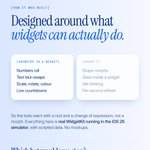
Star a bot and its widget is built around its job: a live score, a fare tracker, a ticket queue.
Designed per size, not scaled. Small shows the number, medium keeps the pulse, large tells the story.


8
The Inbox widget: approve a flight, okay a grocery order, draft email replies.
The message blur-swaps, the bot nods, and "Needs you 3" rolls down to All clear. Every button is an App Intent, so the app never opens.


18
14% usage on GrokBot the same day as a reset should be criminal. No technical tasks just basic conversational use smh
2
48
This looks like it was like meant to be a clever ad but I actually experimented with this flow.
Essentially took a design idea and used iOS simulator to ideate on it.
Being confined to the ios mobile surface produced interesting results that translated well to web/desktop

Deep dive on our AI iOS Designer workflow 🧵
Before Quest, I worked on Stitch and spent hours trying to understand how designers' jobs would evolve with AI.
Now I'm working with @premiumtantan every day on Quest, and I think we finally figured something out.
376
Added a new case study to my portfolio last night 👀
A Claude Code plugin I built to take Figma designs into Optimizely without rebuilding every test by hand.
The workflow & what our test engineer’s feedback changed:
andyramos.design/work/figma-…

9
4
258

