

Starlink をおっかけてます。Amazon Leo もやりたい。
飯田橋が主な活動場所になりました
Joined June 2009
- Tweets4.9K
- Following773
- Followers288
- Likes1.8K


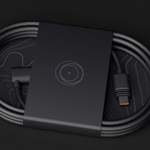


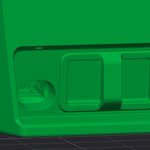


あらら、LinkPower まずいじゃん。航空機持ち込み規制を回避しながら稼働時間を確保する為にバッテリー容量を小さく書いているなんて。
Veritas の製品は評価の中では稼働時間が持たないと指摘されたりしてたんですよね。
youtu.be/sLSuVtaPJ4Q?si=zPz8…
47

Starlinkの豪雪地帯での検証を今年もやります。機種を増やし全機種が同じ条件で観察できると思っています。

#Starlink 雪に強いのはどれ?❄
北海道・沼田町で、Mini・Standard・Performanceの3機種を同じ環境に設置。降雪時の通信状況や融雪性能にどんな違いが出るのか、実地検証の準備を進めています。
今年の雪ではどんな結果が出るのか。乞うご期待!
eng-blog.iij.ad.jp/archives/…

1
56
Starlinkを窓際利用すると、こんなもんって感覚を皆さんと共有できればと思い書いてもらいました。皆さんみてやってください。
「Starlinkは窓際でも使える?」
Starlink Miniを4か所の窓際に設置して検証してみました🛰
インターネット接続、通信速度、Ping、Teams会議などをチェック。つながる場所もあれば、接続できない場所も。
設置環境でどこまで変わるのか?実際の結果を紹介します👇
eng-blog.iij.ad.jp/archives/…
#Stalink

Muse便利だわ、、
欧州向けアップデート2026.39.100で、Tesla Assisted Driving(旧FSD)の速度オフセットが最大+50%から+10%に下がり、始動のたびに0%へリセットされるようになったとの報告。リリースノートには記載なし。RDWが承認した変更で、ドイツがEU全域承認への支持条件にしていたもの。
71
やはりusb-c経由でイーサネットが出せますね!給電しながら有線ネットワークを動かせるようになる。

I don't have a @Starlink Mini 2 yet, but I've managed to obtain the firmware for its built-in router.
Hardware revision: V6 (ROUTER_MINI_COHOUSED_2)
CPU: MediaTek MT7981, dual-core ARM Cortex-A53
Wi-Fi radio: MediaTek MT7976, dual-band 2.4/5 GHz, 2×2 MIMO, Wi-Fi 6
And here's the most interesting part:
Starlink Mini 2 supports USB-C Ethernet adapters!
I suspect SpaceX will eventually release an official USB-C Ethernet adapter as an accessory.
However, not all third-party adapters are supported. The compatibility is limited to the following chipsets:
Realtek RTL8152 / RTL8153
ASIX AX88179 / AX88178A
So, if you're planning to use a USB-C Ethernet adapter with the Mini 2, make sure it uses one of these supported chipsets.

63


アピール大切ですね。

SpaceXSI is committed to helping build and grow the communities our employees live and work in for the better. This includes ensuring revenue from the taxes we pay goes back into the community.
The City of Memphis is investing $3.26 million of the direct revenue from our supercompute facilities in Memphis toward housing, neighborhood improvements, and other services for local residents, helping them to make critical repairs and improvements to their homes → memphistn.gov/city-of-memphi…
1
54

Geminiと壁打ちして、結局こうゆう事らしい。
実際に試した結果と一致しているように感じます。
2. 規制当局(日本技適・各国認証)におけるチャネル幅と最大速度のカラクリStarlink Mini本体は 3×3 MIMO のハードウェアを持っていますが、日本国内(および多くの地域のデフォルト運用)における 2.4GHz帯のチャネル幅(20MHz vs 40MHz) によって、相手側ルーターとのリンク速度が大きく変化します。 ① 20MHz幅でリンクした場合(Router Miniとの組み合わせなど)日本の技術基準適合証明(技適)では、2.4GHz帯の干渉回避のため20MHz幅(2412〜2472MHz)が基本となります。Starlink Mini(3×3 / 802.11n / 20MHz)の上限: 216.7 Mbps Router Mini(2×2 / 802.11ax / 20MHz)の上限: 286.8 Mbps両者をリンクした際のネゴシエーション上限:
ストリーム数は少ない方(Router Miniの2×2)に制限され、規格は古い方(Starlink Miniの802.11n)に制限されます。
したがって、「802.11n / 2×2 MIMO / 20MHz幅」=理論最大 144.4 Mbps が上限となり、壁越しや距離がある環境では 70〜130 Mbps前後 でリンクします。
② 40MHz幅(または3ストリームフル活用)でリンクした場合(Router 3との組み合わせ)一方、Router 3(UTR-231 / 4×4 MIMO)と組み合わせた場合、以下の理由で先ほどご報告いただいた 「約260 Mbps」 のリンクが成立します。ストリーム数の制限解除(2×2 → 3×3へ):
Router Miniでは相手側が2×2のため2ストリームに制限されていましたが、Router 3は4×4対応のため、Starlink Mini側の 3×3(3ストリーム)をフルに受け止めることができます。40MHz幅(HT40)または高いMCSの維持:3×3 MIMO・40MHz幅(802.11n): 理論上限は 450 Mbps(ガードインターバル400ns時)です。壁越しや屋外・屋内間の減衰によってMCSインデックスが1〜2段階下がると、ちょうど 243〜270 Mbps のリンクレートになります。 2×2 MIMO・40MHz幅(802.11n): 理論上限は 300 Mbps であり、電波状態が極めて良好な場合のMCS14(270 Mbps)やMCS13(243 Mbps)も260Mbps前後に一致します。
77


mini2のデザインをみると三脚をつけるスタンドは最初からついている。でも有線の口が入る厚みがキックスタンドの所になさそうに見える。USB-Cから有線ネットワークを引き出す可能性もありそう。
アクセサリーを作る人たちは大変そうだ。これまでのminiとは互換性がない。

81
mini2に隠れた感がありますが、Router 4も仕様書の中で現れてきています。starlink.com/jp/specificatio…
これみると、Router 4はRouter 3の置き換えになりえますね。アンテナと繋ぐポートの他にRJ45の口が2個別にありました。これまでは有線のポートが2ポートのみで1本をStarlinkに繋ぐと2本目がない説。これだと航空機向けの冗長構成にすると有線の口がなくなる。


1
1
168

すごい、バッテリーとして使える可能性もあるんだ。バッテリーレスでも動きそうか知りたいです。
I haven't found any public mentions, but the Mini2 firmware strongly suggests that the new @Starlink terminal might work as a power bank and charge your devices.
The USB-C port's firmware configuration supports two modes: source and sink, with connected device detection.
The output power is unknown. The firmware doesn't set a limit; the PD controller negotiates it at runtime.
Energy delivered over USB-C: about 55–60 Wh after conversion losses (assuming about 80–85% efficiency). With a 71 Wh battery, that's roughly 3–4 charges of a typical 15–20 Wh phone, or about one charge of a 50–60 Wh laptop.
The current mode is monitored and reported via gRPC:
DishUsbcStats {
float power_w; // live USB-C power
float max_power_w; // PSU's advertised max (PD)
bool source_detected; // PSU attached → dish is CHARGING/SINKING
bool sink_detected; // device attached → dish is POWERING it (power bank)
}
Additionally, the battery controller reports this:
DishBatteryStats {
uint32 state_of_charge; // %
bool is_charging;
bool battery_attached;
float power_w;
uint32 time_to_charge_minutes;
uint32 time_to_empty_minutes;
float temperature_c ;
}
INA234 voltage monitor IC controls all the voltages and currents.
#starlink #mini2
38

mini2 は三脚アダプタをもう必要としないですね。
USB-C給電になったけど防水ブーツ付きの専用ケーブルの方が安全だし固定もしっかりしそう。
starlink.com/mini-2?part=min…

1
60
v5にデザインを寄せてきた感じですね。もしかしたらサイズ同じ? v5のアクセサリ使いたいだろうし。

Introducing Mini 2, the next-generation portable Starlink. Get up to 4.5 hours of connectivity on a single charge with the quick-swap battery, or plug in with USB-C.
With built-in Wi-Fi, all you need is a clear view of the sky to get online in 60 seconds.
Preorders are now open by invitation in the US. Be the first to know when it's available → starlink.com/mini-2
30
熱耐性が上がったのは良いですね。starlink mini2
Since my announcement in July, @Starlink Mini 2 has moved from hardware revision rev_mini2_prod1 to rev_mini2_prod2.
I believe rev_mini2_prod2 is the actual production revision that will ship to customers.
Compared to the most common Mini 1 revision, mini1_panda_prod2, the Mini 2 features several improvements:
RF performance
With the new PEZ front-end chips, Mini 2 delivers increased TX power:
+1.8 dB on average
Up to +2.9 dB on the upper-frequency channels
A significantly flatter frequency response across all channels
The RX VGA gain has also been increased by two steps.
Thermal limits
Mini 2 has approximately 15°C higher board temperature limits:
Throttling: 95°C
Thermal shutdown: 102°C
Battery temperature thresholds:
Idle: 79°C
Throttling: 57 → 59°C
Throttling on external power: 75 → 78°C
Power cutoff: 80°C

60