



A smaller serving shouldn't mean starting the entry over. Our SnapCal food editor lets you adjust the amount in grams or ounces before saving. Check that the food entry matches what you weighed—this example is cooked chicken.
Real app screen; sample data.

Already have a calorie total from the package? In our SnapCal app, tap Add food → Quick add calories and enter it directly. You don't need a photo scan for every entry.
Real app screen; sample data.

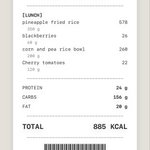
One takeout order can become two meals. Log the portion you actually eat, then record the leftovers when you eat them—not the whole container twice. A photo of your plate is a better reminder than the receipt.
Illustrative image, generated with AI.

Candy shaped like fries is still candy. In this real SnapCal screen, our scan got the food names wrong—so the displayed nutrition isn't reliable either.
Check the food name first. Use ‘Not right? Search food’ before saving a result like this.

An account form shouldn't be the first thing between you and logging lunch. Our SnapCal welcome screen has a ‘Continue without account’ option, so you can start there without signing up.
Real app screen.

‘Chicken breast’ doesn't tell you everything about lunch. A note like ‘restaurant portion; sauce on the side’ preserves the details you do know.
Our SnapCal food editor has an optional Notes field before you save.
Real app screen; sample data.

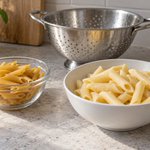
Weighed your pasta after cooking? Choose a cooked-pasta entry. Weighed it dry? Use the dry entry. Matching the entry to when you weighed it matters more than picking the first result named ‘pasta.’
Illustrative food image, generated with AI.
🤖 Made with AI


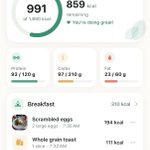
Forgot one item at breakfast? Start with the breakfast entry.
Our SnapCal Today screen lists the foods already logged and puts Add food inside each meal. You can check what's there before adding the missing item.
Real app screen; sample data.

A photo of the whole pizza doesn't show who ate which slices. For a shared meal, photograph your plate and note any seconds. Check whether the food entry means one slice or the whole pizza before saving.
Illustrative food image, generated with AI.
🤖 Made with AI

The dates matter as much as the line. A gap between weigh-ins isn't a missing daily measurement you can fill in by eye.
Our SnapCal Weight screen pairs the chart with a dated history, so you can check which readings were actually logged.
Real app screen; sample data.

‘Toast’ is a starting point, not the whole entry. Butter, jam, or nut butter belongs in the record too. A plain-toast database entry won't tell you what was spread on top.
Illustrative food image, generated with AI.
🤖 Made with AI

Logging lunch after an afternoon snack? Check the meal destination before saving.
Our SnapCal food editor shows ‘Add to meal’ above the save button, and names the destination on the button too. A quick check keeps lunch from ending up under Snacks.
Real screen; sample data.

The dressing cup counts as part of lunch, even when it never makes it into the bowl photo. Keep it in the frame, then note how much you actually used—not automatically the whole cup.
Illustrative food image, generated with AI.
🤖 Made with AI

‘Did I log lunch yesterday?’ is easier to answer with the entries in front of you.
In our SnapCal Diary, select the date to review foods grouped by meal, with portions and times alongside them. Check the entries before adding the same meal again.
Real screen; sample data.

Before accepting a calorie target, check the inputs—including the units. 154 lb and 154 kg are very different entries.
Our SnapCal setup shows the weight and height units beside the values so you can check them before continuing.
Real app screen; example profile.

Before tapping Use Photo, take a second look: is any food cut off, or hidden behind the bowl?
Our SnapCal photo preview gives you a Retake option before continuing. A clear photo helps document the meal; it still can't reveal every ingredient or exact portion.
Real app screen.

A low bar on a food log can mean a missed meal entry—not a smaller meal.
Our SnapCal Insights screen puts daily totals beside the weekly average. Before reading a pattern into the chart, check whether the days are fully logged.
Real app screen; sample data.


