
Apple Learning Coach.Level 2 Google Certified Educator. Instructional Technology Coach. 1:1 implementation
Pittsburgh, PA
Joined May 2015
- Tweets95
- Following176
- Followers214
- Likes978
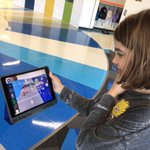


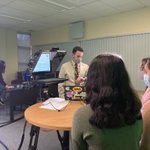
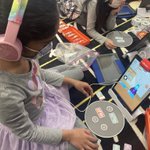


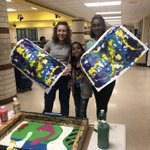

PLEARN! Grade 2 students are exploring the AR Makr app. Next, they’ll research animals and design AR environments. We’ll show the students how to create their own drawings in Keynote to add to their environments!
#everyonecancreate
#NASDlearns
@AppleEDU


Another great FREE PD session with Apple! Use Pages for that wow factor with reports! Students can use Instant Alpha to remove the background of a photo and then wrap it around text. Students can also change the text color to an image!
#everyonecancreate
#NASDlearns
@AppleEDU


Loving the FREE PD with Apple! These sessions complement Coaching Cycles with my colleagues. No need to worry about copyright or lack of artistic ability when you can use Keynote to make Line Draw animations and GIFs!
#LordoftheFlies
#everyonecancreate
#NASDlearns
@AppleEDU
Behind the scenes of live morning announcements with middle school students!
@mmsworldlang
@mmstigerpride
#NASDlearns


Grade 2 students learning about owning a business while practicing their money skills!
#Osmo
#OsmoPizzaCo
#mathcenters
#NASDlearns


A special shout-out to our ⭐️nurses⭐️ who are true heroes for always helping others! The elem. nurses offered in person and virtual meetings for parents! Have you thanked a nurse lately?! 🖤💛 @NA_Schools #nasdlearns


Day 1 with Ss. I was training a new staff member when the principal made an all-school announcement about our school’s 3 rules. I paused my training to listen attentively:
1 Be kind.
2 Be kind.
3 Be kind.
It’s that simple! Be kind, and watch your kindness spread!
#NASDLearns
Teachers, looking for All About Me activities to get to know your students using iPad devices?
iMovie using Green Screen drive.google.com/file/d/1nbZ…
Keynote drive.google.com/file/d/1b3u…
Pages drive.google.com/file/d/1jpi…
#everyonecancreate
#AppleTeacherLearningCenter
#NASDlearns
The Keynote template is from the Apple Teacher Learning Center!
The Pages template was inspired by @BethHouf!


Feedback is an important part of the learning process! Mrs. Deer’s 7th grade English students posted their “how to” videos in @Blackboard discussion boards for peers to provide clear and precise feedback. Next Step-Using the feedback to make revisions!
@mmstigerpride
#NASDlearns


Mrs. Mastroianni’s students are taking on the roles of characters in a The Outsiders to Tweet in @Blackboard discussion boards throughout the novel. What an engaging learning activity for the students!
@MMStigerpride
#NASDlearns
#socialmediainthe20thcentury


Thank you to all the vendors who provided giveaways for our event! We love your tech tools!! 🙌@birdbraintech @BookCreatorApp @breakoutEDU @Desmos @edpuzzle @explainevrythng @Flipgrid @GooseChase @Promethean @PlayOsmo @Schoology @Seesaw @SpheroEdu
#NASDlearns

I work with such talented teachers and students, and I’m lucky to have such a wonderful ITI work family! We pulled off a successful tech in-service for 1,000 teachers, 200 guest students, 81 technology stations, and 1 awesome District!!
#NASDlearns
#NAdreamthinkdo


I work with such talented teachers and students, and I’m lucky to have such a wonderful ITI work family! We pulled off a successful tech in-service for 1,000 teachers, 200 guest students, 81 technology stations, and 1 awesome District!!
#NASDlearns
#NAdreamthinkdo
The 8th graders @mmstigerpride are working hard on using iPad devices to create sketch videos! What a great way to prepare students for the upcoming German midterm! Stay tuned!!
@mmsworldlang
@AppleEDU
#NASDlearns
#everyonecancreate
#whiteboardannimations


We passes the Google Certified Educator Level 2 exam! Who’s ready to try something new with their students? 🤓
#NASDLearns
@ChuckSamek_TI
@GoogleForEdu

Kicking off the Hour of Code @mmstigerpride, while promoting Mrs. Stackhouse’s Girls Who Code Club! Who else is joining this global movement by Computer Science Education Week?
#nasdlearns
#hourofcode


