

The world’s greatest tool for planning your tech projects! 💻 Sign up for a free account! 👀 Used by 5k+ developers! 🤖
Joined December 2022
- Tweets21
- Following1
- Followers115
- Likes7
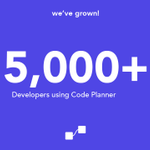


We've reached a HUGE milestone! 🚀
5,000 developers are now using Code Planner to plan their projects! 🤯
#buildinpublic #programming #milestone #startup

How to Plan a Web Development Project: A Step-by-Step Guide! ⬅️
codeplanner.co/blog/how-to-p…
New feature alert! Developers can now export Code Planner Database Designs to code. 🤯
Currently supporting MongoDB designs during the beta-testing period, with plans to add more database types and languages. 💻
Try it out today! 🚀
#buildinpublic #programming

4. Join a Community
Learning to code can be a lonely endeavour, but it doesn't have to be. Join online coding communities, attend meet-ups, and find other coders who can provide support and encouragement.
3. Seek Out Resources
There are countless resources available to help you learn how to code. Take advantage of online tutorials, coding boot camps, and other resources to help you build your skills.
2. Practice, Practice, Practice
Like any skill, coding requires practice. Set aside time each day to work on coding projects, and don't be afraid to make mistakes. Remember, every mistake is an opportunity to learn and improve.
1. Start Small
When you're just starting out, it can be tempting to try to tackle complex projects right away. However, it's important to start with the basics. Begin by learning a programming language, and then focus on simple projects that can help you build your skills.
Are you looking to start your coding journey? Check out these tips for learning to code! 🚀
Check out the thread below! 💜
#programming #buildinpublic

Plan your Databases with Code Planner! 💻
You can now plan MySQL and MongoDB database schemas in your browser! 😱
#buildinpublic #programming

4. Iterate and Improve
Building great software is a journey, not a destination. Don't be afraid to iterate and improve based on user feedback. Keep an open mind and be willing to make changes when necessary. Your software will only get better with time.
3. Collaborate Effectively
Building great software requires collaboration. Make sure you have a solid team in place and that everyone is on the same page.
2. Focus on Functionality 🎯
While aesthetics are important, functionality should always be your top priority. Make sure your software is easy to use, intuitive, and efficient. Don't add unnecessary features that will only clutter the user experience.
1. Understand Your Users 📱
To build great software, you need to understand your users. Who are they? What are their needs? What problems are they trying to solve? By understanding your users, you can create software that truly meets their needs.
4 Tips For Building Great Software! 💻
Ready to build great software that users love? Check out the thread below! 💜
#programming #buildinpublic

1 month ago, we launched Code Planner! 🚀
So far, over 850+ developers have used the platform to plan their coding projects! 💻
#buildinpublic #programming

Planning your Frontend Development Projects just got easier with Code Planner! 👨💻
Save time and avoid headaches by planning your functions, variables, user flows and more - ahead of time! 📓
Try Code Planner now and make your frontend projects a breeze! 💻
#buildinpublic
New Update: You can now plan your REST APIs with Code Planner! 💡
Organise your endpoints and plan their functionalities using intuitive flowcharts! 💻
Create your first REST API plan by selecting the “REST API” type when you create a new application! 🙌
#buildinpublic

Code Planner retweeted

My activation metrics for day 2 of @codeplannerco
How do you think I can increase the number of people creating a project and subsequently creating a component? 🤔

