

Systems Architect | 16-time Microsoft MVP | Author: PowerShell for Developers | Building Agentic AI & MCP Workflows
New York
Joined July 2007
- Tweets28.9K
- Following2.3K
- Followers11.9K
- Likes12K






Pinned Tweet
✨ Starting in 30 min.
Talk. Poke. Break it. Steer. Walk away. Repeat.
That’s how I built a #PowerShell MCP server where a script dropped in a folder becomes a live AI tool.
1:30 PM ET → meetup.com/nycpowershellmeet…

Doug Finke retweeted
Your next automation starts with a paste.
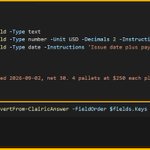
I built Clairic Studio to turn text into typed data with @Cloudflare Clairic AI. Then export working code in PowerShell, Python, TypeScript, Go, or Rust.
Open source. Watch it work 👇
github.com/dfinke/ClairicStu…
Your next automation starts with a paste.
I built Clairic Studio to turn text into typed data with @Cloudflare Clairic AI. Then export working code in PowerShell, Python, TypeScript, Go, or Rust.
Open source. Watch it work 👇
github.com/dfinke/ClairicStu…
Working with AI feels like bringing a basket-case idea to Rick Dale on American Restoration.
“Can we make something out of this?”
We talk it through. Build. Tweak. Then comes the reveal, and it’s beyond what I imagined.
I might have to start calling my AI Rick.

In the age of AI you need to be willing to look uninformed to become informed.
Ask basic questions directly, even in projects with sophisticated architecture: What is the model actually doing? How does the workflow get recognized? Does the agent need access to explicit pieces?


If builders built buildings the way the security industry works, then the first woodpecker that came along would find the door already unlocked.
I talk it over with AI and let it go. It writes code and tests. I poke at it, find edge cases, get ideas, feed it back. Then I walk away for a while and come back. That’s how I built a #PowerShell MCP server.
Live today, 1:30 PM ET. meetup.com/nycpowershellmeet…

Screenshot to Spreadsheet in 4 Seconds. One Line of #PowerShell.
See a table on a web page, in a PDF, anywhere on your screen? Snip it, run one line, and it opens in Excel as real data, not a picture of data
$result = .\Convert-ClipboardGridScreenshotToExcel.ps1 data.xlsx -Show
Under the hood:
Grab the screenshot from the clipboard
Jev (TypeSafe AI’s decision model) checks the image: is there a table, and where is it? It returns a bounding box.
Crop the table out of the screenshot
An LLM extracts the rows as JSON
ImportExcel exports it to a spreadsheet
The data also stays in $result, so you can keep going. $result | sort Sales just works.
The deterministic parts are code: clipboard, crop, export. Jev makes the decision. The LLM does only the part that needs an LLM.
#PowerShell #Excel #ImportExcel #Jev
Took Microsoft a team and two years to rewrite the TypeScript compiler in go.
Cloudflare and VoidZero let an agent rip and got an outcome significantly better within weeks.
blog.cloudflare.com/typescri…

Clairic, now in #PowerShell. Messy text in, typed objects out, uncertainty included.
github.com/dfinke/PSAIClairi…


Introducing Clairic, from Cloudflare. A System One extraction modeI, capable of extracting, computing, estimating, and forecasting data from unstructured inputs. cfl.re/4zIgfpH

Screenshot to Spreadsheet in 4 Seconds. One Line of #PowerShell.
See a table on a web page, in a PDF, anywhere on your screen? Snip it, run one line, and it opens in Excel as real data, not a picture of data
$result = .\Convert-ClipboardGridScreenshotToExcel.ps1 data.xlsx -Show
Under the hood:
Grab the screenshot from the clipboard
Jev (TypeSafe AI’s decision model) checks the image: is there a table, and where is it? It returns a bounding box.
Crop the table out of the screenshot
An LLM extracts the rows as JSON
ImportExcel exports it to a spreadsheet
The data also stays in $result, so you can keep going. $result | sort Sales just works.
The deterministic parts are code: clipboard, crop, export. Jev makes the decision. The LLM does only the part that needs an LLM.
#PowerShell #Excel #ImportExcel #Jev
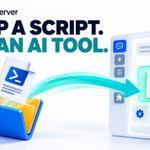
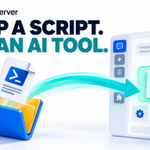
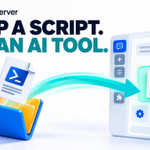
Drop a #PowerShell script in a folder → it’s an AI tool. No restart.
Live Oct 22, 1:30 PM ET 👇 meetup.com/nycpowershellmeet…
Drop a #PowerShell script in a folder. It appears in your AI chat as a tool. No restart. No reconnect.
Live Oct 22, 1:30 PM ET. I'll do it on screen first.
🔗meetup.com/nycpowershellmeet…
Your next tool may already be written.

Early 2000s I hired a coder on Rent-A-Coder to build math tools for my daughter’s homework. My examples + a spec, $6/hr. I’d wake up to a zip file with unit tests that passed.
Today I do the exact same thing with AI.
Only difference: I don’t wait overnight.
Got GridCraft compiled 🦀@echelon
Now GridCraft+#PowerShell
It's a clean-room Excel reimplementation in pure Rust: 500+ functions, XLSX native. #OfficeCraft
github.com/storytold/gridcra…

So, naturally, I drove it from #PowerShell
& $gc run `
--cmd 'cell.set={"cell":"A1","input":"10"}' `
--cmd 'cell.set={"cell":"A2","input":"20"}' `
--cmd 'cell.set={"cell":"A3","input":"=SUM(A1:A2)"}' `
--out demo.xlsx
A3 → 30. Real .xlsx, no Excel installed
Ready, set