

Meta Superintelligence Labs @meta formerly CEO & cofounder at @dreamer, CTO @stripe. ❤️ @fjsingleton. I like to make things.
San Francisco, CA
Joined March 2007
- Tweets2.1K
- Following1.5K
- Followers26.9K
- Likes5K




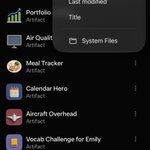
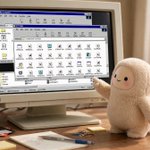



Muse is now in Japan 🇯🇵 Proud of the team behind this launch, and looking forward to seeing what people do with their Muse.

こんにちは日本!
I came to eat sashimi and assist you in your everyday tasks...
and I’m all out of sashimi.
download here: muse.ai 🇯🇵
An update on @Muse shared artifacts.
Earlier this week, a security researcher published details of a design flaw in @Muse shared artifacts: some shared artifact URLs were discoverable via passive DNS. We disabled sharing immediately to prevent any unintended exposure, which is why shared artifacts were temporarily unavailable. Some articles we have seen in the press mentioned a flaw in chat sharing, and that is not the case - this issue was specifically about shared artifacts.
The underlying issue is now fixed, and sharing is back on.
If you shared an artifact before the fix: it now has a new URL. Anyone visiting the old link will see a note asking them to get the new one from you. We know that's a pain, and we're sorry for the disruption — but protecting user data has to come first.
We're grateful to the researchers who find and report issues like this. The Muse bug bounty program exists so these reports can reach us directly and responsibly, with awards of up to $300,000 for valid findings. Every report is reviewed. If you find something, please send it our way.
We're excited to bring 1Password directly into @Muse for the many people who already use it. It gives you another secure way to let Muse sign in and keep working: you approve each login and your passwords stay in your vault. Rolling out across all platforms over the coming days.

Today we announce 1Password for Agents platform, building with companies @Muse, SpaceX Super Intelligence Grok @Bot, @AnthropicAI’s @Claudeai, @OpenAI, @TownAI, @Browserbase, @Browser_use, @heydana_ai, Instinct, @usekernel, @Perplexity_ai, @tryramp, @Tomo, and @wajo_ai, with more integrations on the way. 🎉
We've heard from so many of our customers who want to use these new personal AI agents to help them get more done, but want more control over what the agent can access with the same trust and ease of use they get when using 1Password directly.
1Password for Agents gives your agents access without giving up your passwords. When an agent reaches a sign-in form, it requests a credential from your vault. If you approve the request, 1Password directly auto-fills the credential in the destination site so the agent can’t see or take possession of the credentials.
The agent gets the task done, but it doesn’t get your passwords..
You stay in control. 1Password for Agents free and optional for personal and family accounts. Unless you opt-in to an agent connector, agents cannot touch your vault.
➡️Learn more: bit.ly/487da6J
As a fan of @Muse , George Orwell, open weights models and the Macintosh, this made me smile. Also check out Muse Spark Open, it's legit.

🐐 alert!

Really enjoyed speaking with @clairevo about the design of @Muse!
We discuss a bunch of the little design decisions we made along the way, along with a few of my workflows: youtube.com/watch?v=4TOLm1g-…
Muse Wonder will soon power experiences in @Muse , and rolled out first to subscribers earlier today. I’ve been using it in my own Muse for a little while and appreciate how this model works harder and draws on memory more precisely with Active Focus and Active Memory.


David Singleton retweeted

🚨 MUSE ALERT 🚨
the muse ipad app is out now!!
check it out for all your tablet superintelligence needs :))

Today we’re previewing our work to build an open standard @Meta (@muse and Meta Business Agent) and Sierra are developing along with industry partners at Genesys, NiCE, Decagon, Rocket, Shopify, Stripe, and Walmart that defines how personal agents interact with businesses.
What motivates this work is making things even better. More frictionless for people using Muse, and better for the businesses serving our shared customers.
Excited to build this together.


My personal favorite Muse gadget hack so far - an ambient eInk display that sits above my keyboard where my @Muse pushes useful, fun or interesting content throughout the day.


We're also making a gadget we built available to all Muse subscribers. The Muse Home Link lets Muse connect to your home Wi-Fi to control your smart home devices among other things.

I've enjoyed tinkering with this over the past few weeks, and can't wait to see what you all do with it! Meet other hackers building Muse Gadgets and share what you made in our community discord: discord.gg/3bhjCkZdd6

Excited to open source the Muse Gadgets SDK today! You can connect your DIY electronics like ESP32 boards and Raspberry Pi to Muse. Build an e-ink morning briefing, a push-to-talk pocket device, a sysadmin for your homelab, and much more. Details at gadgets.muse.ai


🚨 side project alert 🚨
Announcing Muse Gadgets, an open source ESP32 firmware and Linux sdk so that you can make hardware devices that work with Muse.
Grab an API token from gadgets.muse.ai and point your favorite coding agent at the github repo to build your own peripherals for Muse.

David Singleton retweeted
Thanks Matt for walking through this with us. Glad that we were able to confirm together that there was no breach of privacy controls. We've also fixed the '00' price display issue based on your report. We take reports like this seriously and appreciate your feedback on how we can make things clearer in future too. We appreciate the opportunity to learn from your experience with Muse and keep making it better for everyone!
David from the Muse team here. I responded to Matt on Threads and sent him a couple of DMs offering to help and look into what happened.
In the past, when we’ve worked with users to investigate similar reports, we’ve consistently learned that Muse was following direct instructions and correctly asked for permission. Would love to help and figure out what’s going on here!


I’ve seen a couple of posts about this so wanted to demystify. Today, every Muse user gets a free computer in the cloud. It's a real computer, and we’ve designed the security architecture of the Muse Secure VM carefully so you and your Muse can do almost anything you could with a computer sitting under your desk while keeping you and the system safe from threats like prompt injection. We wrote about this at length in our security blog post – security.muse.ai. Activity in the “runtime cell”, which you share with your Muse is unfettered, but sensitive actions are all overseen by the Sentinel, which runs outside of that cell. Similarly, all sensitive secrets - like the passwords you enter into Muse’s secure credential storage - are also stored outside the runtime cell.
The runtime cell gets its own root filesystem (including a full Ubuntu linux image) separate from the host filesystem where your other more sensitive data lives. Because it is isolated from the sensitive stuff that runs on the same box, this means that we can, and do, offer users full visibility and control over the files in the runtime cell. Just as you can when you install Linux on your home computer, you can poke around and see all the files that make the system work - both debian system files and the binaries and data files that implement the parts of Muse which run in the runtime cell.
This was a very deliberate choice - your Muse Secure VM truly is your own computer in the cloud. You can install software in it, write and compile code, use the browser to surf the web: it is your own Linux box that you can operate as you choose with your Muse. Poking around in this computer doesn't give you any privileged access to Meta infrastructure, or to other people's data
If I may geek out a little here for a second… As a kid I loved to take things apart to see how they worked. As a teenager I got into computers and soon found myself drawn to C:\WINDOWS\SYSTEM and the system registry, later Slackware’s /dev/, /proc/ etc – I could see how the system was laid out and as I explored what DLL files and .so files actually did, I gradually became able to meld the computer to my own will.
We’re really proud to be able to put a real computer in millions of people’s hands with a similar level of transparency. We built a file explorer right into the Library tab of the UI. We want you to be able to see the markdown files Muse writes while it thinks about how to serve you better, and explore the internals of the system if you’d like to.
So, when you ask your Muse to show you its entire filesystem, and receive gigabytes of files you’re seeing the full contents of the runtime cell. It’s yours to explore and enjoy!
If you’re not a geek like me, or simply want to download the data that you personally have created directly with your Muse, we added a feature for that too in Settings > Data controls > Download your agent data.


