

The Best Backup & Migration Plugin for WordPress. Over 1,500,000+ Professionals use Duplicator for Migrations and Backups
West Palm Beach, FL
Joined October 2015
- Tweets1.1K
- Following575
- Followers345
- Likes377




Duplicator retweeted

WordPress 7.1.5 is a critical security release. Check that your site updated overnight. If it didn't, back it up with @DuplicatorWP, update WordPress manually, and turn on auto updates.
Follow WPBeginner and we'll tell you as soon as the next one is out 😁
Duplicator retweeted

Full WordPress backups copy your whole site every time.
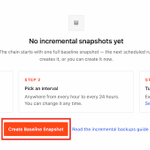
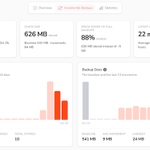
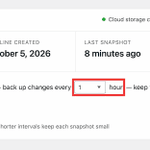
Duplicator Pro incremental backups save only what changed: about 1 min per backup instead of 11 on a typical site, stored on Duplicator Cloud.
Setup in 3 steps 👇
duplicator.com/knowledge-bas…
#WordPress #Duplicator
Duplicator retweeted
Most of your Black Friday shoppers show up within an hour or two of your sale email going out. Will your store still be standing when they do? 🤔
Black Friday is November 27th, so this is the week to get your online store ready.
Here are the 4 checks we'd run before the chaos begin:
✅ Speed: Let your caching plugin speed up your home, product, and blog pages. Never cache the cart, checkout, or My Account pages.
✅ Prepare: Multiply your email list size by your open rate and click rate. That's your CHAOS. Send that number to your host 2 to 3 weeks before the sale.
✅ Stock: In @WooCommerce, turn on stock tracking, stop backorders, switch on low stock email alerts, and hold stock in carts while people pay.
✅ Backups: Back up using @DuplicatorWP and update everything this week. Take a fresh backup on November 20th, then change nothing.
Save this post for later, and tell us which check is still on your list. Don't forget to follow @WPBeginner for more tips👇
[Adding all useful links in the thread below]

Duplicator retweeted
This is a public service announcement. WordPress 7.1.3 is out. 🔔
This is a maintenance and security release, so don't sit on it. Update your site today to stay protected and keep everything running smoothly.
Quick tip: Use @DuplicatorWP to back up your site before you do anything, then go to Dashboard » Updates and hit Update to WordPress 7.1.3.
Duplicator retweeted
Your WordPress plugins can now take orders from Claude and ChatGPT. Every one of them still waits for your yes. 🤖
September was the month backups, forms, online stores, and fundraisers started working from a chat window.
What surprised us is how careful they are. Discount codes start inactive, campaigns start as drafts, and core updates wait for your approval.
WordPress also shipped two security releases, so please update before anything else.
We rounded up everything that changed in WPBeginner Spotlight 28.
Here's what's inside:
🔒 WordPress 7.1.1 and 7.1.2: 12 security fixes, including a critical one backported all the way to WordPress 4.7.
🚀 WPVibe Fleet Management: Update all your sites from one chat, with checks before and after every update. WPVibe has now passed 50,000 installs.
💾 @DuplicatorWP 5.0: Your AI can take a backup and wait for it to finish before it touches a plugin, right in the free plugin.
🛒 Easy Digital Downloads (@eddwp) 3.7.1: 25 AI abilities for sales reports, discount codes, and new products.
📊 @easywpforms Dashboard: Entries, payments, and views for every form on one screen, free in WPForms Lite.
Read the full roundup to see what's coming in WordPress 7.2 👇
(Link is in the thread below)

Duplicator retweeted

Every AI change to your WordPress site now comes with an undo button. 💾
With WPVibe.ai and @duplicatorwp, you can back up before updates, check that they finished, and see what's covered, from your AI chat.
Your safety net, built into the chat. Prompts below 👇
Duplicator retweeted

Everyone agrees on the rule: back up before you change anything.
Then a plugin update is waiting, your AI has the fix ready, and the backup is four clicks away on a screen you haven't opened since install day. So the change goes in first.
Duplicator 5.0.2 changes that. It now tells AI assistants what it can do with backups: list them, start a new one, and check that it finished.
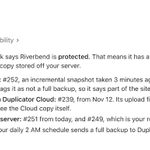
So the backup happens in the same conversation as the change. "Update this plugin" turns into: take a full backup, wait until Duplicator says it's complete, read back the size and any exclusions, then update.
The AI can create a backup but it can't restore or delete one. I think that's exactly the right line. Restores should have a person's hand on them.
Works with the free version. Link below 👇
Duplicator retweeted
Every WordPress security release comes with a public list of what it fixed and hackers read that list too.
The moment a patch ships, the weakness it closes stops being a secret. The only sites still exposed are the ones that have not updated yet.
That is what makes the gap between "update available" and "update installed" so risky. It is not a maintenance chore you can push to next month. It is a window you are leaving open.
WordPress 7.1.1 is out now. If that notice is sitting in your dashboard, do not let it sit for weeks.
We will show you how to update safely, so you are never choosing between staying patched and breaking your site.
Here is what you will learn:
✅ Back Up First: Take a full site backup with @DuplicatorWP or UpdraftPlus before you touch anything.
✅ Check Your PHP Version: Go to Tools » Site Health » Info and confirm you are running PHP 8.3 or higher.
✅ Know What Auto-Updates Really Do: Minor security releases install themselves. Major versions usually wait for you to click, especially on older sites.
✅ Rescue a Stuck Update: If your site gets trapped in maintenance mode, delete the .maintenance file in your root folder over FTP.
✅ Test It Properly: Clear every cache, then browse your site logged out and submit a test form or order.
Ready to patch without the anxiety? Read the full step-by-step guide 👇
(Link is in the thread below)

Duplicator retweeted
Cleaning a hacked WordPress site costs $250 an hour. Preventing one is mostly free.
That is the whole argument for spending one afternoon on this.
Nothing is 100% secure, and the goal is not to eliminate the risk. It is to cut it down until you are a much harder target than the next site.
Here is the security checklist we run on WPBeginner.
The first 4 items cost nothing:
✅ Updates: core, plugins and themes, so known holes get closed fast.
✅ Use strong passwords everywhere: hosting, FTP, database and email, not just wp-admin.
✅ Hand out fewer admin accounts: give everyone else the lowest role that still lets them work.
✅ Pick a host that helps: good hosts patch PHP, watch the network and stop DDoS traffic before it reaches you.
The next 4 need no code either:
✅ Back up off your host: send full site backups to the cloud with @DuplicatorWP, daily or in real time.
✅ Install a security plugin: file changes, failed logins and malware scans in one place.
✅ Turn on a firewall: a plugin watches, a firewall blocks. This is the easiest big win on the list.
✅ Move to HTTPS: certificates are free now, and Chrome labels you Not Secure without one.
Then there is the one almost nobody checks: XML-RPC.
It lets an attacker try thousands of passwords in 20 or 50 requests, so your login limit never even sees the attack coming. Switch it off unless you use the mobile app or Jetpack.
The rest of the guide covers 9 more steps, including two factor authentication, disabling the file editor, and what to do if you have already been hacked 👇
(Link is in the comments below)

Duplicator retweeted

11 readers asked us the same question. How do I move my WordPress site to a new host?
It is only 3 pieces. Files, database, domain. Ask your new host to move them (usually free) or let Duplicator pack everything into one file.
Full guide in comments.
#AskWPBeginner
Duplicator retweeted
You have spent months building your WordPress site. What happens the day it suddenly goes offline? 😱
It happens all the time. We have heard several scary stories.
A plugin conflict, a bad update, or a security breach can wipe out your complete website without any warning.
The scary part is that most site owners assume their host has them fully covered, right up until they actually need to restore.
We have tested countless backup tools on our own projects, so we put together the exact methods we trust to keep a site safe.
Here is what you will learn:
✅ Pick the Right Method: Compare backup plugins, host backups, and manual cPanel or FTP so you know which fits your skill level.
✅ Back Up the Full Site: Save your database, themes, plugins, and uploads together so you can restore everything, not just your posts.
✅ Automate It With @DuplicatorWP: Schedule daily or weekly backups and send them straight to the cloud so you never have to remember.
✅ Store Copies Off Your Server: Keep backups in Google Drive, Dropbox, or Amazon S3 so one server crash never takes your site and its backup at once.
✅ Restore in Minutes: Use a disaster recovery link to bring your site back even when it is completely broken.
Ready to protect all that hard work before disaster strikes? Read our complete step-by-step guide from the link in the comments 👇
(Link is in the thread below)

Duplicator retweeted
Nothing stings more than losing months of hard work overnight. 😱
One plugin conflict, a hosting failure, or a bad update, and your entire WordPress site can vanish. And unlike big tech platforms, WordPress does not come with a built-in backup system. That job is on you.
The good news? A reliable backup plugin takes about 5 minutes to set up and can save you from disasters that could otherwise take weeks (and thousands of dollars) to fix.
We tested 7 of the best WordPress backup plugins. Here are the standouts:
🥇 @DuplicatorWP (Overall the Best): 1.5+ million active installs. Cloud storage integration with Dropbox, Google Drive, Amazon S3, and OneDrive. Powerful disaster recovery, migration, and multisite support. Free version available, Pro from $69.30/year.
🥈 UpdraftPlus (Best for Remote Storage): The rare freemium plugin that includes free cloud storage integrations (Google Drive, Dropbox, Amazon S3) out of the box. Incremental backups, one-click restores, and schedules from every 2 hours to monthly. Free version, paid from $70/year.
🥉 Jetpack VaultPress Backup (Best for Large Sites & WooCommerce): Backups run on Jetpack's servers, so your site's performance stays untouched. WooCommerce order and customer data included. Free version, paid from $59.40/year.
🛡️ Solid Backups (Best Cloud-Based Option): Smart incremental backup system saves only changed files after the first backup. AES-256 encryption, one-click restore, cloud-powered. From $99/year. Note: incompatible with WP Engine, Flywheel, and Pressable.
💡 BlogVault (Best SaaS Backup Solution): Zero-footprint approach means backups run entirely on BlogVault's servers. Real-time WooCommerce capture, malware scanning, and web application firewall built in. Supports sites up to 500GB. 7-day free trial, paid from $49.50/year.
Ready to protect your WordPress site with a backup plan that actually works? Read the full comparison of all 7 plugins 👇
(Link is in the thread below)

Duplicator retweeted
🚨 𝐀𝐓𝐓𝐄𝐍𝐓𝐈𝐎𝐍 𝐖𝐎𝐑𝐃𝐏𝐑𝐄𝐒𝐒 𝐒𝐈𝐓𝐄 𝐎𝐖𝐍𝐄𝐑𝐒: 𝐔𝐑𝐆𝐄𝐍𝐓 𝐒𝐄𝐂𝐔𝐑𝐈𝐓𝐘 𝐔𝐏𝐃𝐀𝐓𝐄! 🚨
If you run a business on WordPress, please read this carefully. WordPress 7.0.3 was just released, and it contains a highly important security patch.
If your website doesn't update automatically, you need to take action today.
Here is what you need to do right now:
Step 1: Login to your WordPress admin dashboard.
Step 2: Take a full backup of your website to be safe. Use @DuplicatorWP
Step 3: Check your pending updates and upgrade to version 7.0.3 immediately.
Why are these updates becoming so critical? As AI models become more advanced, they are getting incredibly good at finding attack vectors.
This means new vulnerabilities are being discovered at a rapid pace. Hackers are getting more sophisticated and are actively using these tools to exploit outdated sites.
If you aren't staying on top of your updates, your business could be at risk!
👉 Share this post with a friend or colleague who uses WordPress so they can secure their site today! 🔔
Make sure to follow @WPBeginner, so you never miss these critical, time-sensitive security alerts.
Duplicator retweeted
You have about 3 seconds. That is how long visitors will wait before abandoning your site. 🐢
Every 1 second delay in page load can drop conversions by up to 7%. Google penalizes slow sites in search rankings. And mobile visitors bounce even faster.
The good news? Most WordPress speed problems have quick, non-technical fixes. You do not need a developer to make your site fast.
We share the complete step-by-step guide to boost WordPress speed and performance, tested on real sites of every size.
Here is what you will learn:
✅ Pick Fast Hosting First: Speed starts at the server. SiteGround and Bluehost both deliver reliable sub-second load times for WordPress at beginner-friendly prices.
✅ Install a Caching Plugin: WP Rocket handles caching, minification, database cleanup, and lazy loading in one setup. Instant speed boost with almost zero configuration.
✅ Optimize Every Image: Convert to WebP, compress with TinyPNG, and enable lazy loading so images only load when needed. Cuts page weight dramatically.
✅ Enable a CDN: Cloudflare and BunnyCDN serve your content from servers closest to each visitor. Both free plans work great for smaller sites.
✅ Clean Up Your Database: Use @DuplicatorWP Optimizer to remove post revisions, transients, and spam comments that quietly slow every page load.
Ready to make your WordPress site load in under 2 seconds without hiring a developer? Read the full ultimate speed optimization guide 👇
(Link is in the thread below)


Duplicator retweeted
Today, we're introducing Claude for WordPress.
Just connect your site and the Claude you already pay for runs the whole thing. Posts, media, SEO, themes, even the theme files. All in plain English.
No second AI subscription. Nothing to install locally.
Unlike the other "Claude for X" posts in your feed this week, this one's an actual plugin you can use today.
See below 👇
Duplicator retweeted
🧹 Duplicator Launches DB Optimizer:
A live 0-100 health score for your WordPress database, with color-coded grades for transients, revisions, autoload size, and trash items. Clean it all up without touching SQL.
Free in @DuplicatorWP Pro and Elite, or $29/year standalone.

Duplicator retweeted
Day 44/100: Fixing Your Website. 🚀
If you ever find suspicious access attempts to restricted areas like the plugins.php page, you need to look into the activity log right away.
Here's how you should secure the situation:
1. Reset the passwords promptly.
2. Harden the security settings on your website, stopping the unauthorized access attempts immediately.
To safeguard your site, we recommend using the Activity Log plugin by @DuplicatorWP.
This new tool tracks user activity, content changes, plugin and theme events, and more, allowing you to monitor and secure your site effectively.
Check out the Activity Log via the links in the 🧵below.
Stay proactive in your site security and follow @WPBeginner for more website-building tips!
Duplicator retweeted
Day 43/100: Fixing Your Website. 🚀
When you hire a freelancer, developer, or agency to build your website, ensure these four essentials remain under your control:
1. Domain Name: Register the domain in your account and verify its details. You should always be able to log in to the registrar.
2. Hosting: The hosting account should be in your name, with access credentials you control. Ensure you can log in to verify and make changes if needed.
3. Login Credentials: Have your own administrator login for your WordPress site, linked to your email. Developers can have their own, but you must maintain control.
4. Backups: Don't solely rely on developer backups. Regularly download and securely store your own backups on platforms like Google Drive or Amazon S3, or on your personal computer. You can use @DuplicatorWP for easily taking backups.
These basics ensure you maintain ownership and control of your website assets.
For more website management tips, follow @WPBeginner and stay informed!
Duplicator retweeted
🧹 Phase 1 - Quick Wins & Maintenance:
Clean your database monthly with @DuplicatorWP's DB Optimizer, audit and remove unnecessary plugins (use @athemesdotcom Merchant for 40+ growth tools in one), compress product images with WP Smush and serve them as WebP, and disable Cart Fragments on non-store pages to free up massive server resources.
