

Digital ninja by day, productivity nerd by night. Tech enthusiast, series aficionado, Real Madrid fan. Husband, father, and pilgrim on the Camino de Santiago.
Zürich, Switzerland
Joined July 2010
- Tweets643
- Following371
- Followers212
- Likes3K
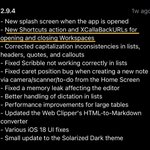





The reason I keep using @BearNotesApp as my main notes app? They listen to their users, even when it comes to small, almost unnoticeable feature requests. 🤩


Hey @cozyjournalapp, Cozy looks fantastic. I love that it’s local-first and private, with no cloud or AI. Is there any way to try it before buying a licence? I’d really like to test it first. 🙏
Hey @heyiamdk, Monocle was one of my favorite finds last year. The 3.0 update made it even better. Congrats!
Question: have you thought about a @raycastapp extension? I can see some great use cases with Raycast's Focus Sessions.

Unpopular opinion: I prefer the pinned list for my favorite tabs in Dia over icons (like in Arc). I read top-to-bottom, so the vertical list fits my workflow better.
@diabrowser, could you make this change optional with release 1.4?
Early Bird Tester here ✋🏼😊
Estefan retweeted

So @Apple added Shortcuts, Quick Keys, Clipboard History and a Menu Item search to Spotlight?
What about:
• Uninstall apps completely
• Search and download GIFs and emojis
• Search @figma files
• Search the web with AI context
• Do math, unit conversion, and date calculations with history
• Preview camera and take selfies
• Use @ollama for local LLMs
• Check weather and track flights
• AI-powered emoji suggestions
• Set custom timers and pomodoro sessions
• Search and open @NotionHQ pages
• Create and share text snippets with keywords
• Take floating notes over any app
• Switch between your @cursor_ai projects
• Manage your downloads
• Search screenshots by content
• Arrange windows in 58+ ways with custom layouts
• Monitor system resources and processes
• Set hotkeys for apps
• View @github notifications in menu bar
• Toggle system settings and Bluetooth
• Browse, edit, and append clipboard history
• Empty trash and install brew packages
• Check schedule and join meetings instantly
• Create Quicklinks for websites, files, and folders
• Control @Spotify without opening it
• Generate playlists with AI
• Quit, force quit, and auto-quit applications
• Stay on top of @F1
• Chat with multiple AI models
• Attach files and websites to AI conversations
• Switch keyboard layouts and display resolution
• Use @linear anywhere on your Mac
• Eject disks individually or all at once
• Convert and optimize images
• Convert text cases
• Create @Zoom meetings easily
• Measure screen distances
• Search fonts and pick colors with format conversion
• Start and manage Focus sessions
• Look up definitions and translate languages
• Manage Apple Notes and create natural language reminders
• Translate using @Google translate
• Set Slack status with duration
• Save and share AI presets with hotkeys
• Choose apps to open files on the fly
• Check world time zones
• Sync setup across devices
• Check @vercel deployments
• Browse community themes
• Download @YouTube videos
• Create and fork extensions
• View 2FA codes
• Practice typing skills
• Throw confetti for celebrations
• Pick colors globally
• Access 2,000+ community extensions
I think we're good 😉
If you're a Swiss ISO keyboard user, you know the struggle of capitalizing ä, ö, and ü. First, you press the Trema key, and then you can take all the time in the world to press the next vowel: [¨] -> [Shift] -> [O]. The problem? I need to use three keys and this just kills my flow.
But here comes @raycastapp to save my life. With a simple Snippet and the clever use of Keywords, I solved my problem without any coding. In short:
single press [ö] = ö
double press [öö] = Ö
Thank me later.

Hi @raycastapp , is there a way to change the AI Model for the built-in AI command "improve writing"?
Estefan retweeted

Ali tried 137 productivity tools but Raycast ain't one. I reckon we gotta change that
RT to sign the petition

Productive day at the office! I managed to convince four people in under 10 minutes to start using @raycastapp. 😅
Was @raycastapp in den letzten Wochen an Features rausgehauen hat ist 🤯. Kudos an das gesamte Entwickler-Team. 👏 Ihr habt hier einen grossen Fan.
Wow, what a great day I had using Raycast AI! 🤩 The use cases for a Product Manager are endless. @RaycastApp, thanks for the beta invite - awesome work! 👏🏼

Pretty happy with my current #productivity setup:
- Spotlight: @raycastapp
- Browser: Arc by @browsercompany
- Note Taking: @reflectnotes
- To Do's: Things by @culturedcode
- Read Later: @getupnext


If you want to gain some time back in your packed working day, start using @raycastapp. This app is a game changer and has improved my #productivity massively. Thank me later. 😉
Estefan retweeted
Steve Jobs famously said innovation is "saying no to 1000 things" before you say yes.
For more than a decade, Apple has used Pablo Picasso's Bull to drive home the lesson.
Here's a breakdown 🧵

