

The fact infrastructure for agentic companies. Any model, any agent, any app - same facts, one API.
- Tweets347
- Following377
- Followers532
- Likes143






ALT A NOAN before and after card. Text on the image: Compliance Checker. Check the asset against the rules. Before. Someone reads the draft with the policy open in another tab and hopes they catch it. After. Pick the facts it has to meet and the gaps come back named

ALT A NOAN before and after card. Text on the image: Fact extraction. Getting knowledge in. Documents. Knowledge sits in files, re-read by every new person and every new session. Facts. Reviewed, approved, and ready for your team and your agents

ALT A NOAN before and after card. Text on the image: Fact extraction. From documents to verified facts. Before. Knowledge sits in files nobody can ask a question of. After. Facts proposed from your documents, verified by you


ALT Extreme close-up of a small teal sphere of light resting in a hexagonal recess. Text on the image: one session · one demo · busy means busy

ALT Close-up of two dark faces meeting at a vertical corner with thin threads of light running down it

ALT A NOAN headline card. Text on the image: Network. Write to the person, not the segment. The Assistant already holds the context on every contact you keep.

ALT A NOAN before and after card. Text on the image: Network. Context that outlives the call. Before. The useful detail sits in one person's notebook, or nowhere at all. After. Memos on the contact, dictated to the Assistant, readable by the whole team

ALT A NOAN announcement card. Text on the image: SHIPPED. The task board, with less friction. Agents toggle, next to your saved views. A new agent links straight from the toast. Teammates' saved views open read-only. Task board


ALT Extreme close-up of three dark panels meeting at a point with thin lines of light along the seams

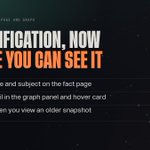
ALT A NOAN announcement card. Text on the image: SHIPPED. Classification, now where you can see it. Type badge and subject on the fact page. Same detail in the graph panel and hover card. Hidden when you view an older snapshot. Facts page and graph

ALT A NOAN before and after card. Text on the image: Assets. Content that matches what you approved. Blank page. Every draft re-explains the pricing, the positioning and the claims from memory. Assets. Drafted from your verified facts, tagged and kept with its full history

ALT A NOAN headline card. Text on the image: Task Manager. Find the work, not the scroll bar. Search and filter tasks by tag, status or person, across every project in your workspace.

ALT A NOAN headline card. Text on the image: Task Manager. The board both your people and your agents can read. Status, function tags, owners, filters. One place the work is visible.