

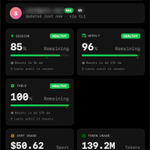


AI 布局感觉都是一套样式~


这项目真棒啊,把米家设备控制搬进 macOS 菜单栏和 Windows 11 托盘,扫码直连小米云端即可增删设备、键盘搜索、按住说话操作,不必掏手机也不必先部署 Home Assistant。
github.com/jryang1997/MenuBa…


itshan retweeted

OpenSwiftUI 0.25.0 is out 🎉
- Stepper, plus updated Slider and Link styles
- SF Symbols effects and content transitions
- Linear, radial, elliptical and angular gradients
- macOS fixes for resizable windows
github.com/OpenSwiftUIProjec…
#OpenSwiftUI #OSUI


OpenSwiftUI 0.24.0 is out 🎉
- Label / Button / Toggle and corresponding styles
- Blend modes and compositing groups
- DragGesture and PanGesture
- visionOS CI with binary builds
- PreviewProvider and refined Previews macro imp
github.com/OpenSwiftUIProjec…

asccli can now delete App Store screenshots
- asc screenshots delete --screenshot-id <id>
- asc screenshot-sets delete --set-id <id>
Replace one shot, or drop a device size and all its
screenshots, without opening App Store Connect. Also over REST.
github.com/tddworks/asc-cli


itshan retweeted

Stageshow: a skill that helps your agent make better faux UI stills, animations, bento grids, and more.
npx skills add benjitaylor/skills --skill stageshow
itshan retweeted

⚠️ Private API Warning ⚠️
Use this at your own risk. Apple reserves the right to block you in App Review if you’ve got the stones to use this, and it could always break in a future API version. But also, has anyone actually ever been dinged for this, specifically, when both ChatGPT, Grok, and Claude are all using it? One for the philosophers.
We use ObjC runtime introspection to locate the CAFilter class, find the private variableBlur selector, and apply it as a filter to our UIVisualEffectView’s CALayer.

We do something weird but important in our UIVisualEffectView. Instead of just putting the variableBlur on… the view, we search out a subview via subviews.first: the mysterious and subtle _UIVisualEffectBackdropView.
This is a smidgen of UIKit internals that actually does the sampling of pixels under the view and applies the initial effect to it. Anything we directly add to the top-level filter is just applied to the already-modified pixels. Putting our filter on this backdrop view directly applies the effect to the pixels sampled under your view.
So this looks a bit dodgy right now, with a virtually imperceptible blurring. If any. Not much to see here. Because I am not doing it right (yet).

We set the inputRadius of our variable blur, but we haven’t actually set a variable component to it. We need to add inputMaskImage. This is a CGImage applied to the filter properties, and we multiply each pixel location by the alpha to determine the blur amount across the bar’s height (you can actually do this across any dimension).
High alpha = more blurry; low alpha = less blurry.
While we’re at it, it’s as good a time as any to refactor out our UIVisualEffectView into a UIKit subclass.

Refactor out our UIVisualEffectView so we can access layoutSubviews() · View gist
It’s actually the best time for this, since we need to access view geometry in layoutSubviews() to size our mask correctly.
Now we can set inputMaskImage with a vertical gradient, going from white (alpha = 1) at the top to clear (alpha = 0) at the bottom. We also set inputNormalizeEdges to avoid the effect breaking at the screen edges (try it without).

Woah. We have achieved progressive blur.
Graphics work is like asbestos removal; you make one breakthrough only to have a puff of spiky death dust billow out from the panel gaps. But we can vacuum up this hard edge to our header by feathering.
This is just another gradient mask, this time added to our layer rather than our filter. This leaves the bottom edge of our UIVisualEffectView fully transparent, ramping up to the opaque blur about halfway up.
Now we have a true progressive blur, with our content beneath scrolling up towards the void and dispersing their colours.
This second gradient mask naturally throws your blur out of whack, making part of it transparent, so you’ll need to spin your wheels a little mucking around with blur radius and gradient curves until you’re happy. This is what we mean by design polish.
Read design kisses here to learn my 3 favourite design flourishes 🎨 blog.jacobstechtavern.com/p/…


itshan retweeted

If you have an Apple developer account or an app in the App Store, read this now and share it.
Apple rejects your app. The notice is vague, so you fix what you reasonably think is wrong and resubmit.
Apple approves it.
Months later, with nothing in review, Apple terminates your account under 3.2(f) for “a pattern of manipulative or misleading behavior.” Every app gone. No explanation of what you did.
Your crime? Trusting the approval.
Apple’s own reviewer looked at your fix, with your rejection history in front of them, and said yes. Then Apple turned that yes into evidence against you.
So who’s misleading whom?
I ran App Review for seven years and wrote the guidelines. 3.2(f) used to mean real fraud. Now it’s being used against developers who did exactly what Apple approved.
I’ve made this Substack post free for everyone. Every developer needs to see it before this happens to them.
Share it before someone you know gets that email.
phillipshoemaker.substack.co…


