

Desktop browser for the onchain world. Sees what others can't. Windows and macOS, non-custodial. Official $KESTREL address only in the pinned post. We never DM.
Onchain
Joined September 2026
- Tweets313
- Following83
- Followers350
- Likes520



Pinned Tweet
Kestrel Browser is a desktop browser built for crypto.
Every signature is simulated before you sign. Drainer and phishing sites are stopped before they load.
Free for everyone, on Windows and Mac.
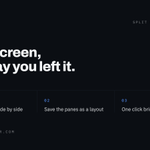
Split view in Kestrel Browser puts up to five pages side by side.
Like the arrangement? Save it as a layout: the pages and how the panes share the screen. Keep up to 24, open one in a click, or have Kestrel Browser start in it.

Long day? Go Simple. 🌙
One press on SIMPLE and Kestrel Browser shows one page at a time, the rail tucked away, and a calmer home: a greeting, your portfolio, a quick swap and Shield's count.
Same pages, same wallet. Just quieter.
Kestrel Browser shows your wallet as one number in SOL: the SOL itself plus every token at its price. 2 SOL and 2 SOL worth of BONK read 4 SOL.
Tiny values stay readable: 0.0₅251 SOL is 0.00000251. And an airdrop with an invented price never inflates the total.

Follow a wallet from Kestrel Browser's Alerts pane: paste the address, add a label if you like, press Track.
It reads the wallet's newest transactions every half minute and tells you when it moves, with a desktop notification. Free follows 1 wallet, Premium 25.

Safe crypto starts here. Download it free: kestrelbrowser.com/download
Official CA: 6oHYDbrWRRtBhLTLLibJmPXfek9dGzdCgzfDB4xYpump
solana:6oHYDbrWRRtBhLTLLibJmPXfek9dGzdCgzfDB4xYpump

Address poisoning: a scammer sends you dust from a wallet that starts and ends like one you use, hoping you copy it next time.
Kestrel Browser checks every send. Same first four and last four as an address you know, different middle? Refused, unless you tick the risk box.

Radar in Kestrel Browser watches Solana from the rail, beside the page you read:
· New pairs, as pools appear
· Final stretch, pumpfun coins closest to graduating
· Migrated, the ones that made it
· Trending
A press on a row opens the Trade pane on that token.

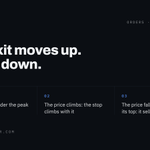
A trailing stop in Kestrel Browser follows the highest price it has seen since you set it.
Set it 20% under the peak. The price climbs, the stop climbs with it. The price falls 20% from its top, it sells.
The exit moves up, never down.
Get solana:6oHYDbrWRRtBhLTLLibJmPXfek9dGzdCgzfDB4xYpump Browser Now!

Who holds it? 🫧
Press the ◍ on a Hover card in Kestrel Browser and the token's holders open as bubbles, on Bubblemaps, in a pane beside the page you're reading. The page stays right where you left it.
The bigger the bubble, the bigger the share.
solana:6oHYDbrWRRtBhLTLLibJmPXfek9dGzdCgzfDB4xYpump
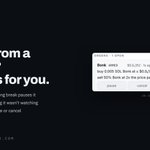
Closed your laptop with an order armed? Kestrel Browser doesn't pretend nothing happened.
After a restart or a long break, the order waits for your look; after a long one, it tells you how long it wasn't watching. Resume, change or cancel: your call.

One press, one desk.
The ⧉ button on a Hover card or a Radar row opens a token's desk in Kestrel Browser: its chart, its RugCheck page, its holders on Bubblemaps and the live talk on X, side by side, with the Trade pane already holding the address.

Every site your Kestrel Browser wallet is connected to is listed in Settings > Wallet > Connected sites.
Press × and it has to ask again. Forget all clears the list. And whatever a connected site asks you to sign is still read and simulated first, every time.

Set it, then let it watch. 🌱
In Kestrel Browser, set a sell at the market cap you choose, approve it once in your system's own window, and the Wallet pane shows how far it has to go.
Then go water the tomatoes. It keeps watching while Kestrel Browser is open.
Kestrel Browser updates itself in the background. When a new version is ready, a window asks once; press Later and a button in the toolbar keeps the offer: green at first, orange from the fourth day, red from the seventh.
New versions bring new checks. Restart when it suits you.


Where's your mark? 🔎
A page can draw a card that says SAFE. Every real Hover card in Kestrel Browser carries the Hover mark at its foot, the same word your status bar shows.
No mark? The page drew it, not us.
