
SharpDevelop, MonoDevelop, Xamarin Studio, NuGet, Visual Studio for Mac.
Joined December 2012
- Tweets497
- Following172
- Followers453
- Likes250


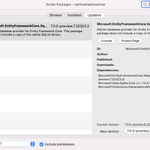
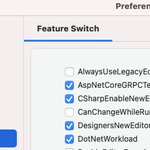


I believe VS uses this to get multiple completions and then you can cycle through different completions via the Edit.NextSuggestion/PreviousSuggestion keyboard shortcuts.
Looks like this bug - github.com/dotnet/sdk/issues…

Matt Ward retweeted

Hey VSMac friends/users! Based on my feed, I think most have seen the news, but sharing in case you haven't. I've not been working on VSMac for a year now, but it was absolutely one of my favorite teams/projects.
devblogs.microsoft.com/visua…
Thanks for confirming. The problem you are seeing is a bug in the installer. It causes the 'Install Visual Studio for Mac' icon to not be centered, and in the case when you have opted in to show hidden files it can result in the icon being scrolled out of view. Sorry about that.
Hi, would you be able to post a screenshot of what you are seeing? Can you try right clicking inside the opened .dmg and selecting View - as List?
Would you be able to report this on developercommunity.visualstu… ? To diagnose we would need the Package Console output, also information about whether the solution contains a mix of classic and SDK style projects. Thanks.

With a .NET 7 iOS app, both dotnet and VS Mac end up building with the .NET Standard 2.0 Xamarin.Essentials.dll which does not have the Platform type. It does not use the xamarinios10/Xamarin.Essentials.dll which a classic Xamarin iOS project would use.

Yes, .NET 8 support is planned for Visual Studio for Mac 17.6 Preview 2. It did not make it into Preview 1.
It looks like something changed in Visual Studio for Mac 17.x. Visual Studio for Mac 8.10 allows pasting. Initially I thought this was due to a security change, but it seems not since it works with the older version. I have opened a bug for this. Thanks for reporting.
This should be fixed in Visual Studio for Mac 17.5 in a later release. This is currently tracked by this developer community issue - developercommunity.visualstu…
There is a single installer, and a single Visual Studio for Mac application, that supports all editions. The installer from this page is what you need - visualstudio.microsoft.com/v… The edition is based on your account when you activate Visual Studio for Mac - visualstudio.microsoft.com/v…
There are also several other extensions for VS Mac under my github account, which do not use addin maker, but show in more depth what can be extended. github.com/mrward

I have a couple of sample extensions for VS Mac, one hello world, one that shows a custom UI for the new project dialog, both of these use addin maker. github.com/mrward/vsmac-exte…

You can see it is not working in VS Mac since the main toolbar shows 'Default' instead of 'My Mac (macOS)'. Not sure what your setup is.
Just had this happen to me on another machine. I have macOS workloads installed for .NET 6 but not .NET 7. Added a global.json to pin to .NET 6, but VS Mac seems to not consider the project a macOS project, same error trying to run the .dll instead of the native executable.
I believe the mac addin should be trying to run the native executable from the project's app bundle not the .dll. I was going to suggest, as a workaround, changing the run config to directly run the native executable, but you cannot configure that for macOS projects :(