

Everyone You Care About in One Place
Worldwide
Joined October 2015
- Tweets22
- Following5
- Followers65
- Likes28







💛 Send her a reminder that she’s the best with one of our #MothersDay stickers! Available until 6/2 💛


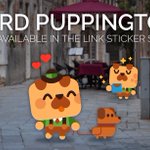
*sniff sniff* Life's never ruff for this happy little guy. Download & send greetings from Lord Puppington! 🎩🐶

LINK Messenger retweeted
Keep your #Squad close using @link_messenger 💛✊
Android: m.onelink.me/810dd2e1
iOS: m.onelink.me/b0317faf

LINK Messenger retweeted
Download to #videochat and voice call your family! 💛
Android: m.onelink.me/810dd2e1
iOS: m.onelink.me/b0317faf


LINK Messenger retweeted
Free #videochat & video calling on @link_messenger 😎
Android: m.onelink.me/810dd2e1
iOS: m.onelink.me/b0317faf

LINK Messenger update: we've added Group Invites! You can invite up to 100 people at once to a group chat! #YesWeDid 😎
2
Chick chick stickers are free in the Sticker Store! Available until May 19th. Download & spread the #SpringVibes! 🍃🐥

Ready to start messaging your friends? Head over to your Messages and tap the icon at the top right-hand corner to start a chat!
Adding Contacts just got easier. Scan your friend’s QR code in the Add Friends page and start chatting!


Messaging tip: if you want to enable read receipts, go to your Privacy setting and switch on the “Enable Message Read Receipts” option