

Works until it doesn’t.
The Internet
Joined January 2026
- Tweets110
- Following19
- Followers381
- Likes38







🎮 PS5Upload 11 is out: Play Together.
Send a link. Your friends join the game you're playing on YOUR PS5 as Player 2, 3 and 4. They need no PS5 and no app: just a phone, tablet or browser.
Couch co-op, from anywhere. Free and open source 👇
github.com/phantomptr/ps5upl…


Also new in Remote Play:
⌨️ Keyboard & mouse on the PS5
🖼️ Mini player + picture in picture
📡 Go live to YouTube/Twitch from the stream (desktop)
🔗 Invites open right in the app
Everything 👉 ps5upload.phantomptr.com

🌍 Friend across town? With Tailscale (or WireGuard / your own VPN) the invite reaches them anywhere. Nothing opened to the internet.
🔒 You stay in charge: nobody plays until you Allow them, and you can Remove anyone.
📱 On a phone, the screen IS the controller: full screen, sticks, triggers, rumble. Press and hold to show the buttons, otherwise it's just the game.
🎮 A real controller or the keyboard works too.
How it works:
1️⃣ Press Play Together while you play
2️⃣ Your friend scans the QR code or opens the link
3️⃣ You tap Allow, they press PS and pick Quick Play
That's it: they're Player 2 with their own controller, picture and sound.


PS5Upload 10.4.1 is out ⌨️🖱️
Remote Play now gives your PS5 a real keyboard and mouse from your computer, and your phone can be its touchpad and keyboard. Works on every firmware.
Three modes, kept per game:
🎮 Controller: keys and mouse act as a controller, as before (still the default)
⌨️ Keyboard & mouse: the PS5 sees a real keyboard and mouse, for games and apps that support them, the PS5's browser and homebrew
🖱️ Mixed: a real mouse, the keys act as a controller, WASD moves
Switch with the button on the stream bar or Ctrl+Option+M (Ctrl+Alt+M on Windows and Linux).
Getting in and out:
• Click the picture and the PS5 has your keyboard and mouse
• Press and let go of ⌃ ⌥ (Ctrl+Alt on Windows and Linux) to get them back. With another key, it still goes to the PS5
• The first time, a card shows you the keys. While you play, a faint "⌃ ⌥ to release" stays at the top, and the card comes back if you look like you're trying to get out
• Both shortcuts can be changed in Settings › Controls › Shortcuts
📱 On a phone or tablet:
• Switch the picture to Touchpad: drag to move, tap to click, two fingers to right-click or scroll
• ⌨ opens your phone's keyboard and types on the PS5
• The phone-as-controller page has a Touchpad & keyboard tab too
Also in 10.4:
• Fixed: play time going to the wrong game
• Workshop: save next to the source, Convert to folder, a more compact layout
• Upload & Install: drag to reorder the queue, archive installs check the space first
• PS2 emulator saves (Crux2, PS5SX2) backed up and restorable, thanks to EnriqueWood
• Fixed: Linux AppImage "Install and restart", thanks to aypro
Free and open source.
⬇️ github.com/phantomptr/ps5upl…
🌐 ps5upload.phantomptr.com
☕ ko-fi.com/B0B81S0WUA
#PS5Jailbreak


PS5Upload 10.0 🎮
Remote Play is now Play, the heart of the app.
Wake it, sign in, stream, play. Computer, phone or browser.
✅ Setup that ticks itself
📱 Phones as controllers + watch party
✨ Upscaling on any GPU
ps5upload.phantomptr.com


⏪ Instant replay
🕹️ Turbo, mouse aim and macros, per game
📸 Clips straight to your phone's Photos
▶️ Play on every game
Free and open source. A coffee or tokens keeps it getting better ☕
ko-fi.com/B0B81S0WUA
⬇️ github.com/phantomptr/ps5upl…

ps5upload 9.1.0 is out 🎮
• Play games straight from the Games grid
• Remote Play: stream your PS5 in the app, picture in picture
• Upload & Install: one place to drop anything
• Progress with speed + ETA
• NAS games on Android, Windows update fixed
github.com/phantomptr/ps5upl…


Links
Website: ps5upload.phantomptr.com
Source: github.com/phantomptr/ps5upl…
Docker: ghcr.io/phantomptr/ps5upload…
Bugs: github.com/phantomptr/ps5upl…
Discord: discord.gg/fzK3xddtrM
Remote Play is built in: start it and the app wakes your PS5, signs you in and streams it — controller, keyboard or touch, picture in picture on desktop, and a setup guide that fixes the console settings for you.
The bottom bar names what's running with %, speed and ETA. Click it for everything running, waiting and just finished — with cancel and retry. On phones it's a small pill.
Upload & Install takes packages, game folders and dumps, disk images and archives in one drop zone. "Convert first" sends a game to Workshop before it goes to the PS5.
Every installed game's card has a Play button (Close while it runs). Dumping moved onto each game's own page, next to everything else you can do with it.
PS5Upload 8.1.0 is out 🎮
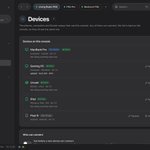
Meet Mesh Drive: one folder kept the same on your PC, Mac, phone and Docker/NAS, with its home on your PS5.
Add a file anywhere, it shows up everywhere.
github.com/phantomptr/ps5upl…


Built to be safe:
• Changed in two places? Both kept. Settle conflicts side by side
• Deleted files sit in a trash folder for 30 days
• Mass deletes wait for you to confirm
• An unplugged drive is "offline", never "everything deleted"

Two PS5s? Link them.
Each console is the hub for its own devices, and the two stay in sync, file by file, straight console to console.
If one is off, your devices sync through the other.


