

No longer posting here. Follow me at https://xitter.cf/t.co/BkpnbaSRJx
Denver, Colorado
Joined October 2007
- Tweets23.5K
- Following924
- Followers6.2K
- Likes219





Pinned Tweet
I'm no longer posting here.
▶ Sign up for MacMost's free (and ad-free) weekly newsletter to see all of the new MacMost video tutorials I post: macmost.com/newsletter
▶ Follow me at bsky.app/profile/rosenz.bsky…
Sign up for MacMost's free (and ad-free) weekly newsletter to see all of the new MacMost video tutorials I post. macmost.com/newsletter I'm not posting much here anymore. Follow me at threads.net/rosenz instead.
Sign up for MacMost's free (and ad-free) weekly newsletter to see all of the new MacMost video tutorials I post. macmost.com/newsletter
I'm not posting much here anymore. Follow me at garyrosenzweig.com/mast instead.
ClipTools: Clipboard Manager and More producthunt.com/posts/clipto… via @producthunt

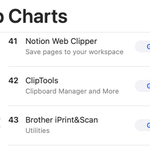
The response to my new Mac utility app, ClipTools, has been overwhelming. It is now ranked 42 in the list of all top free apps in the Mac App Store!

Am I crazy? In macOS Ventura when you Control+click a file, there is an "Always Open With" submenu. (You can hold Shift+Command to switch it to "Open With.") But in Monterey and before the default was simply "Open With." Not "Always." Right?
I'm not posting much here anymore. Follow me at garyrosenzweig.com/mast instead.
Today's video tutorial: "Karaoke With Your iPhone, iPad or Apple TV and Apple Music Sing" macmost.com/e-2858

If you happen to be on another social media network, of a more extinct elephant-like nature that can't be mentioned here, you can find a link to follow me there on this page: garyrosenzweig.com/connect.h…
🍎 Mac Tip: You can change how icons on the Desktop look by clicking on the Desktop background and then choosing View, Show View Options. Here you can change the icon size, spacing, text size and other things.
🍎 Mac Tip: Need to perform a quick or complex math calculation? Use Spotlight for that. Just Command+Space to bring it up, and type things like (4+7)*9 to see the result.
Did you catch this tutorial from last week? "Mac Pages Tricks for Reusing Image Settings" macmost.com/e-2849

New video tutorial: "Karaoke With Your iPhone, iPad or Apple TV and Apple Music Sing" macmost.com/e-2858

Check out today's MacMost tutorial on YouTube: Karaoke With Your iPhone, iPad or Apple TV and Apple Music Sing at youtube.com/watch?v=Zne1E23B…
Yesterday's video tutorial: "How To Use Apple's New Freeform App" macmost.com/e-2857

🍎 Mac Tip: Your Dock can only list so many apps before it gets crowded. To launch other apps, click and hold the LaunchPad icon. A menu will appear listing all apps.
Today's video tutorial: "How To Use Apple's New Freeform App" macmost.com/e-2857
