

Creator of RyanPlugins. Full Stack Developer specializing in WooCommerce plugins and payment gateway integrations. Building secure, scalable, and user-friendly
Philippines
Joined March 2014
- Tweets7K
- Following812
- Followers876
- Likes50.6K






AI Shopping Assistant for WooCommerce: Full Setup Guide + Demo (Claude AI)
📦 Full details and download: patreon.com/RyanPlugins/post…
5/ One store → three apps:
🛍️ Shoppers buy
📊 You manage orders + stock
🚚 Drivers deliver
Try it: ryanplugins.app

4/ Hit Build.
A few minutes later you get an APK to test on your phone and an AAB ready for Google Play.
3/ Pick your app: Store, Merchant or Delivery.
Set the name, colours and icon, and watch the live preview update as you type.
2/ Add your store, generate a license, then install one connector plugin on WordPress.
That's the whole setup. Your products, prices and payment gateway stay exactly where they are.
1/ Most WooCommerce stores don't have an app because agencies charge a fortune and it means rebuilding everything.
I built a way around that. Here's the full flow in 3 min 🧵
Turn your WooCommerce store into a real Android app in 3 minutes. No code.
→ Store app for shoppers
→ Merchant app for staff
→ Delivery app for drivers
All from one store, on your existing products + payment gateway.
ryanplugins.app
Your WooCommerce store, now a mobile app 📱 Full build → install → checkout test. ryanplugins.app 👆 #woocommerce #mobileapp #appbuilders #nocode

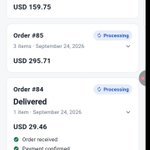
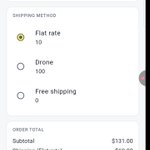
Pick a shipping method, then pay. Use your payment gateway's test card while testing. If the card needs 3-D Secure, the challenge appears right inside the app.


Android may show a Play Protect warning for apps installed outside Google Play. That's expected for your own test builds.


3. Brand your app
Set your app name, package ID and accent colour in one form.

ALT ⚠️ Set your Package ID carefully. It can't be changed after you publish on Google Play.

2. Design your home screen
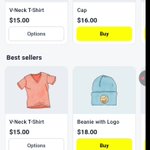
Pick a look (Essentials, Fashion or Beauty), then arrange banners, featured products, best sellers and more. Changes reach your shoppers without a rebuild


1. Start from your dashboard
Everything starts at ryanplugins.app. Your store card shows its connection status plus Mobile app and Web app sections, each with Build and Home screen buttons.

Turn Your WooCommerce Store Into a Mobile App: Full Walkthrough #woocommerce #nocode #appbuilder #android #ios #mobileapp #webapp

ALT Your store can now be a real mobile app, and you don't need to write any code to build it. I recorded a full walkthrough of the RyanPlugins Mobile App Builder, from the dashboard to a finished test order on a phone