

Design Engineer at @evilmartians • building Storybook Workbench, co-creator AgentPrism and #Harmony • Vinyl Enthusiast • Music Festivals Fan
Lisbon, Portugal
Joined October 2013
- Tweets1.4K
- Following1.1K
- Followers386
- Likes5.8K




Pinned Tweet
The worst part about the agents is that they fail silently. They loop endlessly, skip steps, and give wrong answers… It took me 4 hours to parse a JSON wall of agentic traces to find a fix.
We built and open-sourced something that cuts AI agent debugging time to 30 seconds.
Polishing my explainer skill right now. Pele draws the picture, my agent writes a short story next to it. I check both, push back, and we iterate until the idea finds its shape.

Added Pele to my explainer-diagram skill. I was polishing it with raw Mermaid, checking the structure and then fixing labels again and again. Pele dropped and everything looked right.
Now my agent explains tricky stuff as diagrams. I build themes on top and check which view makes the idea clearest. Theming helps a lot. Thank you 🌋


My agent built this app with my design tokens. Then I checked which ones it actually used.
Building notes, from the Storybook Workbench audit.
The answer sits in one map: every place a token is used, the blast radius of a change, and how each token connects to pages.
Before: I searched for a token, found the files and guessed the screens. The agent did the same, one file at a time.
After: the skills read the code into a map with 4 levels: tokens, components, the components inside them, and pages. The Usage Explorer in Storybook walks it.
In the video: --color-brand-600, a palette step, sits in 102 components. One of them, SkillsetTabResources, carries 32 tokens, 20 of them palette steps. Its page pulls in 98.
The agent reads the same map. Today it is read-only: we see every connection and the blast radius of a change before anyone edits a line.
That is the foundation for the next step. All the context is in one place, so the map can grow into live previews: change a token, watch the pages it touches, then let the human or agent make the edit, in the map we both use - inspect live and ship.


The Usage Explorer, live on the demo app: main--6a26dda52fe4a57aa540d0…
Three skills build it. Point your agent at the repo and run them in order: sb-flows (routes → pages) · sb-inventory (tokens, component usage) · sb-wrappers github.com/strongeron/storyb…
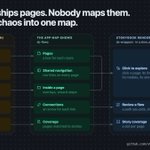
My agent sees the app as 598 files. I see it as screens. A flow runs through both, and neither of us could see it whole.
Building notes, from the Storybook Workbench audit. We have the evidence. Now we render the chaos.
One file and one map. Now my agent and I see it whole.
Before: to review a flow, I clicked through localhost and guessed. The agent read the router, the buttons and the modals one file at a time. We checked different halves.
After: sb-flows pulls the flow out of the code into flows.json. Storybook draws it as a map: a column for each role, a box for each page, an arrow for each link.
So I see each flow by the roles the code defines. sb-flows first guesses a page's role from its path: 7 public, 84 for signed-in users. The agent checks that guess against the code. Here the paths name two roles, author (47 pages) and member (26), and the guess put the sign-in page in the wrong column.
The idea comes from the user-flow reports in Google Analytics: one path you can read at a glance. Here the path comes from the code, so it shows where a flow breaks before a user finds it.
We walk a flow together. I follow it on the map, a state story for each step. The agent re-runs sb-flows after a change and checks the same path in the file. That takes about 2 seconds.
It is more than an audit. The map lists the next work: pages without stories, links still to find, and the states each page needs, 533 over 91 pages.
One gap: the scanner finds only 9 links between pages so far. Most of the links in sidebars and headers are not on the map yet. That is my next fix. The demo and the repo are in the reply.

Click through the map yourself: pick a page and see where it leads, what it opens and which story shows it.
main--6a26dda52fe4a57aa540d0…
Want this map for your own app? Ask your agent to run sb-flows. The skills are here:
github.com/strongeron/storyb…
80,604 lines of code. 5 JSON files. My agent only reads the files.
Building notes, from the Storybook Workbench audit.
That is one vibe-coded app: 598 files. An agent can read some of it, but it can't hold all of it, and two readings can differ.
Scripts do the extraction. sb-inventory, sb-flows and sb-health read the code and write 5 JSON files: components and who imports them, props at every call site, routes, tokens, design-system findings. About 80 seconds on that app.
The agent works on top of the files. It sorts the findings, asks the next question and decides what to fix. It never counts.
The output still has to earn trust, so it gets checked:
1. Same code, same files. Two runs, identical.
2. Totals add up inside each file: 146 used + 200 unused = 346 tokens.
3. Every number I show is a claim with a command. The build re-runs it: 14 of 14 match.
4. A count that looks odd sends the agent to the source.
What I end up with is a foundation for the next task. Five JSON files hold the evidence, and each finding points back to a file in the code. Storybook renders the same files, so the agent and I inspect one shared surface.
The evidence and the flows are ready now. Next is the part I like most. We render the chaos.

Try it on your own project and see what your numbers say.
Ask your agent to run sb-inventory, sb-flows and sb-health:
github.com/strongeron/storyb…
What the skills built on a demo app, live in Storybook:
main--6a26dda52fe4a57aa540d0…

AI gave me a lot of speed on UI work. It also gave me a lot of scattered pieces.
Before: the agent writes a component in minutes. Then I check it by hand in 6 places: AGENTS.md, DESIGN.md, Figma, chat history, the PR diff and localhost. None of them shows the whole UI, and the agent reads only 4 of them.
That worked for one component. It broke at scale: I could not stay in a loop with the agent and keep control of the UI. So I stepped back and rethought the flow.
After: I built Storybook Workbench, a set of agent skills. They read the code and build one shared map in Storybook:
- components: real vs dead, by imports
- tokens: drift from DESIGN.md
- design: parity with Figma
- flows: every route
- states: one story each
- decisions: a ledger the agent and I both write
Now the agent reads the map and logs what it did. I check its work with my eyes, in the same place.
The first audit on a vibe-coded app found 31 dead components out of 469, and 6 accessibility bugs that no build caught.


The "after" workflow, live on a demo app:
main--6a26dda52fe4a57aa540d0…
Now your app. Point your agent at the repo and run sb-hub. It checks your app and names the next step:
github.com/strongeron/storyb…

I’ve been away for three months on parental leave. It’s been challenging, beautiful, and unlike anything else.
Our family walks around Lisbon with our little one gave us a chance to slow down, recharge, and appreciate the beauty around us.
Now that I’m back, I want to share more of what I’ve been building. I’ve been shipping a lot, but it’s time to get better at explaining what I build and why it matters.
Back to making things – and talking about them.


Gleb Stroganov retweeted

To be honest with you all, Rails and Claude are making me feel like a fucking genius. Only in this moment, and it’s silly perhaps, and yet.
This is about our game-like pre-conference experience, clouds.sfruby.com/pier which was just an idea back on Monday. And these are not my ideas: @antiflasher designed 8-bit theme, @vmelnikova_en invented Cloud Cards, and @palkan_tula came up with the Pier, and it’s giving me so much joy being able to build it out, and implement team’s feedback.
Many things are hidden: Luma, where we sell conference tickets, sends us webhooks with ticket info, our Rails app processes them, sends email invitations, authenticates users with magic links, and when the person uploads their photo, we create their 8bit character, using RubyLLM and Nano banana. We place them on the pier and the game begins: you find yourself and complete other Quests, you collect Coins. Perhaps you’ll be able to use those coins at the conference to get things 🤓.
Most importantly: you discover who is coming: their interests, backgrounds. As more people join, you’ll get matched both on Pier and in real life at the event based on shared interests. And you already explore and learn about each other in the meantime.
For sure, @palkan_tula might come later with a refactoring (perhaps I rely on that for a bit!) but today I was able to build it exactly how I imagined it and it’s nothing short of true magic.

One of my favorite projects at @evilmartians.
“The deliverable wasn’t a mockup. It was a working repository that could be tested, refined, and shipped.”
Designing in code let us explore multiple narratives and interactions before committing to a direction. Seeing it validated through a live A/B test made the whole process even more rewarding.
Great collaboration with @AppSignal.
Full story 👇

We redesigned @AppSignal's homepage so it's bold about who it's for (and who it's not). Then we A/B tested it vs. the old one. Signups +3%. But time on site +31% and activated users +14%. The right people showed up! Story below.

Amazing work and perspective with chrono-grid breakdown. The part that stops me: each edition isn't a new poster, it's a new system — rules that turn match data into form. This is generative design with actual taste.

Many people asked how the World Cup posters are generated.
I wrote a breakdown of the system behind them.
It covers the chrono-grid, visual encoding, and the rules that transform a match into a poster.
zehfernandes.com/posts/how-i…

The honest reason I built this: I kept opening agent-coded repos and couldn't tell which components were real and which were dead ends abandoned three prompts ago. So the audit became a set of skills – Storybook Workbench. Point it at the mess → get the map and act.
An agent can spin up a web app in an afternoon. But which of those 469 component files actually matter, and which are dead ends abandoned three prompts ago?
That's why we built Storybook Workbench: a set of agent skills that audit your AI-generated UI and lay it out in Storybook.
There, you can see what are “real" vs slop components, view how each component appears on different screens, and get a design system health score.
@strongeron, the author, says this works for when you inherit an agent-coded prototype or move a design system into code. Use it for the first pass and every iteration after.
Read the full story below.
Gleb Stroganov retweeted
So true. I see myself now contributing across 4 of these points.
The most vital one — knowing when to stop at one stage and transition to the next.
A strong prototyper can get stuck iterating on ideas forever; a builder might resist handing off to a grower.
The meta-skill is stage awareness — knowing what the product needs now, not just what you're good at.
When an agent run finishes, I don't care about the green checkmarks. I care about the one or two steps that quietly went sideways.
That's the real work of building agents: not running them, seeing where to tweak. We shipped n8n.io support in AgentPrism. Bring your hardest cases.


Just shipped: n8n.io integration for AgentPrism, our open-source AI observability project.
Better than n8n's built-in trace viz? We store logs forever, or at least until we run out of space. Beyond that, no clue.
Closed beta: agent-prism.evilmartians.io
#n8n

My design log lives in Storybook. So does my final call.
Every option I'm weighing sits there as a living record — this card and its "Coming Soon" badge, checked against dark and light photos, all pulling real tokens from our design system. They line up side by side in the environment they'll actually ship in, so weeks later I can compare them for real instead of from memory.
When one option wins, an agent applies it across the app in minutes.
Explore, decide, ship — all in one place. That's the part of founding design I love most.
A feedback survey is only as good as the moment it interrupts you.
So I don't design that moment in a mockup — I tune it in Storybook. Same widget, pulled out of the app but running in a real environment, where I can tweak the scroll trigger and the show/hide behavior until it feels invisible.
Two variants of the same survey here: one hides on scroll down, one on scroll up. Watching them side by side is how you feel which is right.
Bridging design ↔ code the AI-native way. We built an environment where designer + backend can ship together, compound, and create skills. Design meets code in @storybookjs: our single source of truth for auditing, iterating and shipping. The loop finally closes. Never been this productive. Full story below 👇
A designer and engineer worked together to ship a production-ready MVP in four weeks using Rails + Inertia. In this post we share how we built @thicket, our agentic coding stack, the skills we built, and what worked: evilmartians.com/chronicles/…
