

Next generation Agentic-AI RMM / DEX. Built with AI as a bedrock from the ground up.
- Tweets300
- Following176
- Followers27
- Likes256




ALT Dark navy Friday troubleshooting graphic headed “Several users. One shared dependency?” Text advises checking service status before changing each endpoint. A diagram titled “Look for shared context” connects User 1, User 2 and User 3 to a shared service labeled “Check provider status.” Footer: Aipex dashboard, cloud provider status widgets plus known-outages overlay, beside the official Tassient logo.

ALT Dark navy Thursday evaluation lab graphic headed “Start with 10. Test the full workflow.” Text states Aipex Free includes the full feature set for up to 10 devices. Ten monitor icons sit beside a feature panel: Inventory—know what is deployed; Monitoring—see live and historical context; Remote support—control, shell and file tools; Automation—run and trigger scripts; Agentic AI—investigate with device context. Footer: Start small. Test the workflow. Plan the rollout. Official Tassient logo at bottom right.

ALT Dark navy Wednesday inventory graphic headed “Software name is only the start.” It advises checking version, publisher and scope before deciding what to do. An illustrative application table lists Design Tool 8.4.2 on 126 devices, Browser 132.1 on 318, Support Client 5.7.0 on 84 and PDF Reader 24.9 on 211, with example publishers. Footer: Aipex application inventory with organization-wide scope and per-device detail, beside the official Tassient logo.

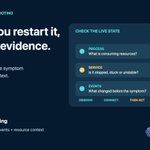
ALT Dark navy Tuesday troubleshooting graphic headed Before you restart it, read the evidence. A restart can clear the symptom and erase useful context. A Check the live state panel lists Process: What is consuming resources? Service: Is it stopped, stuck or unstable? Events: What changed before the symptom? Below: Observe, connect, then act. Footer: Aipex live monitoring—processes, services, events and resource context—beside the official Tassient logo.

ALT Dark navy Monday network triage graphic headed Slow is a symptom. Build the diagnosis. Text advises reading the signal in layers and comparing changes over time. A Follow the network signal panel lists Wi-Fi signal—connection quality; latency targets—response time; interfaces—path and state; connections—active traffic. An illustrative amber history chart sits beside the list. Footer: Aipex, live and historical network context on the device, beside the official Tassient logo.

ALT Nighttime desk scene with a laptop warning symbol and steaming mug. Heading: Sunday. You’re on call. A clear path from device issue to resolution. Four connected panels show Check—live health and performance history; Investigate—AI assistance with device context; Act—remote control, shell and scripts; Verify—check device health after the fix. Footer: Your Sunday support toolkit, in one place, above the official Tassient logo.

ALT Dark navy Saturday maintenance prep graphic headed Build the baseline before the window opens. Know what the device is—and how it is behaving—before you change it. A panel titled One device. Two views. compares What it is: hardware, operating system, applications, users and sessions; with How it’s behaving: CPU and memory, network, processes and services, historical context. Footer: Aipex, inventory plus live and historical monitoring, beside the official Tassient logo.

ALT Dark navy Friday troubleshooting graphic headed Several users. One shared dependency? Text advises checking service status before changing each endpoint. A diagram titled Look for shared context shows three users connected to one shared service labeled Check provider status. Footer: Aipex dashboard—cloud provider status widgets plus known-outages overlay, beside the official Tassient logo.

ALT Dark navy Thursday evaluation lab graphic headed Start with 10. Test the full workflow. Aipex Free includes the full feature set for up to 10 devices. Ten monitor icons sit beside a feature list: Inventory—know what is deployed; Monitoring—see live and historical context; Remote support—control, shell and file tools; Automation—run and trigger scripts; Agentic AI—investigate with device context. Footer: Start small. Test the workflow. Plan the rollout. Aipex Free, beside the official Tassient logo.

ALT Dark navy Wednesday inventory check graphic headed Software name is only the start. Know the version, publisher and scope before the next decision. An illustrative application inventory table lists Design Tool 8.4.2, Vendor A, 126 devices; Browser 132.1, Vendor B, 318; Support Client 5.7.0, Vendor C, 84; PDF Reader 24.9, Vendor D, 211. Footer: Organization-wide scope plus per-device detail. Aipex application inventory with versions and publishers, beside the official Tassient logo.