

The small business resource you can ask. Resources, free tools, and HelperX Bot @ https://teapawt.net/t.co/XYCReTnNpu | Business Directory @ https://teapawt.net/t.co/NqpgKJlCtK
Canada
Joined August 2012
- Tweets13.6K
- Following833
- Followers1.3K
- Likes814


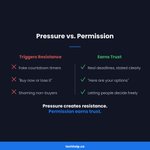
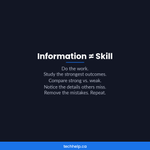

Quick test before your next post goes live: cover the logo.
Take out your company name too. Now read it again.
Would anyone still care?
If yes, the post teaches, proves, or clears something up on its own. If not, it's leaning on your brand name to do work that value should be doing.
An announcement can pass if it explains what changes for the reader. A greeting can start a useful conversation. The opening alone does not decide the value.
A post that walks through the three questions your customers ask before they buy passes easily.
Every post needs a job. Teach something, prove something, answer something, or start a conversation. Filling an empty slot in the calendar doesn't count.
1
6
Deleting old pages? Don't redirect them all to your homepage.
It looks tidy in a redirect plugin. For visitors, it's confusing. Someone looking for an old pricing page, product, or tutorial lands on your front page with no idea where the thing they wanted went.
Google may not count it as a proper redirect, either. Its guidance says a removed page with no similar replacement should return a 404 or 410, and it can treat redirects to an unrelated page as soft 404s.
Match the redirect to what actually happened to the page. Moved, replaced, gone for good, or away for a while: each one gets a different answer, and the chart covers all four.
After a redesign or two, it's also worth checking for chains. If old page A redirects to B, and B redirects to C, point A straight to C. Then update your menus, buttons, and internal links so they go to the final URL. Your redirects should catch stragglers, not carry your main traffic.
Which redirect to use, including 307, 308, and meta refresh, and how to test one:
→ techhelp.ca/redirection/

1
15
You get a few seconds with a door hanger before it lands in the recycling bin. Don't spend them introducing your whole business.
Where distribution is permitted, use the space to offer one clear next step. Respect property restrictions and no-solicitation notices.
A lawn care company offers a free yard assessment. A dog walker offers a first-week trial. A restaurant runs a Tuesday pickup special for the surrounding streets.
Keep the copy to four parts:
1. One pain
2. One benefit
3. One offer
4. One action
If you add a QR code, send it to the page that matches the offer. Someone who scans for a free estimate should land on the estimate form, not your homepage.
A dedicated landing page or promo code can help track responses. Compare attributable sales and contribution margin with printing and distribution costs; some responses may still be unattributed.
The same rule works for flyers, postcards, event handouts, and anything else someone holds for a few seconds.

7
Add one line to your weekly meeting invite:
"If there's no decision, blocker, or live discussion needed by [deadline], this meeting is cancelled and replaced with a written update."
Recurring meetings survive by default. Nobody wants to be the one who cancels, so the meeting happens whether or not it has a job that week. In Atlassian's 2024 survey of 5,000 knowledge workers, 54% said they frequently left meetings without clear next steps or task ownership.
Before each one, ask three questions:
1. Is there a decision to make? Send the options ahead so people can think.
2. Is there a blocker that needs live discussion? Name it in the agenda.
3. Is there alignment work that can't happen in writing? Say what needs aligning and who has to be there.
If all three answers are no, cancel and send the update. Routine status updates work fine as a short written note: done, next, blocked, decisions needed, risks.
When the meeting does happen, spend the time where talking changes the outcome. The agenda in the image gives 17 of 30 minutes to blockers and decisions.
And close with names and dates. "Great discussion, let's keep this moving" leaves everyone guessing. "Priya owns the vendor shortlist by Thursday" doesn't.

5
Your social post shouldn't need the link to make sense.
That can feel backwards if your goal is traffic. But readers need a reason to spend their attention before you ask them to leave the feed.
A post that says "5 mistakes to avoid, read more here" asks for a click before it's earned one.
A post that shares the two biggest mistakes and explains why they hurt gives the reader something useful right away. People who want more have a clear reason to open the link.
Put the useful part in the feed. Use the link as depth, not rescue.
4
WordPress is adding AI crawler controls, llms.txt support, and richer SEO settings in Jetpack SEO. The key catch: robots.txt still depends on crawler cooperation. #WordPress #SEO techhelp.ca/wordpress-com-ai… via @techhelpcanada

6
OpenAI's Business Hub gives eligible companies a way to claim verified profiles in ChatGPT, but it does not guarantee higher placement or sales. #OpenAI #ChatGPT techhelp.ca/openai-business-… via @techhelpcanada

11
Peacock is testing chat-style AI search, franchise hubs and adaptive live video as NBCUniversal tries to make mobile streaming more interactive. #Peacock #AI techhelp.ca/peacock-ai-searc… via @techhelpcanada

6
Anthropic is pushing Claude deeper into work meetings, spreadsheets and whiteboards. The useful part may be the limits as much as the launch. #AI #Claude techhelp.ca/claude-meetings-… via @techhelpcanada

17
OpenAI will retire ChatGPT Advanced and Standard voice on Dec. 11, shifting users to Live while video and screen sharing remain in transition. #ChatGPT #AI techhelp.ca/chatgpt-voice-mo… via @techhelpcanada

8
Shopify has added new App Store rules for app developers: 10 paid installs before another app, identity checks, cooldowns, and zero-install removals after six months. #Shopify #Ecommerce techhelp.ca/shopify-app-stor… via @techhelpcanada

1
14
FedEx’s holiday shipping math now has two moving parts: weekly fuel surcharges and demand fees that peak from Nov. 23 to Dec. 27. #FedEx #Shipping techhelp.ca/fedex-fuel-deman… via @techhelpcanada

5
Google has added things-to-do queries to its EEA aggregator and supplier units, widening its DMA-driven travel search redesign beyond hotels, flights and local businesses. #GoogleSearch #SEO techhelp.ca/google-eea-trave… via @techhelpcanada

12
Northern Ontario’s SNAPP intake is open for agri-food equipment projects, with applications accepted until Jan. 8, 2027. #NorthernOntario #AgriFood techhelp.ca/snapp-northern-o… via @techhelpcanada

7
Santander’s 2026 trade survey points to a practical AI shift: firms are using it to assess markets, regulation and rivals while data sovereignty concerns remain. #AI #Trade techhelp.ca/santander-ai-int… via @techhelpcanada

46
Barbie 2 talks reportedly center on $25M paydays, bigger backend shares and a year-end push from Skydance to save the sequel path. #Barbie2 #EntertainmentNews techhelp.ca/barbie-2-25m-neg… via @techhelpcanada

8
Francis Lawrence says Constantine 2 has new hope after DC’s leadership change, but the Keanu Reeves sequel still needs approval from the studio’s next regime. #Constantine2 #DCStudios techhelp.ca/constantine-2-dc… via @techhelpcanada

15
What colour should your "Book now" button be?
A colour that is easy to notice and read in that page’s design.
A red button may stand out on one page and disappear among red elements on another. A blue button can work on a blue-themed site if its shade, contrast and surrounding space make it distinct. There is no universal winning colour.
In the image, the same orange button sits on two different pages. On one of them, it nearly disappears.
So before you change the colour, look at what surrounds the button:
• Does it stand out from the background, or blend into it?
• Is anything else competing for attention nearby, like a second bright button, a banner, or a popup?
• Can people read the label easily? WCAG Level AA asks for at least 4.5:1 contrast for normal-size text.
• Does the label say what happens next? "Get my quote" tells people more than "Submit."
And if you do test button colours, change only the colour. Keep the copy, placement and offer the same, and compare randomized groups during the same period when you have enough traffic. Changing three things at once makes a colour-specific conclusion harder.
What the research says about colour and buying decisions, and where the popular colour charts get it wrong:
→ techhelp.ca/how-color-influe…

12
Google doesn't use your meta description to rank your page. It can still cost you clicks.
The meta description is the summary you write for a page. Google builds most search snippets from your page content, but it may show your description when it describes the page better.
Your ranking decides where you show up. The snippet helps decide whether anyone clicks.
In the image, you'll see a weak and a better description for the same local plumbing page. The weak one names the topic. The better one tells the searcher what they can get done and why this result is worth picking.
Where to start:
1. In Google Search Console, find pages with plenty of impressions and low click-through rates. Compare similar queries, positions and devices before assuming the description is the cause.
2. Read each title and description together. Does the description add a reason to click, or repeat the title?
3. Put the strongest point early. Snippets get cut off, especially on mobile.
4. Only promise what the page delivers. A disappointed click doesn't help you.
Then give Google time to recrawl the page before you judge the result. Snippets can vary by search and device.
Examples by page type, plus a checklist:
→ techhelp.ca/meta-description…

1
14