




i deleted an entire iMessage conversation 3 years ago. Claude Code found it in 10 minutes.
it was a chat with my ex. i deleted every message back then and never thought about it again.
i plugged my iPhone into the PC I run Claude Code on and asked it to look through what was stored there.
it found old iPhone backups i forgot i ever made. one of them was from before i deleted the chat.
Claude opened it, found the Messages database inside and pulled out the whole conversation:
→ every text
→ every timestamp
→ the photos we sent each other
deleting a chat on your iPhone doesn’t touch the backups you already made. your computer doesn’t clear them by itself either.
so this could still be sitting in a folder you forgot exists:
→ every late-night message
→ every fight
→ every photo you sent someone and regretted
if that backup isn’t encrypted, anyone who gets into your computer can read it.
and you don’t need to be a hacker to find it. i didn’t write a single line of code. i asked Claude in plain English.
mine had 3 old backups. now it has 1, and it’s encrypted.
full step-by-step below. 10 minutes, nothing changes on your phone.
bookmark this and check your own computer tonight.

promt:
I want to find old or deleted iMessage conversations that may still exist in my iPhone backup data.
I'm connecting my iPhone to my computer via USB.
Act as an iOS forensic recovery specialist. Handle the technical work using Claude Code.
STEP 1 — CONNECT
Detect my connected iPhone.
Identify its iOS version.
Help me establish a trusted USB connection.
Use Apple Devices, Finder, or compatible open-source tools.
STEP 2 — EXTRACT
Create a local backup of my connected iPhone.
Check for existing local backup snapshots that might contain older conversations.
Don't overwrite existing backups.
Work only with local data. Never upload my messages anywhere.
STEP 3 — INVESTIGATE
Locate the iOS backup manifest and Messages database (sms.db).
Examine available iMessage/SMS records and attachments.
Look for conversations that may have survived in older backup snapshots or recoverable database artifacts.
Compare message timestamps and backup dates.
Identify conversations that may no longer appear on my iPhone.
STEP 4 — RECOVER
Show me what you actually found.
Recover available messages, timestamps, contacts and attachments.
Export recoverable conversations into readable HTML or PDF files.
Distinguish recovered messages from incomplete traces or missing data.
IMPORTANT RULES
No jailbreak.
Never reset or restore my iPhone.
Don't delete or modify original backups.
Ask before installing software or exporting private data.
If backups are encrypted, request the password securely.
If Messages in iCloud prevents extraction, explain why.
Don't invent messages or promise recovery of permanently erased data.
Do as much as possible automatically.
Start by detecting my connected iPhone, then guide me through anything requiring manual approval.
tezarc retweeted
TV companies really don’t want you to find these 9 GitHub repos.
They strip the ads off your home screen, replace the interface you’re stuck with and let Claude run your remote. One was built with Claude Code in an afternoon and already has 22K stars.
A new TV: $800
These 9 repos: $0
01 CleanYourTV
Claude Code strips the bloat over Wi-Fi and installs an Apple TV-style home. No root
22K ★ · Android / Google TV
github.com/Gathin23/CleanYou…
02 SmartTube
The YouTube app your TV should have shipped with. SponsorBlock, speed control, 8K
35K ★ · Android TV
github.com/yuliskov/SmartTub…
03 adb-tv-mcp
Claude sees your TV screen, presses the buttons and launches apps
Android TV
github.com/mosesmrima/adb-tv…
04 UAD-ng
Deletes the system apps you never asked for
9K ★ · Android TV
github.com/Universal-Debloat…
05 lg-tv-mcp
Tell Claude Code “put Netflix on” or “switch to HDMI 2”. Local, no cloud
LG webOS
github.com/OmerLapidot/lg-tv…
06 Samsung Remote
Control encrypted-era Samsung TVs from your own code
Samsung 2014+
github.com/tdudek/samsung-re…
07 Couchy Launcher
New home screen. No ads, no tracking, no account
Android TV
github.com/conreo/couchy-lau…
08 Plume Launcher
A 0.4 MB home screen with a Continue Watching row
Android TV
github.com/aradhyas8/Plume_L…
09 TV Box Tools
Locks in your new launcher without root and speeds up animations
Android TV
github.com/smartago/tvboxtoo…
Check your TV’s OS first. Debloat one app at a time.
Save this before Black Friday talks you into a new TV.
this is f*cking insane. someone turned their TV home screen into a LIVE 3D replica of their apartment.
you can literally control the REAL lights in your house from it.
and it’s just 1 of 4 open-source TV home screens that make yours look outdated.
your default home screen: ads and sponsored rows
these 4: free and open source
01 3D Home TV OS
scan your home with an iPhone, get a live 3D model, make it your home screen. lights wired in through Philips Hue or Home Assistant
Android / Google TV · needs smart lights
github.com/Rod292/3d-home-tv…
02 TV Bookshelf
every app becomes a leather-bound book in its brand colors. pick one and it slides off the shelf and opens to a title page. built with Claude Code, talking to the real TV over Wi-Fi
Android TV
github.com/griffincockfoster…
03 Tigris
the tvOS 26 look on Android TV. Liquid Glass dock, frosted Control Center, Top Shelf-style rows
Android TV 9+
github.com/lesnolie/Tigris
04 Couchy Launcher
the calm one. no ads, no tracking, no account. carousel, grid or dock layouts
Android TV
github.com/conreo/couchy-lau…
none of them fit your taste? two of these were built by talking to an AI. you can build yours the same way.
save this for the weekend you finally fix your TV.
full Claude Code setup prompt in the first reply ↓
Want your TV to look like one of these?
Copy this into Claude Code. It'll help identify your TV, check compatibility, and install or adapt an open-source home screen.
FULL PROMPT ↓
You are my Smart TV customization engineer.
I want to replace or customize my TV's home screen using one of these four open-source projects:
3D Home TV OS
github.com/Rod292/3d-home-tv…
TV Bookshelf
github.com/griffincockfoster…
Tigris
github.com/lesnolie/Tigris
Couchy Launcher
github.com/conreo/couchy-lau…
Your job is to identify my TV, determine which projects are actually compatible, and help me install or adapt my preferred interface safely.
Do not assume every Smart TV runs Android.
STEP 1 — IDENTIFY MY TV
Ask me for:
My TV brand and exact model, or a photo of its model label.
My TV's OS and firmware version, if known.
Whether I'm using Windows, macOS, or Linux.
Whether my TV and computer share a local network.
Whether I want a 3D, Apple-like, minimalist, or custom interface.
Identify whether my TV runs Android TV, Google TV, Samsung Tizen, Samsung pre-Tizen, LG webOS, Apple tvOS, or another system.
STEP 2 — RESEARCH COMPATIBILITY
Read the current README, installation documentation, release notes and known issues for all four repositories.
Compare their minimum OS requirements, hardware requirements, available releases, installation methods and known limitations.
Important:
Tigris targets Android TV, with official APK support starting at Android 9.
TV Bookshelf targets Android TV and may require building from source.
Couchy targets Android TV / Google TV, Android 5.0+.
3D Home TV OS is a larger project requiring a compatible TV, a running local bridge and additional hardware for real smart-home control.
For the 3D option, ask whether I have smart lights, Home Assistant, Hue, a suitable always-on computer, and an iPhone with LiDAR or another way to build a floor plan.
If I own a Samsung Tizen, pre-Tizen, LG webOS or other unsupported TV, explain why these Android launchers cannot simply be installed.
Consider an external Android TV / Google TV streaming device where appropriate.
Never claim native compatibility without evidence.
STEP 3 — HELP ME CHOOSE
Present the compatible options with:
How each interface looks.
What features actually work.
Setup difficulty.
Additional hardware or software required.
Known limitations.
Whether the original home screen can be restored.
Recommend the best fit for my TV and preferences.
Wait for my choice before installing anything.
STEP 4 — PREPARE THE INSTALLATION
After approval:
Confirm that I own or am authorized to modify the TV.
Check connectivity and device compatibility.
Identify required tools.
Install trustworthy dependencies only with permission.
Inspect downloaded packages, source repositories and release files.
Explain every required permission.
For compatible Android TVs, use official Android SDK Platform-Tools and ADB where supported.
Guide me through enabling debugging and approving the computer on the TV.
Never bypass authentication or security controls.
STEP 5 — PRESERVE MY EXISTING SETUP
Before making changes:
Record the current default launcher.
Back up relevant settings and configuration.
Preserve installed apps and accounts.
Prepare a working rollback procedure.
Explain how to restore the original home screen.
Do not root, flash firmware, factory reset, uninstall system apps, disable stock launchers or system services, or enter hidden service menus.
Ask before enabling special permissions, accessibility services, background services or persistent debugging.
STEP 6 — INSTALL OR ADAPT
Follow the selected project's official installation instructions.
Use the correct approach for my TV model and operating system.
If source compilation is required, inspect the build instructions and dependencies before proceeding.
If small compatibility changes are needed, propose them, explain the risks and request approval.
Keep everything local unless the selected project requires a documented external service that I explicitly approve.
Do not expose ADB or TV controls to the public internet.
STEP 7 — TEST THE REAL TV
Verify:
The interface opens on my physical TV.
The remote works.
Installed apps launch correctly.
The Home button behaves as expected.
Settings and input switching remain accessible.
The original launcher can be restored.
Test reboot and standby behavior only with my permission.
For the 3D project, distinguish simulated lights from real connected smart-home devices. Ask before switching real lights or devices.
Never mark anything as working without evidence.
STEP 8 — FINISH
Give me:
The installed project's name and version.
Exact setup and reconnect commands.
Verified working features.
Anything that failed or remains untested.
Customization instructions.
How to disable debugging when finished.
A complete rollback procedure.
If my TV cannot support any of these interfaces directly, explain the best compatible alternative.
Start by asking for my TV model or a photo of its label.
I want you to help me actually set this up, not just describe how it works.

TV companies really don’t want you to find these 9 GitHub repos.
They strip the ads off your home screen, replace the interface you’re stuck with and let Claude run your remote. One was built with Claude Code in an afternoon and already has 22K stars.
A new TV: $800
These 9 repos: $0
01 CleanYourTV
Claude Code strips the bloat over Wi-Fi and installs an Apple TV-style home. No root
22K ★ · Android / Google TV
github.com/Gathin23/CleanYou…
02 SmartTube
The YouTube app your TV should have shipped with. SponsorBlock, speed control, 8K
35K ★ · Android TV
github.com/yuliskov/SmartTub…
03 adb-tv-mcp
Claude sees your TV screen, presses the buttons and launches apps
Android TV
github.com/mosesmrima/adb-tv…
04 UAD-ng
Deletes the system apps you never asked for
9K ★ · Android TV
github.com/Universal-Debloat…
05 lg-tv-mcp
Tell Claude Code “put Netflix on” or “switch to HDMI 2”. Local, no cloud
LG webOS
github.com/OmerLapidot/lg-tv…
06 Samsung Remote
Control encrypted-era Samsung TVs from your own code
Samsung 2014+
github.com/tdudek/samsung-re…
07 Couchy Launcher
New home screen. No ads, no tracking, no account
Android TV
github.com/conreo/couchy-lau…
08 Plume Launcher
A 0.4 MB home screen with a Continue Watching row
Android TV
github.com/aradhyas8/Plume_L…
09 TV Box Tools
Locks in your new launcher without root and speeds up animations
Android TV
github.com/smartago/tvboxtoo…
Check your TV’s OS first. Debloat one app at a time.
Save this before Black Friday talks you into a new TV.
Claude Opus 5.5 found spyware on my friend’s iPhone. It had been watching him for almost 2 months…
He swore someone knew where he’d been. His battery was dying overnight and nobody could tell him why
I made a backup of his iPhone, opened Claude Code and asked one thing: is anything on this phone that shouldn’t be?
It pulled Amnesty’s public list of known spyware traces, checked the backup and his system logs line by line, and stopped on one process:
part of iOS → no
talking to → a domain on Amnesty’s spyware list
first trace → almost 2 months ago
way in → an ad inside a free app. he never tapped it
Loading the ad was enough. Zero clicks
We saved the full report and passed it to people who handle this professionally. Then we wiped the phone
The whole check takes 20 minutes and changes nothing on the phone.
Step-by-step below. Save it, and send it to anyone whose phone has felt off lately

1/ Step 1: make an encrypted backup.
Plug the iPhone into a Mac, open Finder, select the phone, tick “Encrypt local backup” and back up. Encryption matters here: an encrypted backup includes far more of the data the checks need. Write the password down.
2/ Step 2: let Claude Code run the scan.
Open Claude Code in an empty folder and ask:
“Install Amnesty’s Mobile Verification Toolkit (mvt). Download the latest public spyware indicators. Decrypt my iPhone backup at [path] into a new folder and check it against those indicators. Read only: don’t modify the backup or the phone. Explain every result in plain English.”
3/ Step 3: check the system logs.
On the iPhone, press both volume buttons and the side button together for a second. That records a sysdiagnose. After about 10 minutes it appears in Settings → Privacy & Security → Analytics & Improvements → Analytics Data. AirDrop it to the Mac and ask:
“Open this sysdiagnose. Check shutdown.log and the process logs for anything that isn’t part of iOS, anything that delayed a reboot, or any name matching known spyware indicators. Show me the file and line for every finding.”
4/ Step 4: if it finds something.
Don’t wipe the phone first. Keep a copy of the backup and the full report. From a different device, change your Apple ID password, then contact Access Now’s Digital Security Helpline or Amnesty’s Security Lab. Both help people with suspected spyware for free. Update iOS and turn on Lockdown Mode.
5/ Rather run it all at once? Paste this into Claude Code:
“You are a mobile forensics assistant. SCOPE: my own iPhone backup at [path] and a sysdiagnose at [path]. Read only: never modify, delete or upload anything. If a step needs to write to the phone, skip it and tell me. GOAL: tell me in plain language whether anything on this phone matches known spyware. STEPS: install mvt, download the latest public indicators, decrypt the backup into a new folder, run the backup check, then review the sysdiagnose logs. For every finding, show the file, the matching indicator and its source. Mark anything you can’t confirm as UNCONFIRMED. End with a summary: clean, suspicious or infected, and what to do next.”
f*cking insane. i turned Grok Bot into an AI chief of staff, gave it one goal: “find me $50,000 a month of new business, send nothing”, and went to bed. by 6am it was on the table
6 bots ran in parallel on Grok’s cloud computer from 2am to 6am. my laptop stayed shut
the rule:
“build me a $50,000/mo pipeline. B2B SaaS, 10–200 people, US and EU. public data only. every claim needs a source. contact nobody without my yes”
the night shift:
→ 02:14 scanned 240 companies across their sites, job posts, X and news. 1,912 public signals
→ 02:51 scored every one and kept 25. 215 dropped as noise
→ 03:20 read all 25 sites for pricing, stack and hiring. found 41 gaps
→ 03:44 drafted 25 openers with a receipt behind every line. sent: zero
→ 03:58 built one offer covering all 25, then locked everything in my approval queue
its morning note: “best angle: ops hiring. nothing sent. your call.”
$50,000/mo is potential, not revenue. not a dollar is earned until i approve and they say yes
it runs the whole night shift again every Monday on its own, skips everyone already on the list and brings me new ones. nobody has to remind it
Grok Bot chief of staff hands each job to a specialist bot instead of doing everything itself, and they all run on their own cloud computer
240 companies → 25 worth it → 1 offer → $50,000/mo → 0 sent without my yes
somebody’s chief of staff is already reading your future clients’ job posts
steal it: the exact chief of staff instruction is in the first reply ↓

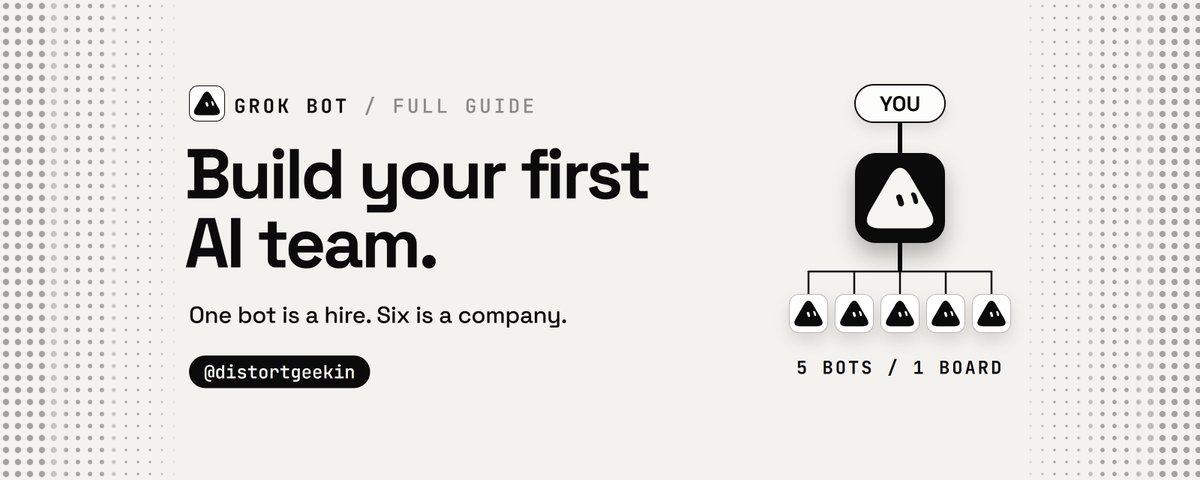
Claude Opus just found someone else with access to my robot vacuum’s CAMERA.
All I wanted was to connect Claude Code to my vacuum and see what I could control.
Instead, Claude flagged an active remote session with access to the camera and remote controls.
Inside my own house.
I thought it was a bug. Changed the password, rebooted everything, connected again.
The session was still there.
Then the vacuum started talking. Not in its usual robot voice.
You can run the same check on your own smart devices with Claude Code:
step 1 → join the same Wi-Fi as your vacuum, open Claude Code and paste the prompt from my first reply
step 2 → let Claude identify the device and check its connections, permissions and remote-access settings
step 3 → look for shared users or sessions you don’t recognize. If you find one, revoke it and contact the manufacturer
You probably have 5+ smart devices at home. Run the same check on every one of them.
Save this. You might want it at 2am when your vacuum starts talking back.
What smart device should I investigate next?


full prompt:
"This is my own robot vacuum connected to my home network. I want to know if someone else could be watching or listening through it.
I've attached a photo of the robot or its Settings → About screen.
Use Claude Code to investigate what this device can access, transmit, and expose. Help me find evidence of unauthorized access, not just theoretical risks.
The check:
step 1 → Identify the exact manufacturer, model, firmware and operating system. Find out whether it has a camera, microphone, speaker or remote-viewing feature.
step 2 → Research its documented security vulnerabilities, previous hacking incidents and manufacturer advisories. Use credible sources and provide links.
step 3 → Check what data it can send over the internet: live video, audio, room maps, photos, device telemetry and cloud recordings. Explain which features are actually supported.
step 4 → Walk me through checking the manufacturer's app for unknown accounts, shared users, active sessions, unfamiliar devices, remote-viewing history and security alerts. Tell me if the app doesn't expose this information.
step 5 → If I'm running Claude Code locally, help identify the robot on my Wi-Fi and inspect available network information. Ask permission before testing anything. Only investigate devices I own.
step 6 → Look for evidence of suspicious access: unexpected logins, unfamiliar sharing permissions, unexplained camera activity, unusual remote commands or security warnings. Don't treat ordinary cloud connections as proof of spying.
step 7 → If something suspicious appears, explain what it means, how confident you are and how to secure the device. Guide me through revoking unknown access, changing passwords, enabling 2FA, updating firmware and disabling remote viewing where supported.
Final report:
→ Does this robot have eyes or ears?
→ Can someone access them remotely?
→ Are there known security vulnerabilities?
→ Is there actual evidence of unauthorized access?
→ What should I change immediately?
Don't root the robot, exploit vulnerabilities, bypass authentication or access anyone else's devices.
Never claim someone is watching me without evidence. If the manufacturer doesn't expose access logs, say that the check is inconclusive.
Give me exact instructions for my model, not generic advice.
Start by identifying my robot vacuum from the photo. When possible, perform the checks yourself instead of just explaining them.
I want to know who, if anyone, can see through the thing cleaning my floors."
I gave Claude Opus 5.5 control of my 12 year old Samsung TV.
this thing doesn't even run Android.
Your old TV might not need replacing. It might just need Claude Code.
Now I can literally tell Claude what to do instead of touching the remote.
here's what actually worked:
→ found the TV on my local network
→ figured out its encrypted remote protocol
→ paired using the PIN on the TV
→ sent real remote commands
→ doing ANYTHING just by asking Claude
No firmware hacks, just Claude Code talking to a TV from 2014.
and yes, that's the actual TV in the video.
And the best part? You can try this on your own Smart TV.
full Claude Code prompt in the first reply ↓
FULL PROMPT — Turn Your Smart TV Into a Claude-Controlled TV
"This is my own Smart TV connected to the same home network as my computer. I want Claude Code to discover it, connect to it, and let me control it using natural-language commands.
I've attached a photo of my TV's model label or Settings → About screen. If the model isn't clear, ask me for it.
GOAL:
Turn Claude Code into a working AI remote control for my TV.
Done means: Claude can execute supported commands on my real television, such as changing volume, navigating menus, switching inputs, opening apps, and playing a video when supported.
I should be able to say 'Claude, turn up the volume' or 'Open YouTube' without manually typing terminal commands.
STEP 1 — IDENTIFY
Identify the TV's manufacturer, exact model, year, operating system, and supported control methods.
Determine whether it uses Android TV, Google TV, Samsung Tizen, older Samsung Smart TV, LG webOS, Roku, Fire TV, or another platform.
Never assume every TV runs Android or supports ADB.
STEP 2 — DISCOVER
Confirm this computer can access my home network.
Discover the TV using appropriate local discovery methods, such as SSDP, mDNS, or documented device APIs.
Find its local IP address and available control services.
If discovery fails, show me exactly where to find the TV's IP address.
Explain any compatibility limitations before continuing.
STEP 3 — CONNECT
Choose the correct method for my TV:
Android TV / Google TV / Fire TV: investigate supported ADB or official remote-control interfaces.
Samsung Tizen: investigate supported local remote-control APIs and pairing.
Samsung 2014 / older Smart TV: investigate compatible legacy Samsung remote-control protocols, including encrypted PIN pairing where applicable.
LG webOS: investigate supported WebSocket remote-control pairing.
Other TVs: identify an appropriate documented local control interface.
Use established open-source libraries or official tools where appropriate. Install required software from trustworthy sources after my approval. If no compatible controller exists, build a minimal local controller using the documented protocol.
Never use an incompatible protocol just because it's easier.
Guide me through any required on-screen permissions, PIN codes, or developer settings.
STEP 4 — TEST
Once connected, test these actions one at a time:
Increase volume by one step.
Decrease volume by one step.
Open the home screen or main menu.
Navigate using remote-control commands.
Open YouTube or another available app, if supported.
Attempt to play a video I choose, if the TV supports this.
Ask me to confirm what happened on the screen whenever the TV cannot provide reliable feedback.
Don't claim success until a command actually works.
STEP 5 — NATURAL-LANGUAGE CONTROL
Create a reusable local controller and teach Claude Code how to operate it.
I want to type or dictate requests such as:
'Turn the volume up by 5.'
'Open YouTube.'
'Switch to HDMI 1.'
'Play the Interstellar trailer.'
'Pause the video.'
'Go back to the home screen.'
Translate each request into supported TV commands and execute them automatically.
Don't make me manually type terminal commands once the controller is configured.
STEP 6 — DEMO
Help me demonstrate the result on camera.
Show a natural-language request in Claude Code, the actual command execution, and the physical TV responding.
Keep the demonstration real, visible, and reproducible.
RULES:
Never root, flash, or factory-reset the TV.
Never enter hidden service menus.
Never uninstall or disable system apps.
Ask permission before installing software or changing settings.
Never expose TV controls to the public internet.
Never enter passwords or approve pairing for me.
Keep everything on my local network.
Explain how to disconnect or undo configuration changes.
If a feature is unsupported, say so and offer the closest working alternative.
IMPORTANT:
Don't stop after writing a plan or generating code.
If you're running locally on my computer, proceed with discovery, configuration, pairing, and real-world testing, requesting my input only when necessary.
If you're running in a cloud environment without access to my home network, explain that limitation and prepare a way to run the controller locally.
Start by identifying my TV from the attached photo and checking which control method it supports."
the Grok Bot team just made their own ready-to-use agents public
10 bots that can handle coding, marketing, sales, research and even build MORE bots for you.
this is a f*cking goldmine.
you can import a bot built for a specific job, connect your tools, and make it work for you without writing the whole thing from scratch.
10 i'd grab first:
bot 1 → dr eggbot builds custom Grok Bots for any job you describe.
bot 2 → Lingxi's Engineer Bot supervises coding agents and reviews their PRs.
bot 3 → Stalk Bot tracks competitors' products, pricing and every move they make.
bot 4 → Haggle Bot finds wasted SaaS spend and drafts negotiations to cut your bills.
bot 5 → Proto Bot turns feature ideas into working prototypes inside your app.
bot 6 → Video Editor turns raw footage into edited, captioned videos.
bot 7 → figma bro converts Figma designs into developer-ready specs.
bot 8 → Distro Bot builds marketing campaigns and prepares everything for your approval.
bot 9 → Startup QA Bot tests your product and catches bugs before your users do.
bot 10 → Signal Prospector finds potential buyers and drafts personalized outreach.
save this before you spend another 3 hours writing a giant system prompt for a bot that already exists.


REA + Opus 5.5 is f*cking insane.
someone put Spider-Man inside Batman: Arkham Knight.
the developer released the reverse-engineering work behind it, and now REA gives Claude the tools to investigate game mechanics like these.
here’s what the clip doesn’t show:
→ Spider-Man is actually swinging 2 KILOMETERS above New York
→ both games run at once while Gotham gets scanned in 50-meter chunks and rebuilt inside Spider-Man’s physics world
→ his rendered frame gets cut out and pasted back into Gotham
→ in combat, an INVISIBLE BATMAN does the fighting while Spider-Man copies his moves frame by frame
the creator even reconstructed Spider-Man’s skeleton from recordings of him moving. and if Spidey gets stuck inside a building, you can literally ask Claude to teleport him 200 meters into the air.
the entire project is open source, including the RE scripts, technical findings and Claude setup guide.
ArkWeb: github.com/luki-1/ArkWeb
REA: github.com/morluto/rea
to investigate mechanics in your own games:
→ connect REA to Claude Code with npx rea-agents setup
→ pick one feature in a single-player game you’re allowed to inspect
→ ask Claude to trace it and show the evidence for every finding
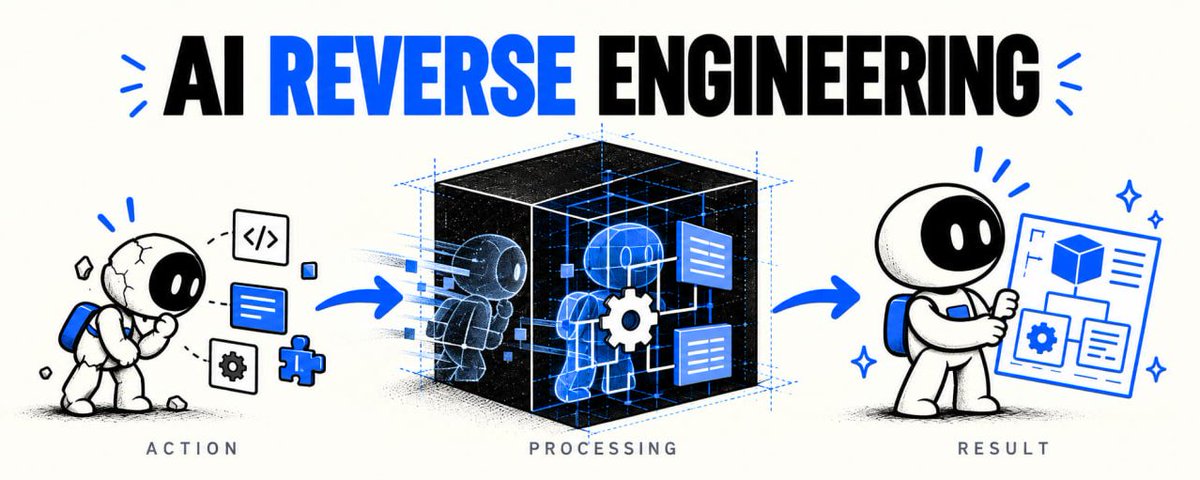
save this before your first game binary. full AI reverse engineering breakdown in the article below ↓
REA + Opus 5.5 is the most dangerous combo for paid software right now.
you're using 6 different apps, but probably only care about a handful of features.
Notion. Figma. TradingView. Discord. Linear. Spotify.
there's a FREE open-source MCP with 269K GitHub stars that lets Claude investigate how software actually works, down to the binary.
instead of asking AI to guess from screenshots, you can make it investigate the real behavior.
here are 6 features worth rebuilding in your own projects:
1 → Notion's slash menu
type "/" → search blocks → select an action → insert it into the editor.
2 → Linear's command palette
Cmd+K → fuzzy search → keyboard navigation → execute commands.
3 → TradingView's drawing tools
place a trendline → drag its anchors → snap to prices → undo changes.
4 → Discord's typing indicator
start typing → send a status event → reset the timer → disappear after inactivity.
5 → Figma's smart snapping
drag an object → detect nearby edges → show alignment guides → snap into place.
6 → Spotify's playback controls
drag the timeline → seek audio → synchronize the position → update the UI.
here's how to try it with REA + Claude Code:
step 1 → install REA
run:
npx rea-agents setup
select Claude Code, approve the setup, restart.
step 2 → pick ONE feature
start with software you're allowed to inspect. don't try to rebuild the whole app.
step 3 → paste this into Opus 5.5:
"Use REA to investigate [APP + FEATURE].
Trace the user interaction to the underlying behavior using the available analysis tools.
Show the evidence: relevant functions, modules, calls, events and state changes. Separate confirmed findings from assumptions.
Turn the findings into SPEC.md with inputs, outputs, edge cases and expected behavior.
Then implement an original version in [YOUR STACK].
Test both versions with the same inputs, log every mismatch, and keep fixing until the required behavior passes."
step 4 → make it prove the result
don't accept a screenshot that merely looks similar.
click the buttons. change the inputs. test the edge cases.
you want the behavior, not just the appearance.
that's the difference between another pretty AI clone and something you can actually use.
REA: github.com/morluto/rea
save this for your next project.
the full breakdown of AI reverse engineering is in article below ↓


REA + Claude Opus 5.5 is f*cking insane for rebuilding software.
This developer, Brandon Thomas, used Claude to recreate Photoshop, Premiere and Illustrator. then he went after Microsoft Office.
13 open-source apps. 13K GitHub stars on his Word clone. even the Excel alternative already supports 513 of 523 worksheet functions.
and now there’s a free tool with 260K+ GitHub stars that lets AI agents investigate how software actually works.
it’s called REA (Reverse Engineer Anything).
Brandon used a clean-room approach, not REA. but here’s how you can combine REA + Opus 5.5 to rebuild your own version of a software feature.
step 1 → install REA
open your terminal and run:
npx rea-agents setup
select Claude Code, approve the setup and restart. REA’s MCP tools are now available to your agent.
step 2 → pick something to rebuild
don’t start with an entire Photoshop clone.
pick ONE feature from software you’re allowed to inspect:
layers and image editing
timeline scrubbing
document search
file import/export
step 3 → let REA investigate it
open Claude Code and paste:
“Use REA to investigate [feature] in [app]. Trace the relevant functions, modules, inputs and outputs. Show the actual evidence for each finding. Flag anything you can’t verify.”
REA can inspect native binaries, Electron apps, .NET assemblies and websites.
step 4 → make Opus write the blueprint
paste:
“Turn the REA findings into SPEC.md. Include the feature’s behavior, dependencies, edge cases and implementation plan. Separate observed facts from assumptions.”
now you have an evidence-backed blueprint instead of asking AI to guess.
step 5 → rebuild it
tell Opus:
“Implement this feature from SPEC.md in [framework]. Write original code, add a test for each behavior, and make the result runnable.”
start with one working interaction. expand after it works.
step 6 → compare and fix
run the same inputs through the original and your version.
if the output differs, fix it. if an interaction breaks, add a regression test.
repeat until the feature behaves the way you need.
REA investigates → Opus rebuilds → tests verify.
all 13 ArtCraft apps:
getartcraft.com/apps
REA GitHub:
github.com/morluto/rea
save this before your next build.
broke down AI reverse engineering, its tools and limitations in the article below ↓
this should NOT be possible. Claude rebuilt a 16,905-line program without access to a single line of its code.
no human help. the best copy failed exactly 1 test out of 2,001.
it only watched what went in and what came out. Epoch AI estimates the same job would take a human engineer 2 to 17 weeks.
and the biggest tasks go further. on one of them, a single run worked 19 days straight with no human touching it and cost $2,600.
one dev already used Claude Code to decode how a Fire TV and a Kodak Bluetooth device talk, only by recording their traffic.
but AI also makes things up, and it does it convincingly. in a separate study, AI tools that turn programs back into code wrote cleaner-looking code than the standard tools and were 52.2% less correct.
I put the whole method on one page. Steal it.
the fastest way to start:
→ pick one thing the software does: one button, one command, one request
→ record 3 real examples of it happening
→ make the AI write down how it works, with proof for every claim
→ run one test that could prove it wrong
if the AI can’t point to proof, the claim stays OPEN.
let the AI propose. let the evidence decide.
only on software you own or are authorized to inspect.
the page has the copy-paste prompt for Claude Code, the tools for every kind of target and the 7 checks to run before you trust the result. full guide in the article below ↓
