

Mobile Time Tracking app, which allows you to record your working hours with a simple push of a button. #timetracker #simple #businesstool
Vienna
Joined July 2014
- Tweets182
- Following10
- Followers186
- Likes9





9:00 to 17:00 with a one-hour lunch. Did you work 8 hours or 7?
Both. Total duration is the full span, breaks included, for time on site. Relative duration subtracts the breaks, for billing actual work. Timesheet shows both.
Our blog has a guide to tracking breaks.

Start with one or two projects, not twelve.
New users who create a dozen on day one usually delete most of them by week two. Start coarse, and get more specific when your data tells you to.
Our blog has a guide to starting the timer in under 60 seconds.

Time clock, time card, timesheet: three different things.
The time clock records "I started at 9:00." The time card sums up one person's pay period. The timesheet is the wider record across people, projects and clients.
Our blog explains what a timesheet is.

Time tracking, inside your AI assistant.
With the Timesheet MCP server, Claude and other assistants can start a timer, log yesterday's work, sum up your week or export a PDF, right from the chat.
Tap your phone on a small sticker at the door, and the timer starts. Tap it again when you leave, and it stops.
Our blog has a short guide to clocking in and out with NFC tags.

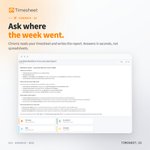
Where did the week go? Just ask.
Chronis, the AI assistant in Timesheet, reads your time entries and answers in plain language. It can also write the weekly report for you.

The meeting was already tracked.
Connect Google Calendar and sync events and time entries in one or both directions. Every sync run is logged, so you can see what changed.

Arrive on site. The timer starts itself.
With a geofence, an NFC tag or your office Wi-Fi, the Timesheet mobile app starts and stops tracking for you.

Try the Timesheet timer right here on X.
Tap the card below, pick a project and press Start. Pause, resume and stop it just like in the app, with nothing to install.
Timesheet is free on iPhone and Android.
timesheet.io/en/embed/timer/…

See who is working, right now.
The live team view shows running timers, the current project and the location of your whole team on one map.

Just listed Timesheet - Time Tracker on Altern — check it out: altern.ai/ai/timesheet-time-…
Working-time law, checked while the clock runs.
Daily limits, rest periods and break rules are checked as your team tracks time, not at the end of the month. The rules can be adjusted to your country's law.

Request. Approve. Calendar.
Employees request time off, managers approve it, and the team calendar updates. Every step is time-stamped.
Part of the Business plan.

How much overtime does each person have right now?
Timesheet compares target and actual hours per contract, and updates overtime and leave balances the moment a timer stops.
Part of the Business plan.

Owner. Manager. Member.
Invite your team to Timesheet and decide what each person can see. Managers review hours, members track their own, and salaries stay private.

Your client wants the hours in Excel. Your accountant wants CSV.
Pick the columns once and save them as a template. Every export after that is a date range and one click, downloaded or sent straight to an email inbox.

Parking, train tickets, materials. Small expenses add up, and they are easy to forget when the invoice goes out.
In Timesheet you add each expense and a photo of the receipt to the time entry it belongs to.

From tracked hours to a sent invoice.
Timesheet creates invoices, timesheets and work records from the time you already logged. No copying hours into a separate tool.

Not every hour is billed at the same rate.
This tutorial shows how to sort your work with tags and charge a different rate for special work, like rush jobs or weekend calls.
Watch it on our YouTube channel, @timesheetIO.

