

making oddly specific things with ai. sometimes useful. @MosiAI_Official @Open_MOSS 🦋 ex @novita_labs
Joined February 2025
- Tweets790
- Following173
- Followers779
- Likes1K




Ting Chen Liang retweeted

Introducing MOSS Image MAX ULTRA HD, the latest post trained image model by the ComfyUI research team.
MOSS Image MAX MEGA ULTRA HD scores an impressive 1238 on our first party 4k anime characters with massive animal ears benchmark evaluations.
We believe so much in open models that we decided to open it before it's ready.
Kidding aside this is a test lora for MOSS Image that you can use to generate better high resolution (up to 10MP) images with MOSS Image with a bias towards anime but there was a lot of photographs in the training set.
Link to the lora here: huggingface.co/comfyanonymou…
Give it a try and let me know if we should do more of these.

Ting Chen Liang retweeted

MOSS Image派生チェックポイントまとめ!
・Kromoss:Baseのぼやけ改善
・MOSS Serenity:実在人物の再現強化
・MOSS-Imagine:Grok Imagine風の映画的表現
・MOSS Pastel Bloom:淡い色彩と柔らか輪郭
・AniMOSSity:アニメ×実写、鮮やかな色
・MOSS Image Style FT:自然なスナップ写真
URLはリプ
🤖 Made with AI

Ting Chen Liang retweeted

MOSS Image dropped less than a week ago and it’s already at 1.29M downloads on Hugging Face.
If you have consumer hardware, this open source image model is for you + FREE workflow below
→ 5B params
→ int8 weights are only 5.4GB
→ Apache 2.0 license
→ seamless install via Comfy Desktop
The quality punches way above it's weight. Great work by @Open_MOSS.
What the ComfyUI community shipped in 5 days:
→ color + depth control adapter (darask0)
→ hires LoRA, native 4096×2304 gens (thee comfyanonymous)
→ LoRA training support all the major tools
→ Kromoss finetune, with a 8step DMD2 turbo LoRA (lodestones)
→ DSLR realism LoRA (Danrisi)
I built a workflow for the color-depth control adapter running in ComfyUI. Prompt adherence and detail is spot on (check the lens flare).
Ting Chen Liang retweeted

MOSS IMAGE JUST UNLOCKED NSFW GENERATION
this community LoRA fine-tunes MOSS-Image for adult image generation
• built for 18+ image generation
• works with MOSS-Image Base and SFT
• open source under Apache 2.0
download it here 👇
huggingface.co/axiomofmind/M…

MOSS image FAST AS HELL TURBO by @_akhaliq
50 steps → 4 steps ⚡
turbo feels like a sweet spot for generating lots of images fast
regular text posters still look pretty good too. tiny lettering gets a bit blurry, so i'd stick with the original SFT for text-heavy designs!
Base 50 steps 🆚 SFT 50 steps 🆚 4-step version side by side comparison👇


Ting Chen Liang retweeted

MOSS Image
バウンディングボックスの指定を試してみました。
nodes2.0にしないと使えません。
文字の表現は正確に出ますね。
#MOSSImage #ComfyUI


Ting Chen Liang retweeted

画像生成モデルMOSS-Image-SFTで生じる縦縞ノイズを除去する修正LoRA「MOSS-Image SFT DeBand」が公開。
空や背景など滑らかな領域に出る等間隔の縦の縞模様を、元の画風を保ちつつ軽減。
一部の層をベースモデルの重みに戻す仕組みで、高速化LoRAと併用するComfyUI用プリセットも同梱。
#MOSSImage #ComfyUI
URLはリプ⬇️

Ting Chen Liang retweeted

ComfyUI now supports color‑depth control for MOSS‑image. Sweet.
github.com/Comfy-Org/ComfyUI…


MOSS IMAGE FREE API IS LIVE 🔥

MOSS-Image API is live FOR FREE
⚡ API: platform.mosi.cn/?utm_source…
Join our Discord to share your creations, exchange ideas, and technical support: discord.com/invite/Wjku5AYyx…


Ting Chen Liang retweeted
MOSS-Image is now supported in ComfyUI
@OpenMOSS dropped an open-weight image model that has blown up across the community. It’s a 5B model that renders legible text, accepts structure layout prompts and has a high bar for aesthetics.
The community has already been cooking up finetunes and LoRAs while the Comfy team has been working to support the model to run seamlessly on any consumer hardware.
This model is a must try - check it out.
so much love from the community for MOSS-Image
API is dropping in 24hrs!
join our discord if you want early access 👇

MOSS-Image API is coming soon in 24hrs
Join MOSS discord for FREE early access 👉 discord.gg/Wjku5AYyxx


Ting Chen Liang retweeted
Moss Img 🙂 canon LoRA
Canon shot styled image gen
huggingface.co/Danrisi/canon…


Ting Chen Liang retweeted
Moss-Image is pretty good at complex prompts
(Prompt below)


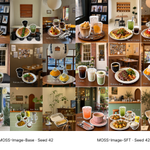
MOSS Image Base vs SFT - seed 42 - 50 steps
hometown theme 🧋😋
I prefer SFT with left side element and layout, but the human I prefer Base - looks sooo natural, looks really alike to my high school classmates
in general, i think Base has the best natural girls than any other image gen models, variety of faces, and natural skin tone - even closed models like seedream, gpt etc has a very obvious AI girl look & skin texture
if you also like natural human gen, try MOSS Image Base
as usual, prompts below 👇

MOSS Image Base vs SFT - seed 42 - 50 steps
hometown theme 🧋😋
I prefer SFT with left side element and layout, but the human I prefer Base - looks sooo natural, looks really alike to my high school classmates
in general, i think Base has the best natural girls than any other image gen models, variety of faces, and natural skin tone - even closed models like seedream, gpt etc has a very obvious AI girl look & skin texture
if you also like natural human gen, try MOSS Image Base
as usual, prompts below 👇
{
"subject": {
"identity": "成年台湾女性",
"position": "画面右侧,站在台北街头饮料自动贩卖机前",
"pose": "单腿站立,另一条腿向外侧抬起并弯曲,脚踝靠近支撑腿膝部;身体略微倾斜,双臂自然向两侧下垂",
"gaze": "侧头看向画面右方",
"expression": "自然、随意,略带出神",
"hair": "黑色高马尾,轻薄碎刘海,脸侧留有细发丝"
},
"clothing": {
"top": {
"type": "宽松奶油白色半拉链连帽卫衣",
"fit": "落肩、长袖,衣摆覆盖臀部",
"details": [
"胸前蓝色英文印字",
"前方大口袋",
"袖口有小型蓝色圆形图案"
],
"visible_text": "wish for you",
"text_layout": "蓝色字母分行排列,部分受衣服褶皱遮挡"
},
"bottom": "灰色百褶超短裙,裙边从宽大卫衣下露出",
"legwear": "奶油白色针织长腿套,从膝下延伸到脚背,带堆叠褶皱与细绑带",
"shoes": "黑色漆皮搭扣鞋,银色金属扣件,搭配白色袜子",
"accessories": [
"米白色细肩带包",
"细银色项链"
]
},
"environment": {
"setting": "晴天的台北中山街区住宅小巷,真实日常街景",
"vending_machine": {
"position": "人物身后,画面右侧,局部被右边缘裁切",
"appearance": "白色台湾饮料自动贩卖机,透明展示窗,多排瓶罐饮料",
"products": [
"绿色包装的台湾瓶装绿茶",
"蓝白包装的运动饮料",
"红色包装的台湾罐装红茶",
"米黄色包装的豆奶",
"透明瓶装矿泉水"
],
"details": [
"饮料标签使用繁体中文",
"价格标示 NT$25、NT$30、NT$35",
"展示窗下方有选择按钮",
"机身下部有取货口",
"小型付款说明贴纸"
]
},
"background": [
"狭窄的深灰色柏油巷道",
"米白色与浅灰色小方砖外墙",
"老公寓阳台、铁窗与外挂机",
"局部骑楼柱与绿色遮雨棚",
"墙边停放少量机车,不遮挡人物",
"繁体中文竖向店招",
"远处楼宇之间露出小小的台北101轮廓",
"局部浅蓝天空与架空电线"
],
"ground": "灰色水泥路缘、磨损的人行道、矩形检修盖,巷口露出一小段红色路缘线",
"localization": "街景呈现台湾城市生活细节,环境文字采用繁体中文"
},
"layout": {
"structure": "左侧白底台北旅行剪贴簿拼贴,右侧连续完整的街头穿搭照片",
"division": "左侧约占画面四成多,右侧略宽,分界线垂直清晰",
"photo_placement": "街拍照片从顶部延伸到底部,人物全身可见",
"collage_background": "纯白色",
"edge_treatment": "平面硬边裁切,无相框、无投影",
"interaction": "左侧照片字母与贴纸局部重叠,少量元素靠近左右分界线"
},
"typography": {
"main_text": "TAIPEI",
"font": "超大号、超粗字重的无衬线英文字母,笔画宽厚,字腔清楚",
"construction": "六个独立的照片字母剪贴块,每个字母单独旋转和移动,组成从左上向右下摆动的锯齿式纵向路径",
"reading_order": "从上到下依次为 T、A、I、P、E、I",
"overall_gesture": "像随手剪下并歪斜贴上的巨型字母,重心左右交替,形成强烈的倾斜节奏",
"letter_transforms": [
{
"letter": "T",
"position": "左侧拼贴区顶部,略偏左",
"rotation": "顺时针旋转15度",
"scale": "很大,顶部局部超出画面"
},
{
"letter": "A",
"position": "T下方,向右错开",
"rotation": "逆时针旋转12度",
"scale": "很大,与T的局部轮廓接近或轻微重叠"
},
{
"letter": "I",
"position": "A下方,向左明显错开",
"rotation": "顺时针旋转19度",
"scale": "使用带上下横杠的大写I,保持辨识度"
},
{
"letter": "P",
"position": "拼贴区中下部,向右错开",
"rotation": "逆时针旋转16度",
"scale": "宽大,字腔完整可见"
},
{
"letter": "E",
"position": "P下方,向左错开",
"rotation": "顺时针旋转13度",
"scale": "宽大,横向笔画清楚"
},
{
"letter": "I",
"position": "拼贴区底部,向右错开",
"rotation": "逆时针旋转18度",
"scale": "使用带上下横杠的大写I,底部可轻微超出画面"
}
],
"spacing": "字距不均匀,部分字母轻微叠压,白色负空间呈不规则楔形",
"fill": {
"method": "用不同台北街景照片填充字母笔画,形成清晰的照片蒙版",
"images": [
"台北捷运列车与高架轨道",
"老公寓立面与铁窗",
"骑楼、繁体中文店招与街边机车",
"斑马线与路口标线",
"林荫街道与城市建筑",
"远景台北101"
],
"treatment": "街景照片保持自然方向,字母外轮廓独立歪斜,字母以外完全留白"
},
"constraints": [
"不要把TAIPEI作为一段整齐的竖排文字",
"不要让六个字母共用一条笔直中轴线",
"不要仅将整组文字统一旋转",
"每个字母必须具有独立且明显的倾斜角度",
"保持TAIPEI拼写准确,不重复、不遗漏字母"
]
},
"collage_elements": {
"mascot": {
"appearance": "一只可爱的台湾黑熊立体玩偶,圆耳朵、黑色身体,胸前有明显白色V形斑纹,脸颊带淡粉色",
"pose": "双臂张开,表情开心",
"placement": "左上方,叠在T与A的边缘",
"style": "复古低精度三维游戏角色贴纸",
"edge": "沿角色轮廓直接抠图,无方形背景"
},
"flower": {
"appearance": "一小枝白色油桐花,五片白色花瓣、淡黄色花心,搭配少量绿叶与细枝",
"placement": "左侧上半部靠右,沿倾斜字母边缘向下延伸",
"style": "真实植物照片抠图"
},
"receipt": {
"appearance": "台湾便利商店的细长白色热敏纸电子发票证明联",
"header": "全家便利商店",
"visible_text": [
"電子發票證明聯",
"臺北市中山區",
"合計 NT$85"
],
"details": [
"顶部有发票号码与日期小字",
"下方排列商品明细与金额",
"底部有两个并排的黑白二维码和条码",
"全部采用繁体中文"
],
"placement": "左侧中部偏右,覆盖部分照片字母",
"rotation": "顺时针旋转约15度",
"texture": "略有折痕的热敏纸,边缘轻微不规则"
},
"dessert": {
"appearance": "一碗台湾芒果雪花冰,浅色碗中堆起细薄奶白冰片,铺满鲜黄色芒果块,顶部放一球芒果冰淇淋并淋少量炼乳",
"secondary_item": "旁边放一小碟切开的金黄色凤梨酥",
"placement": "左下方,局部超出左边缘,轻微遮住E的笔画",
"style": "真实食物摄影抠图,保留冰片、果肉和酥皮质感"
},
"drink": {
"appearance": "一杯台湾珍珠奶茶,透明外带杯,浅奶茶色饮品,底部清晰可见黑色珍珠,封膜杯口插入粗吸管",
"label": "小型白色标签,印繁体中文「珍珠奶茶」",
"placement": "左侧底部靠近左右分界处,略微倾斜,杯底局部超出画面",
"style": "真实饮品照片抠图,保留杯壁冷凝水"
}
},
"composition": {
"camera_angle": "接近人物胸口高度的平视街拍",
"framing": "人物全身入镜,偏右站立,保留售货机与巷道纵深",
"left_side_rhythm": "巨型歪斜字母左右交错,大小贴纸穿插其间,形成不规则但可读的旅行拼贴",
"right_side_rhythm": "人物照片连续完整,不切碎,不覆盖大型文字",
"visual_hierarchy": [
"右侧人物与抬腿姿态",
"左侧独立旋转的TAIPEI照片字母",
"台湾便利商店发票",
"台湾黑熊、芒果冰与珍珠奶茶",
"台北巷弄与饮料贩卖机"
]
},
"lighting": {
"type": "自然日光",
"quality": "明亮但不过曝,巷道有柔和阴影",
"skin": "自然肤色,保留真实纹理",
"materials": "贩卖机玻璃有轻微反光,漆皮鞋和饮料杯保留自然高光",
"finish": "日常数码相机街拍质感"
},
"color": {
"base": [
"纯白",
"奶油白",
"水泥灰",
"黑色"
],
"accents": [
"卫衣印字的蓝色",
"贩卖机饮料的绿色与红色",
"芒果黄",
"奶茶棕",
"街边植物绿"
],
"grading": "轻微低饱和、自然柔和,食物贴纸保留鲜明但真实的色彩"
},
"style": {
"medium": "真实台北街头摄影、照片字母蒙版与本地旅行物件抠图结合的数字拼贴",
"aesthetic": [
"台北旅行剪贴簿",
"台湾街头穿搭",
"复古数码快照",
"轻量Y2K",
"个人旅行视觉日记"
],
"texture": "轻微像素感、颗粒与压缩质感,抠图边缘清楚,排版带手工随意感",
"presentation": "直接输出平面拼贴成品"
},
"negative": [
"TOKYO字样",
"日本街景",
"日文包装",
"LAWSON小票",
"日元价格",
"日本铁路标志",
"樱花枝",
"整齐竖排的TAIPEI",
"六个字母垂直对齐",
"所有字母采用相同倾斜角度",
"普通纯色文字代替照片字母",
"错误拼写或遗漏字母",
"贴纸遮挡导致字母无法辨认",
"海报样机",
"实体相框",
"厚重投影",
"整张画面插画化",
"全场景三维渲染",
"霓虹赛博朋克",
"过度磨皮",
"额外人物",
"额外大标题",
"水印",
"界面按钮"
]
}