

Tom's Planner: Gantt charts made easy and effortless. If you need support, please email us at [email protected].
Willemstad, Curaçao
Joined May 2009
- Tweets886
- Following425
- Followers707
- Likes43



Tom's Planner is moving away from Twitter. If you would still like to get updates, please join us on BlueSky at bsky.app/profile/tomsplanner…
For the last three months, we have worked on a dedicated section on our website that houses Gantt chart templates for projects across six different industries. tomsplanner.com/blog/gantt-c…
Our founder, Tom Ummels, recently joined Cesar Abeid on the 'PM for the Masses' podcast to delve into the intersection of AI and project management, highlighting the AI-assist feature in Tom's Planner. You can find the episode over here: pmforthemasses.com/144
Tom retweeted

@tomsplanner: I don't even remember how I found it.
Probably searching for Gantt charts?
Talking about apps that are easy to use, this is one.
Super easy, no learning curve whatsoever.
@keeproductive Is this something for you? ChatGPT breaks down a short description of a project or goal into a complete project plan. And it is surprisingly good at it. tomsplanner.com/ai-assist

AI-powered Gantt charts. Welcome to the future of project planning. Simply enter the description of a project, click the button and our AI Assist will create a detailed project plan for you, in under a minute, ready to use. tomsplanner.com/blog/ai-assi…
New: add comments to the text fields on the left side of your chart.
tomsplanner.com/blog/add-com…

New Feature: as of today, filters are included in the URL and bookmarks of your chart.
tomsplanner.com/blog/bookmar…
Tom retweeted

I can't tell you how happy @tomsplanner makes me. A most perfect Gantt chart planning app. <3
Okay, so this was a big project for us since it required some fundamental changes in the code of Tom's Planner, but we have something cool and new for you.
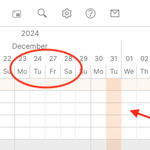
As of today, you can hide or highlight specific dates in your chart. More info on our blog:
tomsplanner.com/blog/new-sty…

As of today you can change the styling of the textfields in the left part of the chart.
You can make the texts bold or italic. You can strikethrough texts and you can change the color of either the text itself or the background of the text.

We had an issue with the DNS settings of the tomsplanner.com domain earlier today. It seems the fix needs some time to propagate to the whole of the internet. If you still experience problems you can use this URL as a quick fix: plan.tomsplanner.es/?tplang=…
We added a little button at the top of the columns area on the right side. With this button, you can show or hide the three columns with the start dates, end dates, and duration in your chart with one simple mouse click. Enjoy. tomsplanner.com/blog/show-hi…

We made it a little easier to scroll through charts, especially the big ones. Just click on the new 'Navigator' button in the top toolbar, and you will get a mini version of your chart in the right bottom corner of the tool, which will allow you to scroll your chart easily.
We got another one. A little improvement that makes Tom's Planner just a little easier to use.
Previously, to add texts to your time blocks you had to use the right-click menu. Now you can simply write the text directly in the time block itself. Easy as pie. Enjoy!
To everyone in the medical field or working in any other way in the fight against Covid19, we would like to offer you our software and services for free. No payments required, no strings attached, for as long as it takes for you to get your job done. tomsplanner.com/blog/for-eve…
To be ready for the next 10 years, we’ve given the tool a new look & feel. It was time to bring the tool into 2019 and beyond. We’ve kept everything people love about the tool the same, just made it crisp and clean. Let us know what you think.


Going life next Tuesday, but here is a sneak peek! Rumors have been floating around for months...yes it's true: Tom's Planner is getting a new look & feel!
vimeo.com/354163850/c37b5d4e…
Yesterday Adrian Neumeyer from tacticalprojectmanager.com did a great write up on Tom's Planner and gives his take on the tool. It's safe to say he likes Tom's Planner a lot so there is not much we can add :-) tacticalprojectmanager.com/t…
We have a new feature for you. Custom colors. As of yesterday, you can choose any color you like for the time blocks in the grid and the headers of the groups. tomsplanner.com/blog/custom-…