

Love building things. On a mission to Make Fun Great Again, https://teapawt.net/t.co/gC7tLLoPtv
Ethiopia
Joined September 2023
- Tweets1.3K
- Following215
- Followers165
- Likes2K




Added search and a CLI for coding agents to V-NOC.
V-NOC indexes the codebase and tracks folders, files, functions, and classes using persistent IDs. Markdown files attached to these nodes stay linked even when the code is renamed or moved.
With the CLI, agents can search the codebase, explore call trees, and easily read, add, or update documentation, plans, and any other Markdown notes attached to a node. They can also retrieve documentation with line numbers, making it easier to read and update specific sections.
Everything is stored locally, tracked with Git, and accessible through both the UI and CLI.
Open source: github.com/yaredtsy/vnoc
Yared Ts retweeted
V-NOC v0.3 is out! Added search and a CLI for coding agents.
github.com/yaredtsy/vnoc
Software is made of smaller systems, but our tools mostly show us files. The code for one system can be scattered across many files, while its logs, docs, and production data live somewhere else.
I'm building V-NOC, an open-source VS Code and Cursor extension, to explore a different approach.
You can zoom into one subsystem, see the functions that make it work and how they connect, while hiding everything unrelated.
Kind of like hardware. You isolate one module, work on it, test it, and put it back into the larger system.
The goal is to organize docs, logs, traces, and agent tasks around those same functions, so developers and agents can focus on one problem at a time.
With the new CLI, coding agents can explore code, follow call trees, and read, write, and update documentation attached to functions and classes.
The docs are stored as Markdown and tracked with Git.
Currently supports Python. JavaScript, Bend, and Rust support are planned for the next release.
I’ve released V-NOC, an open-source extension for VS Code and Cursor.
It lets you focus on one function, explore its call tree, and follow the relevant code without jumping between files. I built the Python analyzer on ty, with my own layer for context-sensitive call trees.
You can also attach Markdown docs to functions, classes, files, and folders. They stay linked to the code and live in your repo, tracked through Git.
Next is a CLI so agents can organize docs, plans, walkthroughs, and tutorials around the code they describe. Function-level diffs and graph diffs are planned too.
If you try it on your Python project, I’d love to hear whether the call tree helps you follow the code, whether the linked docs are useful, and what breaks or feels confusing.
GitHub:
github.com/yaredtsy/vnoc
Cursor and Windsurf:
open-vsx.org/extension/vnoc/…
VS Code:
marketplace.visualstudio.com…
1
3
563
V-NOC is now available for VS Code and Cursor. Looking for early testers! github.com/yaredtsy/vnoc
I rewrote the Python static analyzer in Rust and replaced the graph database with file-tree storage organized like Git.
You can focus on one function, navigate its call tree, and see only the relevant code slice.
You can also attach documentation to a function, class, file, or folder. The docs stay linked to those nodes and live in your repo, so your team can share and track them through Git.
Next, I’m adding a CLI so agents can read and write docs, plans, walkthroughs, and tutorials, organized around the nodes they describe.
The goal is to work on one problem at a time, with the code and context together.
VS Code:
marketplace.visualstudio.com…
Cursor and Windsurf:
open-vsx.org/extension/vnoc/…
Try it and let me know what works, what breaks, and what feels confusing.
5
107
Part of why projects get harder as they grow: files leave users and agents to figure out the structure and isolate the part they need.
Big systems are built from smaller systems. But finding those smaller systems, tracing their connections, and keeping them in context takes mental energy for people and tokens for agents. We repeat that work every time.
With hardware, you can often take out a faulty module, fix it, test it, and put it back.
We need that kind of workflow for code. Isolate one small system, bring its dependencies and context with it, and work on the problem without keeping the whole project in your head.

2
52

You don't need to understand the whole codebase to work on one part of it.
The problem is that our current tools often push us toward a bottom-up approach. You start by understanding individual files, functions, and classes, then connect those pieces in your head to build a bigger picture before you can get to the part you actually need.
I think a better approach is top-down, more like using a map. You start with the general picture, then slowly zoom into the specific part you need.
That is what I'm trying to build with github.com/v-noc/IDE.
The codebase becomes a map. You can zoom into a function or class, see its relationships, and focus/isolate to it in a sandbox when you want to work on it.
The system brings the relevant code, call tree, tasks, logs, documentation, and other context to you. You don't have to keep the whole mental model in your head.
You just zoom in on what you need.
teapawt.net/tsyared/status/2095045…


If you understand your whole codebase, the codebase isn't that important.
Real software is larger than what your brain can comprehend.
7
246
Yared Ts retweeted

The problem isn't the models. Speed needs to be solved by fixing the terrain the agents are asked to navigate. Enterprise software and web apps were built for human UX. Humans struggle to navigate these things. Agents simply give up.
teapawt.net/williamfischer/status/…

Building in Public | Tough Talk from Chairman Chamath
“Long-horizon tasks are still a joke. They do not work, and I do not care what anybody says. Do not show me a stupid evaluation. Do not tell me about some dumb script you ran for 48 hours. Long-horizon tasks are not handled well. They simply do not work.”
- @chamath Stanford AI Club
He might not be everyone's cup of tea, but he's a smart guy, with a strong sweater game, and is "in the arena" building an AI-native software development company called 8090.
And, he's right.
If vertical AI is going to be a thing, it needs to solve for this.
These long-horizon agentic workflows are the key for delivering meaning ROI on enterprise AI investments.
A long-horizon task could be something like,
promote diana effective November 1st,
add Alan to her team,
open a requisition for Alan's replacement,
and get all of the necessary approvals.
This requires an Agent to start a task that could span several months. And it has to:
remember the mission.
be ok just chilling for long stretches of time.
"check in" to see if if something needs to start moving forward.
understand if an approval is missing, and chase it to get the project complete on time.
work across Slack, email, and Whatsapp.
Today’s agents are not good at this.
Chamath’s solution is a “symbolic golden source”
(literally had no idea what he meant by that).
Looked it up.
Symbolic Golden Source is "controlling document that contains a company requirements, past decisions, institutional knowledge" plus some idiosyncratic practices.
His company turns takes this golden source and turns it into engineering plans, work orders and code.
This seems helpful for building something useful, but it ain't solving the long-horizon challenge.
Sadly this is one of those, one needs to move-the-piano and not just slide-the-bench a little fixes.
The problem is that software is not written good for Agents.
Enterprise software was built for humans.
Agents struggle to navigate it.
Pages. Forms. Tabs. Dashboards. Buttons. Embedded workflows in visual representations that even people struggle to understand.
Then we drop an agent into that environment and ask them to start being productive.
The Agent has to start taking screenshots just to try and figure out where the heck they are, let alone getting stuck into some task.
There are permssions in one place, business rules in others, workflows in others, it's really not straighforward.
If the Agent is lucky, the model (llm) gets the blame when the pilot fails.
Frontier models are perfectly capable of performing these types of tasks. They just can't perform them half-blind.
Coding agents can be dropped in 100k line of code programs and just figure out what's what and start doing stuff. Billions have been spent to train them to do this. They do it really well.
A research company I'm involved with, solves this problem by writing 2 versions of the software. One for humans (with a familiar UX) and one for Agents (that looks like code).
A mirrored system. The same people, permissions, business rules, effective dates, etc. but it's all represented as code, the love language of Agents.
8090 takes "hidden" enterprise knowledge and makes it available so their coding agents can build useful software.
notablackbox dot ai builds a second layer of an enterprise system of record and make it legible for agents, so they can quickly get their bearings and go and do some work.

Today someone reminded me of the original idea for the small side project I started: an agent that generates documentation.
Somehow, I kept going deeper into the problem, and that small side project slowly turned into a full-time project with its own coding environment, task management, documentation, log tracking, and even its own version control.
None of that was in the original plan.
Looking back, it’s kind of wild how far the original idea drifted.
What a pivot hell.
mergeta-sable.vercel.app/?pr…

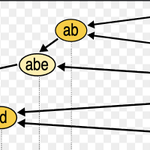
I used the dendrogram concept and built an agent that breaks a topic down into 2–3 smaller subtopics layer by layer. I used it to generate documentation for codebase, and it gives really good coverage of topics. it makes things much easier by breaking big things to smaller things

2
5
266
I believe part of this problem comes from files and folders. We give humans a lot of raw information split and scattered across files, docs, tasks, logs, and tools, and then expect them to put everything together and build a mental model of the codebase.
LLMs have a similar problem. They have to spend tokens reading all these separate pieces and figuring out how they connect before they can do the actual work.
Files have become a bottleneck in how we work with software. They are a rigid way of organizing information, while the relationships in a codebase are much more flexible.
I’m building a graph-based IDE to experiment with a different way of working with code, where those relationships are part of the environment instead of something humans and LLMs have to reconstruct every time.
This quoted post is unavailable.
5
5
168
Yared Ts retweeted

We need aggressive founders with huge hearts
We need aggressive investors with big balls to jump in when they get that gut feeling
We need both to make a shit ton of noise
Breaking a problem into independent stories and giving them to independent agents doesn't make the work independent. They end up changing the same code, missing dependencies, or relying on context that only exists in someone's head.
The usual answer is to make the agents collaborate more. The other option is to make the plan itself carry enough information for the system to reason about the work.
Most task systems are text and checkboxes. "Add author information" tells you nothing about what code it touches, what it depends on, or whether another task is about to change the same function.
So I've been making tasks part of the code graph. Instead of only describing the work in words, a task points at nodes the parser already produced real functions, classes and files with a relationship: read, affects, create, or delete.
This makes coordination computable. If two tasks affect the same function, the overlap can be detected automatically. If one task creates a function that another task reads, the dependency can be suggested or the agents can reason about it directly because each task has already defined its boundary: what it can read, affect, create, and delete.
And this happens before anyone starts working, while conflicts are still cheap to resolve. Tasks can be ordered, split, merged, or the overlap can be explicitly accepted with a reason.
I also made a Claude design draft to visualize what this could look like. It might look a bit complicated at first, but most of that is just the underlying relationships between tasks and the code they map to. The goal is to make those relationships explicit and computable.
claude.ai/code/artifact/5582…
Still an experiment, but the interesting part for me is seeing how far task management can move away from making humans and agents reconstruct the mental model from scattered descriptions and context, and toward tasks that are directly mapped to the code, with clear structure, boundaries, dependencies, and relationships. That gives agents a much clearer context to reason within, while also giving the system something concrete to check and verify instead of wasting tokens and attention reconstructing what the task actually means.
Part of the graph-based coding environment I've been building — github.com/v-noc/IDE


This should not be a surprise; but...
Breaking a problem up into a bunch of independent stories that are implemented separately by a squad of agents that do not collaborate, does not end well.
If only we could get the agents to pair...
1
4
200
I’ve hosted the Claude Code codebase as an example of what the graph-based IDE looks like in practice.
The prototype connects the code with its documentation and lets you group and categorize files, so instead of navigating through a long list of files, you can explore smaller, more meaningful groups.
vnoc.vercel.app/project/clau…
You can also focus on and share a single function or class:
vnoc.vercel.app/project/clau…
The Claude Code codebase is pretty large, so the demo can be a little slow to load at first. I’ll be working on improving the performance.

3
79
This is a big part of what I’m exploring with github.com/v-noc/IDE.
Our current development environments were designed around humans writing code line by line, where typing speed was the bottleneck. AI changes that completely we can now generate entire features in minutes, but the way we navigate and understand the resulting code hasn’t really changed.
The problem isn’t only the terminal. It’s context.
VNoC is my attempt at rethinking that layer: a graph-based environment where code, dependencies, docs, and tasks are connected, making it easier to navigate, understand, and verify what’s happening without constantly rebuilding the mental model of the codebase.
Still experimenting with it, but this is the direction I’m exploring.

I love agentic coding harnesses, but they shouldn't be primarily terminal-based. The terminal is great for quick and precise commands, but information density is extremely low and UI affordances are minimal. Maybe provision of TUIs is worthwhile for occasional use (when establishing a tunnel is too annoying, or something), but it feels very strange for this to be the default modality. It took a long time for dynamic language REPLs to break out of the terminal (Jupyter notebooks and similar); I hope we don't have to wait as long for the harnesses.
1
4
169
I have added two new features to the graph-based IDE(github.com/v-noc/IDE), a walkthrough generator and a task manager. The walkthrough generator works a little differently from a normal AI code explanation. Since the project is already represented as a graph, with the hierarchy and call graph connected together, the traversal is handled by the code instead of the LLM. The AI doesn't need to load or understand large parts of the codebase before answering. It only receives the nodes that matter, so it uses fewer tokens and can work well with smaller models. It can generate a project overview, explain a single function or class, or break a function into smaller code blocks and explain them step by step. I also added a task manager that lives with the code. Instead of keeping plans and tasks in a separate tool, every task is attached to the function or class it belongs to. You can easily see which tasks affect which files or functions, track progress, and understand why a piece of code changed. The main idea is to keep everything connected. Code, documentation, walkthroughs, and tasks all belong to the same graph. For both humans and AI, there is less time spent building a mental model of the project because the relationships are already there—you can simply query the graph.
Yared Ts retweeted
I have added two new features to the graph-based IDE(github.com/v-noc/IDE) a walkthrough generator and a task manager.
The walkthrough generator works a little differently from a normal AI code explanation. Since the project is already represented as a graph, with the hierarchy and call graph connected together, the traversal is handled by the code instead of the LLM. The AI doesn't need to load or understand large parts of the codebase before answering. It only receives the nodes that matter, so it uses fewer tokens and can work well with smaller models.
It can generate a project overview, explain a single function or class, or break a function into smaller code blocks and explain them step by step.
I also added a task manager that lives with the code. Instead of keeping plans and tasks in a separate tool, every task is attached to the function or class it belongs to. You can easily see which tasks affect which files or functions, track progress, and understand why a piece of code changed.
The main idea is to keep everything connected. Code, documentation, walkthroughs, and tasks all belong to the same graph. For both humans and AI, there is less time spent building a mental model of the project because the relationships are already there—you can simply query the graph.
Most of these ideas are still experimental. I'm trying different approaches to see what actually makes working with large codebases simpler.