

Every app's menu commands, one click away under your MacBook's notch. No shortcuts to memorize. No setup. Free for Mac. On Product Hunt Nov 24 🚀
Joined November 2026
- Tweets57
- Following0
- Followers3
- Likes2


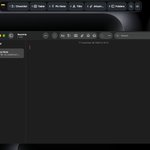
Keystrip: every app's menu commands, one click away.
Rest the pointer on the notch and a strip of buttons appears, built from the menus of the app you're in. Finder, Safari and Mail each get their own. No shortcuts to memorize. No setup.
Free for Mac: keystrip.app/go/x
28
Day 2: Safari. The strip under the notch shows Show Reader, Share, Pin Tab and Translate.
All of them already live in Safari's menus. Keystrip just puts them one click away, and swaps them the moment you switch apps.
Which Safari command do you dig for most?

6
Keystrip: every Mac app's menu commands, one click away under the notch. No shortcuts to memorize, no setup. Free.
keystrip.app/go/x
6
Launching my first paid Mac app on Product Hunt on Tuesday. Keystrip: every app's menu commands, one click away under the notch. Free tier, one-time Pro.
If you've launched there: what's the one thing you wish you'd done the week before?
3
4
40
I made a small Mac app: Keystrip turns the menus of whatever app you're in into one-click buttons under the notch. Finder, Preview, Safari and Mail each get their own. No shortcuts to memorize, no setup. Free.
keystrip.app/go/x

7
Building Keystrip: one-click buttons under the Mac notch, built from the menus of whatever app you're in. No shortcuts to memorize, no setup.
New this week: AI commands too.
Launching Tuesday. What would you put on your strip?
8
Keystrip goes live on Product Hunt on Tuesday.
Every app's menu commands, one click away. No shortcuts to memorize. No setup.
If you've used it: how would you describe it to a friend? Reply here, and say "OK to quote" if I can put it on the site.
producthunt.com/posts/keystr…

11
AI commands in 20 seconds ✦
Your skills and slash commands sit one click away on the strip, for whichever AI coding tool is in front. Keystrip types it. You press Return.
keystrip.app/go/x
11
A monkey slapping a note on screen for each sale beats an email receipt by a mile. Can you mute him during calls or screen shares?
1
7
Seeing which skills never ran is the useful part. Most people carry a few they forgot they wrote. Does it show the context cost per skill or per session?
1
"Declaring success without running tests" is the one that bites most. Having a clean session do the diff audit is a smart split, since the session that wrote the code always grades itself kindly.
1
Three short screens is the right call. People skip text and go straight to trying the thing, so one real action on the first screen teaches more than any paragraph. Does Tock start tracking before onboarding ends?
1
New in Keystrip 1.3.0: AI commands ✦
While your AI coding tool is in front, an AI key on the strip opens your skills and slash commands for the project you're in. One click types it. It never presses Return, and nothing leaves your Mac.
keystrip.app/go/x

11
Building Keystrip in public, one everyday app a day.
Day 1: Notes. Rest the pointer on the notch and the strip offers Checklist, Table and Pin Note, straight from Notes' own menus. Nothing to set up.
keystrip.app/go/x

20
Lyrics on one screen while you browse on the other is a nice setup. Does the widget follow along line by line, or show the whole song?
5