

Apple Professional Learning Specialist: MIE: Professional Development Coordinator: Training Educators + Students K-12 Edu ICT:
Perth
Joined June 2019
- Tweets265
- Following684
- Followers355
- Likes726






Michelle Forrest retweeted

Really excited to be part of the back to school series of webinars @AppleEDU are conducting next week. Join myself and @MissForrestEdu as we look at ‘Teaching with Mac’. Lots of tips and trick to share. @Usingtechbetter Register: 👇👇👇👇
events.apple.com/ms/xww6uj7w…

Have you downloaded the “Lost Voice Book” that was released in conjunction with Apple’s Personal Voice video? Download from Apple Books here > #Apple #AppleEDUChat #books #personalvoice #accessiblity #lostvoice
books.apple.com/au/book/the-…
Try out this tutorial Build with Stacks and Shapes Christmas Edition in Swift Playgrounds to learn how to add triangles and rotate shapes for creativity with code. youtube.com/watch?v=KhyGZrdO… @AppleEDU #AppleEDUChat #swift #code #everyonecancode #playgrounds #christmas
Some tips, tricks, and ideas to take your Build with Stacks and Shapes from Everyone Can Code Projects to the next level. #swift #everyonecancode @AppleEDU #mac youtube.com/watch?v=fTdjOtDF…
Michelle Forrest retweeted

iPadOS 17 Compatible Devices List – Will my iPad run iOS 17? tips.applenws.com/ipados-17-…

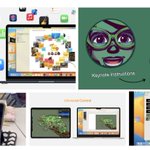
3rd video on the #Apple Education Community “Teaching with Mac Series - Part 3 Mac in the Classroom”. A look at productivity + creativity tools in the classroom such as Magic Move, Live Video, Dictation, and Universal Control with @Procreate @AppleEDU #mac education.apple.com/en/resou…

Michelle Forrest retweeted

iOS 17 is available today with some exciting new features like Live Voicemail, contact sharing with NameDrop, a new way to make your iPhone even more useful when you set it down with StandBy, improved autocorrect, and many more features you’re gonna love!

ALT StandBy shows Joz’s calendar for today, September 18. Calendar events displayed are: iOS 17 Launch, 🎉 Celebration, and 🥗 with Craig.
A look at the 2nd video "Teaching with Mac Series - Part 2 Productivity Tips for the Classroom." We look at Custom Focus, Desk View Camera, helpful Shortcuts for productivity, and organising your Desktop with Stacks and Stage Manager. @AppleEDU #mac education.apple.com/en/resou…


Definitely worth staying up to see. Excited to see Procreate Dreams, looks like an amazing animation tool. #procreate

Michelle Forrest retweeted
Wonder awaits. September 12. #AppleEvent
Michelle Forrest retweeted

The Sketchfab Top 10 Cultural Heritage & History #3D models is out!
#3D models from @MuseoEgizio, @NessofBrodgar, @yrincewind, @artsmia, @IUEgyptology, & more!
Explore the full collection online, in #VR & #AR 👉 skfb.ly/oKADG
...
#glam3D #openGLAM #heritage #museums
Unbelievable 2 days and 4 sessions with 24 Swift Coding Sessions in Playgrounds delivered to amazing teachers for @EduTECH_AU and @AppleEDU #swift #everyonecancode


Teaching with Mac Series - Part 1 Getting Started with the Basics - Apple Education Community. The first video in the series is designed as step-by-step help for teachers who are brand new to using Mac in the classroom. #mac @AppleEDU #macbook #apple education.apple.com/en/resou…

Amazing work today for Getting Started with Mac Session 3. Teachers worked with gestures for Mission Control, moving between Desktop spaces and Zoom for Accessibility. We worked on productivity with Stacks, Stage Manager, and creating multiple Desktops. #Mac #MacBook @AppleEDu


Michelle Forrest retweeted
Apple Vision Pro developer labs are opening soon around the 🌎
📍Cupertino
📍London
📍Munich
📍Shanghai
📍Singapore
📍Tokyo
Developers: Now’s your chance to get hands-on experience with Apple Vision Pro and see your groundbreaking apps come alive! developer.apple.com/visionos…

Working with some great teachers for a Mac Workshop learning some helpful tips and tricks. Learning to create engaging resources in #Numbers, with a simple keyboard shortcut, digital manipulatives, shapes, emojis and self-calculating tables for budgeting fun! @AppleEDU #MacBook
Today, our teachers gathered in a PLC to hone their skills on Macbooks, learning quick tips and tricks along the way. With their newfound expertise, they created a resource in the #NumberApp that our students can then personalise, be creative with and make real-world connections.


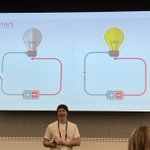
Some great ideas, discussions and open dialogue around STEM, the challenges we face in the classroom and how we can engage teachers and students well with #STEM learning from @alice_vigors and @Jonesyteacher at the National Education Summit @NationalEduca14

Messy Learning? Or fun, engaging and enriching learning? Some great ideas to combine Coding, Literacy, Makey-Makey and Character Design from @JezzaPK at the National Education Summit @NationalEduca14 #STEM #coding @makeymakey


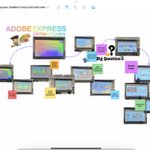
Another great session at the National Education Summit @NationalEduca14 with @timkitchen learning all about Adobe Express and bringing easy visual learning to all students #Adobe #AdobeExpress
